brandonh3077569
Participant
April 10, 2018
Question

Audition - Panels are going black

  • April 10, 2018
  • 2 replies
  • 2306 views

Hello,

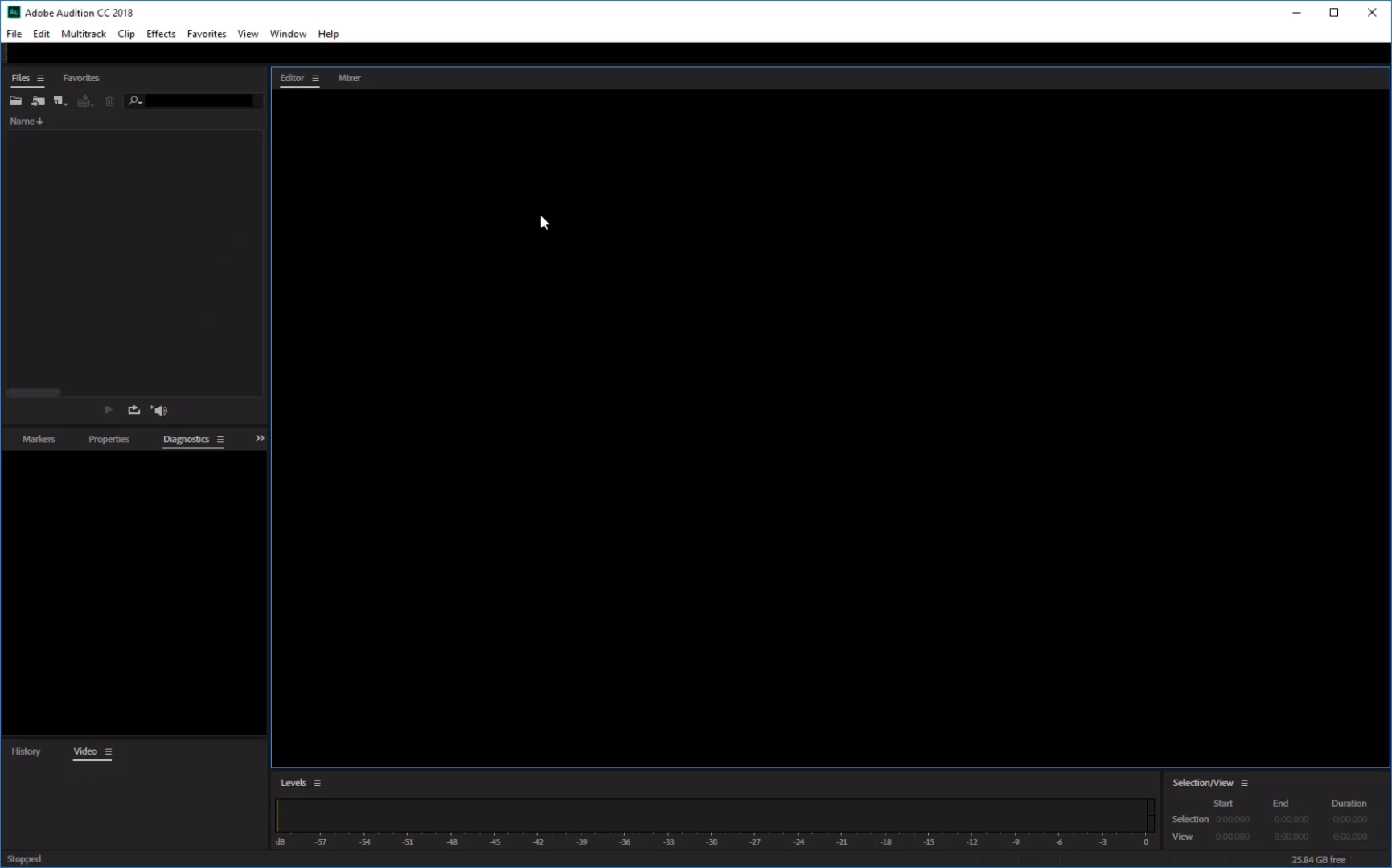
As I hover over any of the panels they either go black or reappear at random. The worst is when I'm saving and naming because I can't read the text line while typing. I'm working through it, but it is pretty annoying considering It wasn't doing this before I updated to 11.1.0.184.

Does anyone know what could be causing this or if Adobe is planning on a fix?
This topic has been closed for replies.

2 replies

Participant
April 18, 2018

You are not alone. I was also having this issue.

This is a fresh install of Audition as of 2 days ago.

HP Laptop
Windows 10 Pro Build 16299

Video: Radeon R7 M350 & Intel HD 520

Updating my Radeon video drivers seems to have fixed the issue.

ryclark
Participating Frequently
April 18, 2018

Adobe know that there can be a problem with some video drivers. They are working onto it. See:

Cannot resize Audition window or move to my second screen

Participant
October 2, 2023

None of the above worked for me - this is on a Windows 11 PC with Nvidia RTX 2060 card and the latest drivers at the time.


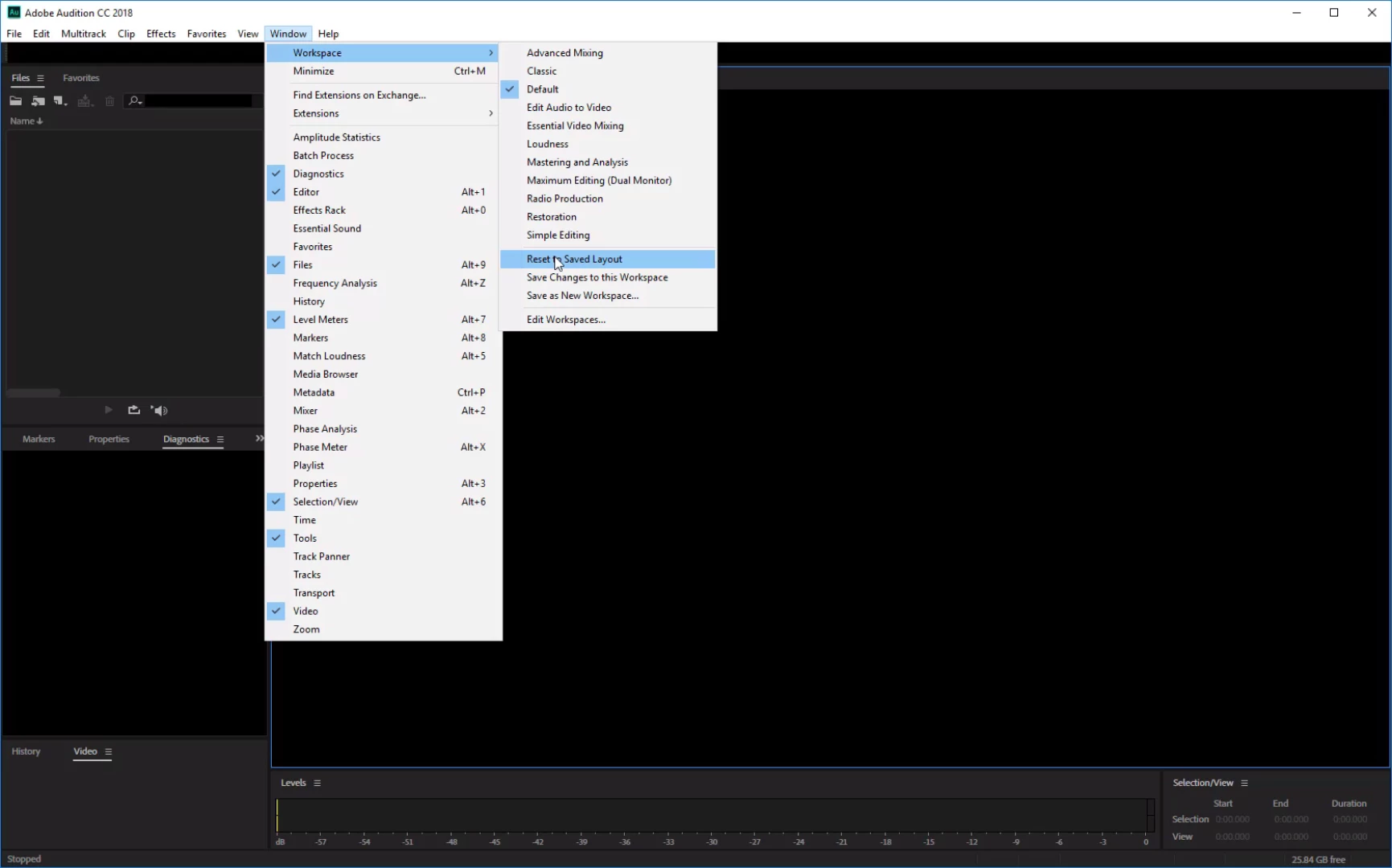
What worked or me was to reset the workspace in Audition: Windows > Workspace > Reset to Saved Layout


I don't know why, but I am happy now

ryclark
Participating Frequently
April 10, 2018

I don't know about Adobe issuing a fix since this is the first report that there has been about the problem you are seeing. This latest update has been out now for several weeks and no one else seems to have been having the problem. Are you on a Mac or a PC? Do you get the correct layout if you try opening any of the other Workspace presets?

Still as it seems to be a bug, albeit one that has only happened so far on your system, you should report it as a bug on the Bug reporting link. Audition: Hot (26 ideas) – Adobe video & audio apps

brandonh3077569
Participant
April 10, 2018

I am on a PC running Windows 10 Enterprise version 10.0.15063. Changing the Workspace does not resolve the issue. I also tried uninstalling/re-installing Audition to no avail.

Thank you for informing me that I am the only user having this issue. With that knowledge I feel better that I didn't go straight to the bug reporter and post a false claim. Also since the Bug report/Idea thread does not support attachments, I made the decision to post here. In this case, and in many support cases, having the ability to attach images and videos dramatically helps in conveying the issue at hand and decreasing confusion.

The temporary fix I found is turning off hardware acceleration for drawing. While it's unfortunate that my performance will take a hit, at least I can see what I'm doing now.

Thank you.

ryclark
Participating Frequently
April 11, 2018

Thanks for letting us know the outcome. It may still be worth posting a bug report to Adobe in case this happens to someone else and they can find a cure.