
Inspiring
March 26, 2017
Answered

Audition's primary temp volume can't be found.

  • March 26, 2017
  • 10 replies
  • 22385 views

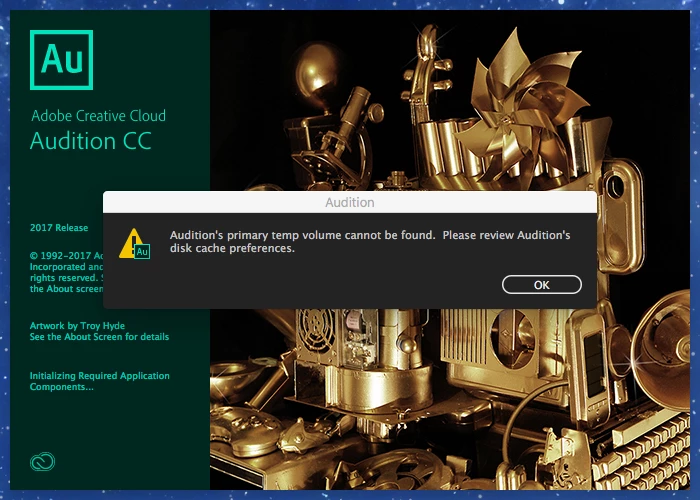
When I open Adobe Audition 2017 I get the following error message: Audition's primary temp volume cannot be found. Please review Audition's disk cache preferences." 

I go to the preferences and see an explanation point next to Primary Temp. I click browse and I am in the Document's folder in my Mac. From there I get lost.

Can anyone give me advice on how to correct this problem?
This topic has been closed for replies.
Correct answer EricGreenspan

Try opening Audition with the shift key held down. This will open it with 'vanillla' preferences. It worked for me. Solved the problem immediately and it created the folder in the RIGHT place.


[Mod note - before you do this you should also note carefully what ryclark has to say about it:

"If you use the 'Start Audition with the Shift key held down' option it will reset all Audition's settings to the default but you will, at the same time, lose any custom Favorites or Effects settings that you have made unless you make a backup of Audition's Settings Folder before you do the Shift Open option."]

10 replies

Participant
April 4, 2022

Go to Edit-->Preferences-->Media & Disk Cache--Primary Temp

Select any folder and that's all..


Participant
April 4, 2022

Sorry to all, That's not working. I don't know how to delete it but you don't follow this solution. Thanks

SteveG_AudioMasters_
Community Expert
Community Expert
April 4, 2022

Program files is not somewhere you put a temp file!


Just go to your root drive, create a new folder called 'Temp Audition' and navigate to that.

Participant
May 6, 2020

Yeah, I originally thought OMG, the easiest, fastest, most awesome resolution ever. But then I realized all my short cuts have been deleted.  Looks like I should have read ALL the replies! LOL Oy! 

SteveG_AudioMasters_
Community Expert
Community Expert
May 6, 2020

Yes, you're quite correct - it's not a trouble-free solution for a lot of people, and I think that this might perhaps be made a bit clearer - there are indeed consequences to starting with the shift key held down. I'll see if I can get the answer marked as 'correct' to reflect this.

Participant
September 10, 2020

For those of us who started with shift key and lost presets, is there anyway to un-do that? 

FreddyCardozaPhD
Participant
March 28, 2020

BRILLIANT.  Thanks. SO EASY!!


imvp
Participant
April 15, 2018

The dialogue states that the default folder will be used if the user assigned location is not available.

I would like, for the time being to reset the field where the custom cache location is entered and have it be empty or pointing at the original location. Is there a key sequence on my Mac that will clear the old entry so that the startup warning stops?

I don't see any option to reset the temp folder location to default.

ryclark
Participating Frequently
April 15, 2018

The only way as far as I understand is to manually browse to where you want your default 'temp folder' location to be. If you use the 'Start Audition with the Shift key held down' option it will reset all Audition's settings to the default but you will, at the same time, lose any custom Favorites or Effects settings that you have made unless you make a backup of Audition's Settings Folder before you do the Shift Open option.

Participant
September 6, 2017

Restarting audition while holding shift key did the trick! Thank you!

ericgreenspan74
Participant
May 4, 2017

vanilla = default

Think base of an ice cream sundae.

EricGreenspanCorrect answer
Participant
April 19, 2017

Try opening Audition with the shift key held down. This will open it with 'vanillla' preferences. It worked for me. Solved the problem immediately and it created the folder in the RIGHT place.


[Mod note - before you do this you should also note carefully what ryclark has to say about it:

"If you use the 'Start Audition with the Shift key held down' option it will reset all Audition's settings to the default but you will, at the same time, lose any custom Favorites or Effects settings that you have made unless you make a backup of Audition's Settings Folder before you do the Shift Open option."]

veomanagement
Participant
April 20, 2017

Thanks VERY much for this.

It now works perfectly!

AnotherMeAuthor
Inspiring
March 27, 2017

What if I were to uninstall Adobe Audition 2017... Would the Creative Cloud app allow me to reinstall it?

I probably accidentally deleted the file when I tried to clear out my cache library.

SuiteSpot
Inspiring
March 27, 2017

Uninstalling is a bit extreme.

Where the folder is is really irrelevant - remember you can set a primary and a secondary one - these should usually be on different drives for efficiency and responsiveness.

Accidentally deleting the folder will do it every time ;-)

AnotherMeAuthor
Inspiring
March 27, 2017

I created an Adobe Audition Temp Folder in my Document library on my Mac OS X computer. However, I believe it should be in the Library/Cache/Adobe folder, correct? I tried to select the Adobe folder from the preferences in Audition, but it would not allow me to select the Adobe folder.

Who knows...

SuiteSpot
Inspiring
March 27, 2017

Select browse

Then create a temp folder somewhere on your drive and press ok

all done

AnotherMeAuthor
Inspiring
March 27, 2017

So I am actually supposed to create the temp folder? Shouldn't that have been created when Audition was installed?

Do I create a temp folder for each recording or just once?

What does the temp folder hold?

Thank you.

SuiteSpot
Inspiring
March 27, 2017

It should have been created but the one that is shown in your screen dump doesn't exist for some reason.

So you need to point Audition to another one - it can be anywhere and called anything but temp is a good name.

Why yours doesn't exist I can't say but you only need to do it once (or usually not at all unless there is a problem).

Not intending to be funny but it holds temporary files like undo files, history files (I presume) and other scratch files all  of which will vanish when you close Au or whenever Au doesn't need them
