
Audition + Soundcraft Notepad12fx + 3-4 Mics. Please Help.
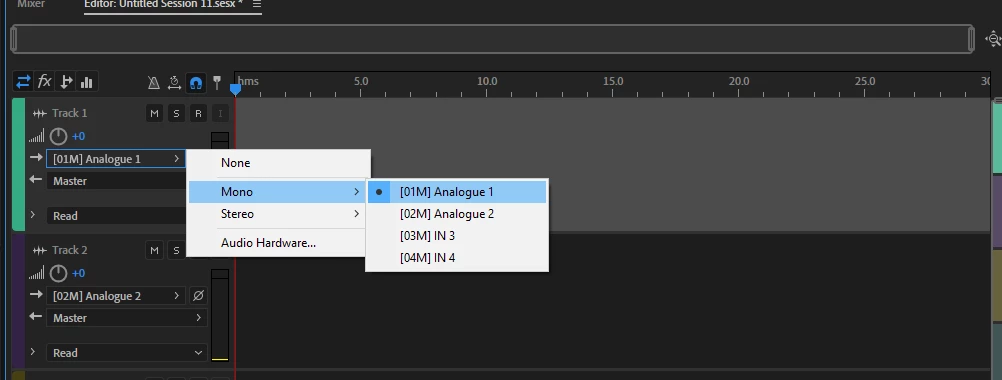
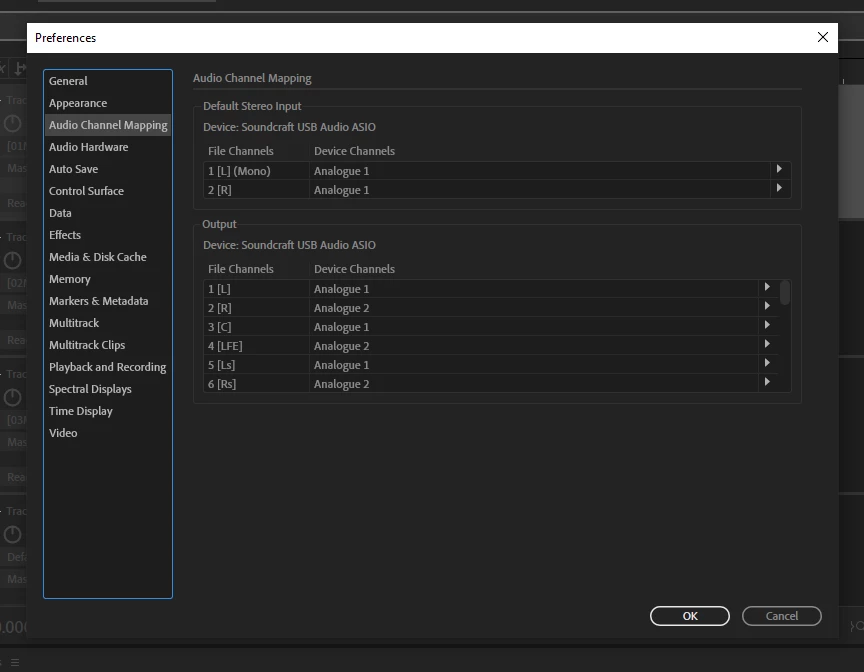
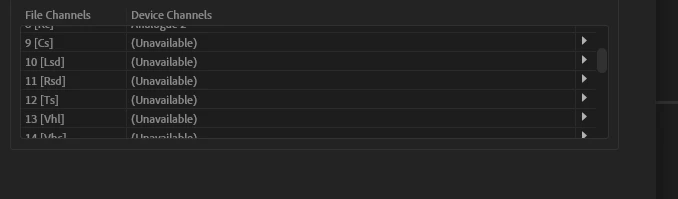
Alright so boom, I'm planning on recording a podcast with 3 host and sometimes a guest. I'm using a soundcraft notepad 12fx with adobe audition on windows. My issue is I can't figure out how to manipulate all 3 microphones. So I've tried ASIO, MME, and Wasapi, but most tutorials lead me to believe I should be on ASIO so cool. So while on ASIO the only options I see when I select inputs for my tracks before I arm the record button are [01M] Analogue 1, [02M] Analogue 2, [03M] In3, and [04M] In4. When I put Mic 1 on analogue 1, Mic 2 on analogue 2, and Mic 3 on In3. The first 2 seem just fine, but In3 picks up the first 2 mics audio and I'm stuck. Theres probably a step beforehand I should've done and I reaaaaally hope somebody that sees this can show me. Also, I have no idea what to set my audio channel mapping on because I don't know what all of those abbreviations are. Attached I'll have some pictures from my screen and setting I have which may help.


 AdChoices