
Participant
May 4, 2021
Question

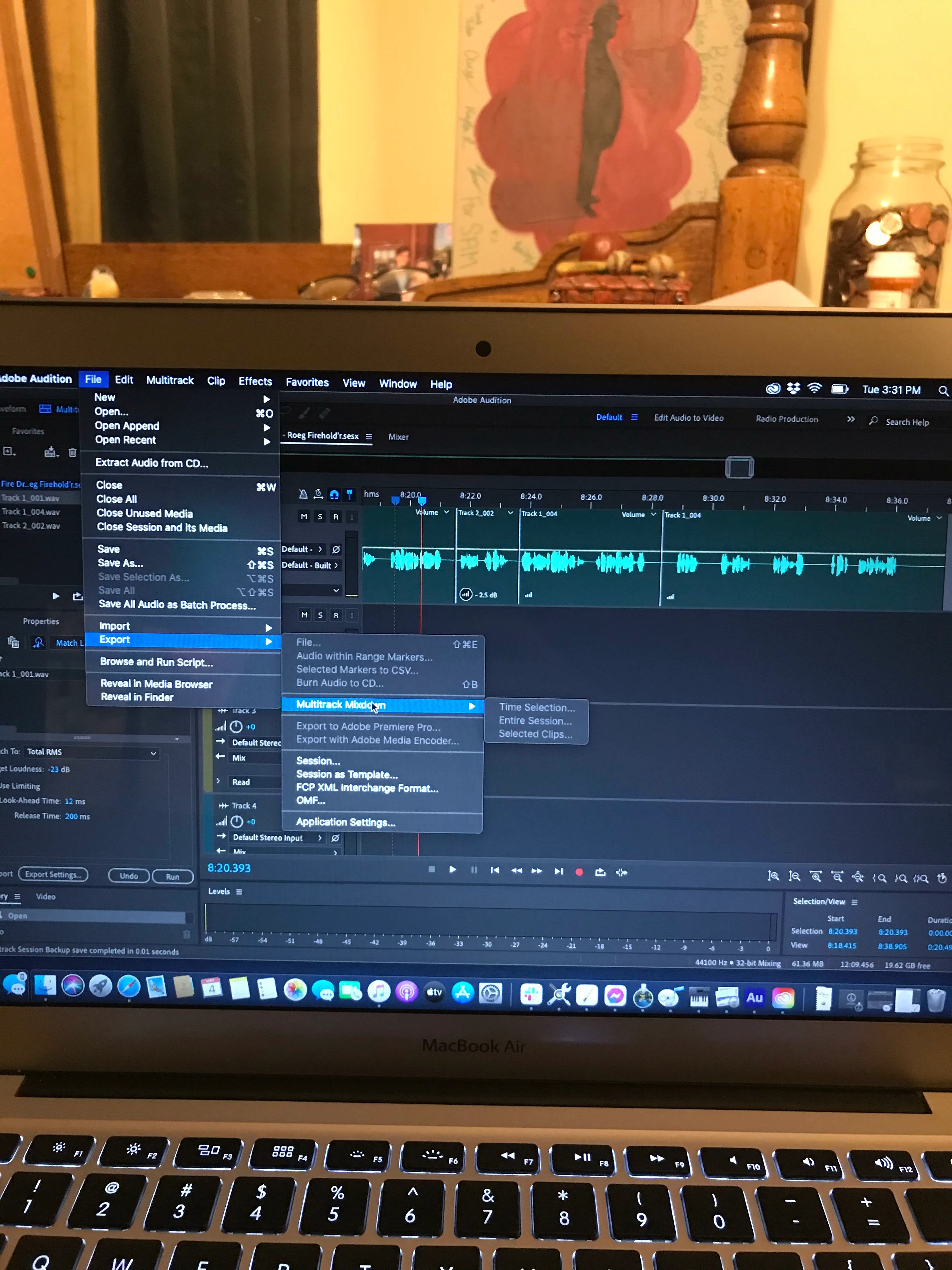
Audition won't let me export, even though I believe I'm doing everything right.
  • May 4, 2021
  • 1 reply
  • 151 views

I'm trying to export this multitrack mixdown from the multitrack page, and I've literally never had a problem doing this before.  I have no clue why it's greyed out all my options, but it's absolutely infuriating to not be able to do my work because of this.  Please explain what I'm doing wrong, because I've tried everything.

This topic has been closed for replies.

1 reply

SteveG_AudioMasters_
Community Expert
Community Expert
May 4, 2021

You should note that it's all the export options you've lost... which is a bit of a clue. Usually this happens when a track output settings don't lead to anywhere that an export can be done from. I can simulate that here by selecting the track output to be to a hardware output rather than the mixer, for instance. Chances are that if you change the track output so that it goes to the mixer, then even if the mixer is routed nowhere, you should get the Export options back.


I think it's a pretty safe bet that this is an option that you haven't tried! I'll let you off, though - it's not exactly obvious... 😉