


Participant
May 9, 2020
Question

Audition won't recognize inputs

  • May 9, 2020
  • 1 reply
  • 1123 views

I am using the Yamaha Mg10xu and have microphones connected to inputs 1 and 4. While Adobe Auditions recognizes that I have two inputs, it shows that the mics are connected to inputs 1 and 2 instead. In addition, on multitrack, when I set one channel to input 1 and another to input 2 (even if I reconnect the mic to input 2 as recognized), the voice from the mic on input 1 is the only voice recognized, and is recorded on both channels 1 and 2. 
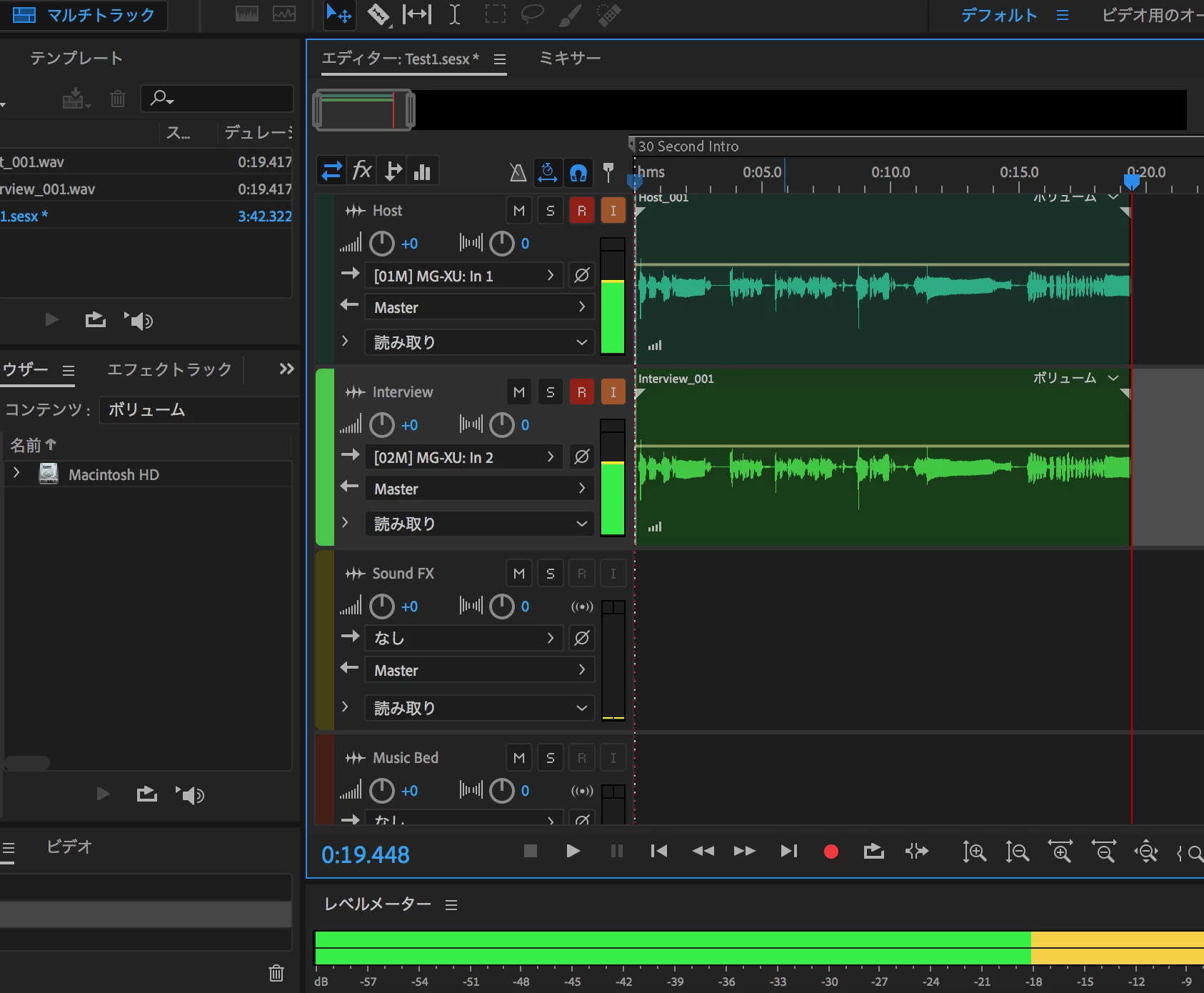
 

Please let me know if anybody is familiar with this issue and knows how to troubleshoot.


Thank you!

This topic has been closed for replies.

1 reply

SteveG_AudioMasters_
Community Expert
Community Expert
May 9, 2020

The manual is pretty clear; the only usb output available from the MG10XU is from the stereo mix bus:

So just the two channels. And this has nothing at all to do with the channels that the mics are plugged into. Which mic channel on the mixer goes to which side of the stereo mix output depends entirely upon the mixer's pan setting - nothing to do with Audition at all - everything will be sent to either channel 1 or 2. So very specifically, you can't do one mic per channel with this mixer. You have four mic channels, and each one can be panned either right or left - that's your only option.