
mghhgm
Participating Frequently
June 25, 2019
Question

Auto adjust amplitude

  • June 25, 2019
  • 1 reply
  • 415 views

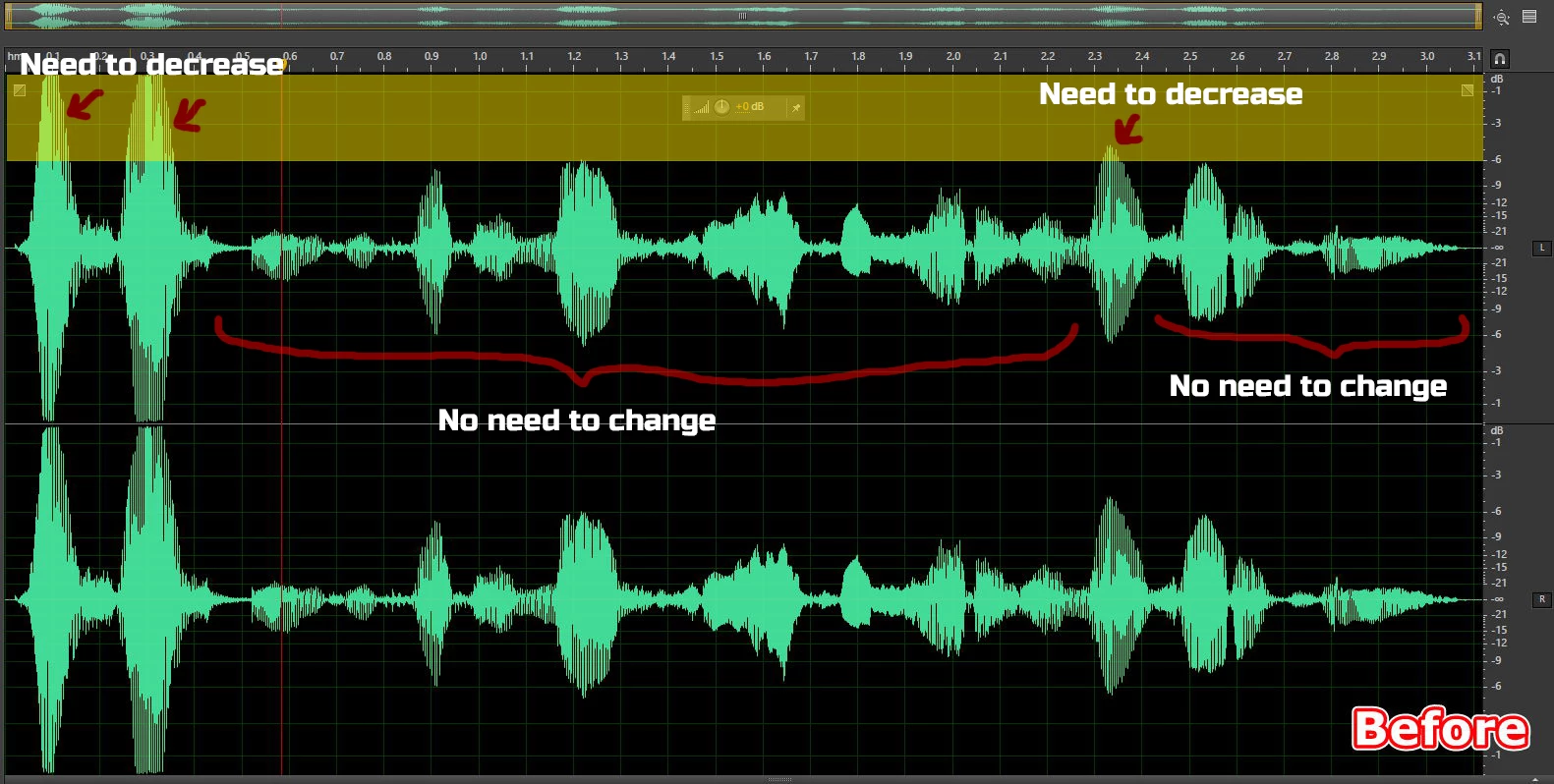
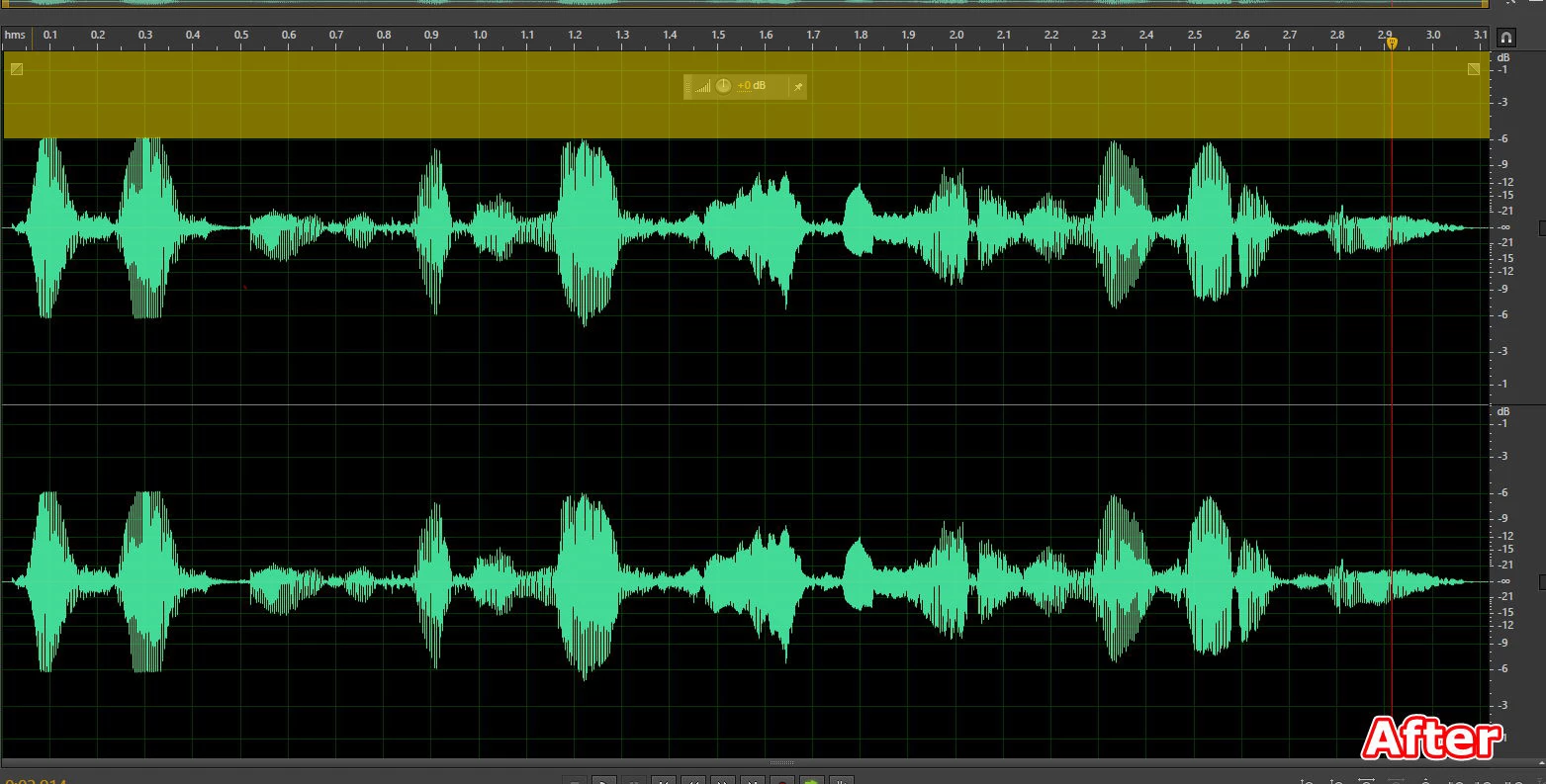
I have many audio files, that need to adjust amplitude. Please see before image. I need to decrease some parts are over than -6 db to -6 db. But some parts aren't over -6 db, don't need to change. Is there a way to do this fast?
Thank you

This topic has been closed for replies.

1 reply

SteveG_AudioMasters_
Community Expert
Community Expert
June 25, 2019

Absolutely the quickest way to do this is to highlight the section you want to alter, and use the HUD (that control in the middle of your yellow band). That's what it's for! You get to see immediately what the effect is, so it's easy to make judgements about how far to go.

mghhgm
mghhgmAuthor
Participating Frequently
June 25, 2019

Thank you for your answer. This is a dubbing file, and in places where it is yellow highlighted, the speaker is closer to the microphone. I use HUD but this method is very time consuming for large files.

ryclark
Participating Frequently
June 25, 2019

In that case you can use a compressor effect to the audio to reduce the gain of the louder parts. Try Effects/Amplitude and Compression/Tube modeled Compressor with the Voice Leveler preset. You will have to adjust the Threshold to suit your audio. Start at a Threshold level of about -6dB. Leave other settings as they are.