
Participant
February 16, 2020
Question

auto-leveling two separate stereo tracks

  • February 16, 2020
  • 1 reply
  • 1223 views

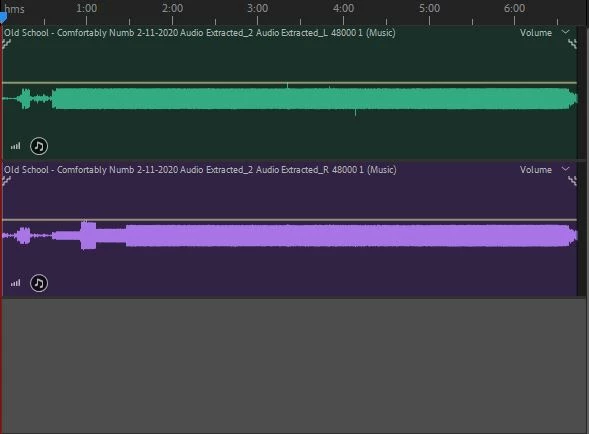
I used two mics connected to a decent Canon video camera to record a live performance. The camera operator adjusted the levels of one of the mics during the performance, resulting in different volume levels. Is there a way to auto fix this, so that each track is on the same level? I know how to do it manually, but it is so tedious. I'm thinking there is an auto feature I just can't find. Thank you.
This topic has been closed for replies.

1 reply

Mike Russell
Inspiring
February 18, 2020

Yes! Select both tracks and then right click followed by choosing Match Loudness...


You may then match the volume of both tracks to be equal in relation to a set amount of LUFS. The default -23 LUFS will be fine for this case.

Participant
February 18, 2020

I must be missing something. The steps I'm taking are:

  • Import .wmv file into Premier Pro
  • Open the stereo audio track from the video in Audition
  • Select all and convert to two separate mono tracks
  • Put both on the multi-track timeline
  • Select all and right-click, then select match loudness clip

I've tried it several different ways, and it doesn't seem to make both tracks have the same level. It will adjust levels, but it keeps the track with the messed up levels proportiounatly unlevel with the other track. Not sure what I'm doing wrong.