
Batch Export Format Settings won't save
I quite often use the Batch Process function to convert WAVs to MP3s for radio play.
I want to export as 320 Kbps MP3s, but when I go through Export Settings > Change Format Settings to 320 Kbps and run the current batch, the Format Settings keeps defaulting back to 192 Kbps.
So, in the following three steps:
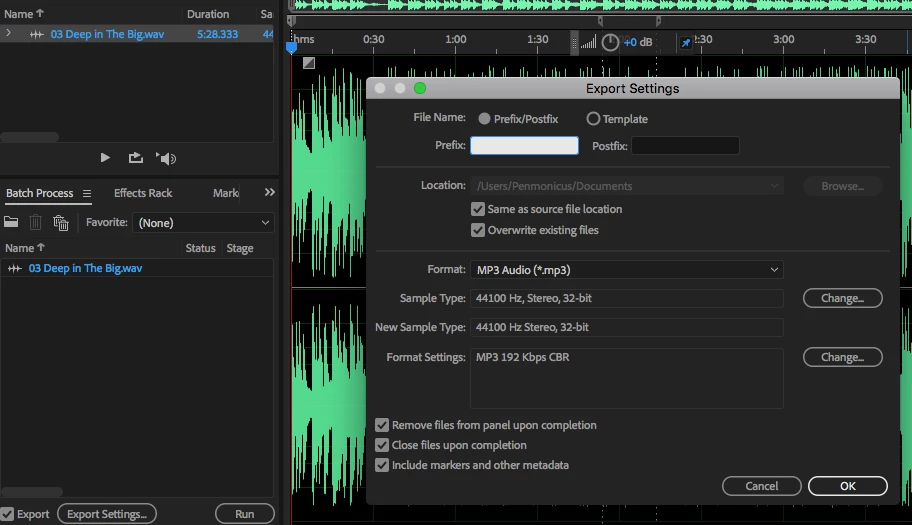
1. Drag & dropped WAV file into Batch Process window and clicked "Export Settings..."
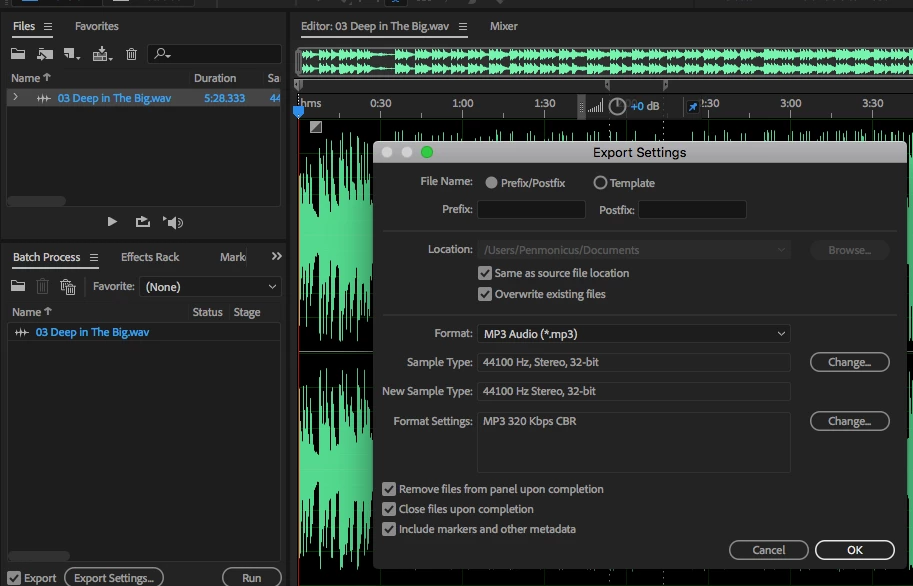
2. I've clicked the "Change..." button next to Format Settings and changed from 192 Kbps to 320 Kbps, then clicked "OK" and clicked the "Run" button in the Batch Process window. This exports the file as a 320 Kbps MP3 and closes the WAV file as wanted.
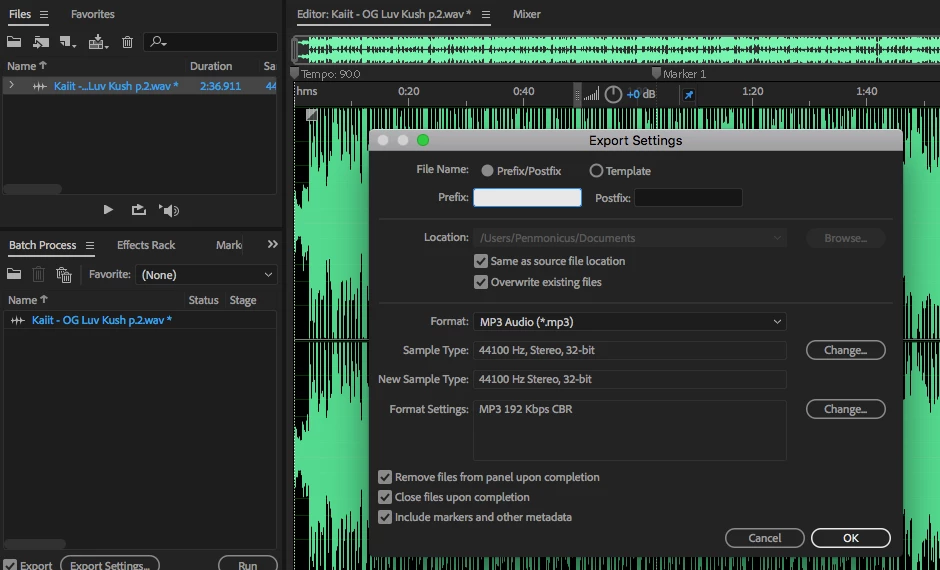
3. I've now opened a new WAV file, dropped it into the Batch Process screen and clicked "Export Settings..." and you can see it's reverted back to 192 Kbps.
Audition has remained open this whole time.
This is quite annoying and I can't see anywhere else to define the settings as I want it. I'm sure it used to default to the most recently-used setting, so I'm not sure if this has changed since the latest app update?


 AdChoices