
Legend
October 10, 2018
Answered

BUG: Loudness Radar reset causes crash

  • October 10, 2018
  • 2 replies
  • 929 views

I've reported this BUG: Loudness Radar reset causes crash – Adobe video & audio apps but maybe someone can check they get the same issue on their system?

Start new multitrack session

Add Special | Loudness Radar to master bus

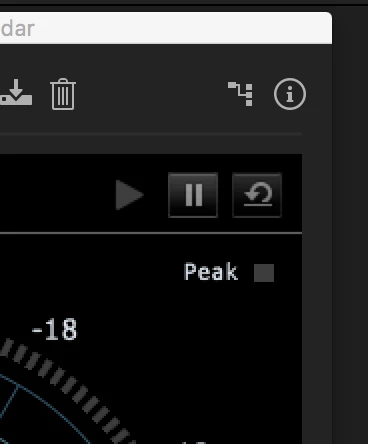
Hit the 'reset' button (top right) on LR panel - CRASH

(it's the circle with an arrow above the Peak indicator)
    This topic has been closed for replies.
    Correct answer ryclark

    However you should now be running v. 12 CC 2019 which may have sorted that problem amongst others.

    2 replies

    mike@citizenfilm.org
    Known Participant
    October 29, 2018

    I have the same problem on a Mac, running Audition v 11.0.1.184. I was trying to resolve the problem I reported here: Essential Audio loudness when using Balanced Voice presets

    In summary, I was trying to figure out why the Balanced Male and Balanced Female Voice presets in the Essential Sound panel in Premiere unexpectedly bump up average loudness of the affected regions way past -23 LUFS. So I was trying the same operation in Audition.

    Answer: Not only do those presets bump up the loudness, Audition crashes whenever I hit the reset button on the Loudness meter... 

    ryclark
    ryclarkCorrect answer
    Participating Frequently
    October 30, 2018

    However you should now be running v. 12 CC 2019 which may have sorted that problem amongst others.

    Legend
    October 31, 2018

    Does appear to work OK in 12.0.0.241

    SteveG_AudioMasters_
    Community Expert
    Community Expert
    October 11, 2018

    If you want to report a bug properly (so that the devs get some idea of what caused it) then you really need to follow the instructions here: Audition Crashed.  Now what?

    Especially as it doesn't happen here in a multitrack session (reset works perfectly), and you haven't even indicated whether this is on a Mac or a PC...

    Legend
    October 11, 2018

    SteveG(AudioMasters)  wrote

    If you want to report a bug properly (so that the devs get some idea of what caused it) then you really need to follow the instructions here: Audition Crashed. Now what?

    Especially as it doesn't happen here in a multitrack session (reset works perfectly), and you haven't even indicated whether this is on a Mac or a PC...

    1. What were you doing when it crashed?
      Resetting the Loudness Radar plug-in
    2. What have you done since you last launched the application?
      This happens on fresh instance, in fresh multitrack session, with just the Loudness Radar applied to the multitrack.
    3. If it crashes with a plug-in or a file, supply information about the plug-in or file.
      TC Electronics Loudness Radar - Adobe supplied plug-in
    4. Has anyone else experienced the crash?  Anyone else on the forums, or perhaps a friend that also owns Audition?
      Only 1 person has replied, to the negative, so far.
    5. Was there an error message?  Post a screenshot.
      No error message - instant exit

    I've revised the posting, plus sent an email with logs. Thanks for pointing that out & clarifying that it works OK on your machine. I will try it on another machine when I get the chance.

    MacBookPro 10.12.6 running Audition 11.1.0.184

    SteveG_AudioMasters_
    Community Expert
    Community Expert
    October 11, 2018

    Trevor_Asq  wrote

    MacBookPro 10.12.6 running Audition 11.1.0.184

    FYI, it's a PC it works fine on here.