Participant
July 31, 2025
Answered

Can I specify a numerical value for the volume?

  • July 31, 2025
  • 2 replies
  • 123 views

I see a few different ways to adjust the volume of a clip, but find all of them quite awkward as it means dragging the value with my mouse.


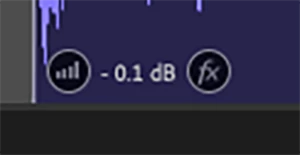
Is it possible to enter a number anywhere for what I want the volume to be? E.g. the bit in the bottom left of a clip, can I type in a number somehow instead of clicking / dragging with the mouse?

 

Correct answer SteveG_AudioMasters_

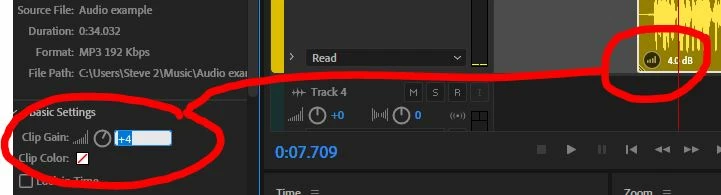
For any highlighted clip, go to Properties>basic Settings>Clip Gain.

If you click on the number, a text box that you can type in opens. Yes, I know it would be better if it was on the clip itself, but it's better than not being able to do it at all, isn't it?

2 replies

Rag and Bone
Community Expert
Community Expert
July 31, 2025

Yes, just click in the gain field and type.

You can do this in the gain field of the properties panel, and you use a shortcut for this—see screen grab of the panel and of the keyboard editor.


In waveform view, click in the gain field.


SteveG_AudioMasters_
Community Expert
SteveG_AudioMasters_Community ExpertCorrect answer
Community Expert
July 31, 2025

For any highlighted clip, go to Properties>basic Settings>Clip Gain.

If you click on the number, a text box that you can type in opens. Yes, I know it would be better if it was on the clip itself, but it's better than not being able to do it at all, isn't it?