


Participating Frequently
September 14, 2024
Question

Can't add new keyboard shortcut

  • September 14, 2024
  • 2 replies
  • 348 views

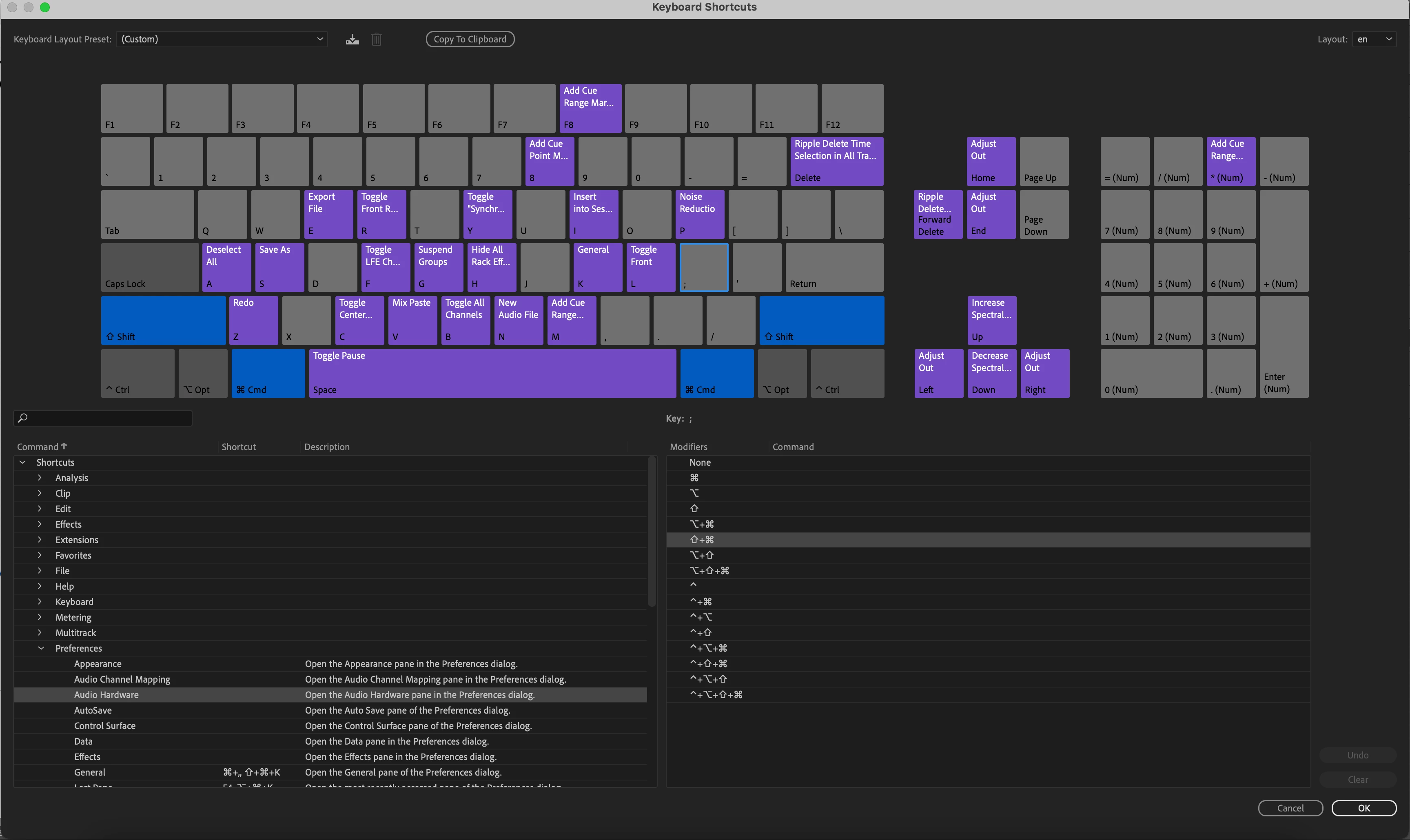
Hope someone can help, I'm trying to add a keyboard shortcut to open the hardware preferences, because I frequently swap between headphones and external speakers and it's a pain to have to keep going in manually. (I'm on a mac laptop.)


Looking online it seems the shortcut Command Opt ; should do it, but this doesn't work for me.


Trying to set up that shortcut manually, promisingly I seem to be able to add it to the keyboard shortcuts, but when I click OK and try it, nothing happens, and it's not there when I look again.


Curiously I have a couple of shortcuts set up for keys 1 and 2 on my keyboard for 'cut' and 'autoheal', which work, but I can't see them on the keyboard shortcuts display, even though I know they are working. (I set them up ages ago, so can't now remember how I did it...)


Would be so grateful for any help. 
 

This topic has been closed for replies.

2 replies

SteveG_AudioMasters_
Community Expert
Community Expert
September 14, 2024

I tried it here on a PC and it works fine. I used the U key. PCs don't have an Opt key, so it's possible that this isn't a good choice - try using an unassigned key and seeing if that is retained.

Participating Frequently
September 15, 2024

Thank you, I tried it but still no joy, but I did a bit more digging and found this helpful tutorial which showed me the field you need to use to add the shortcut – I hadn't realised it was there! 


https://youtu.be/-Of4Q6I5lHI?si=By_fIsXj2YSX33aU

SteveG_AudioMasters_
Community Expert
Community Expert
September 15, 2024

Yes it's a bit strange about the 'Add' button references - I think they came out of the dark ages, as even Audition 3 didn't have one of those on the Keyboard Shortcuts page! It's possible that it was present in the CS versions, but I don't recall it there either...

Participating Frequently
September 14, 2024

PS I realise in my screengrab it's showing Command Shift ; – that's a variant I was trying. But that didn't work either!