


Participant
July 18, 2022
Answered

Can't dock floating windows in my workspace.

  • July 18, 2022
  • 2 replies
  • 998 views

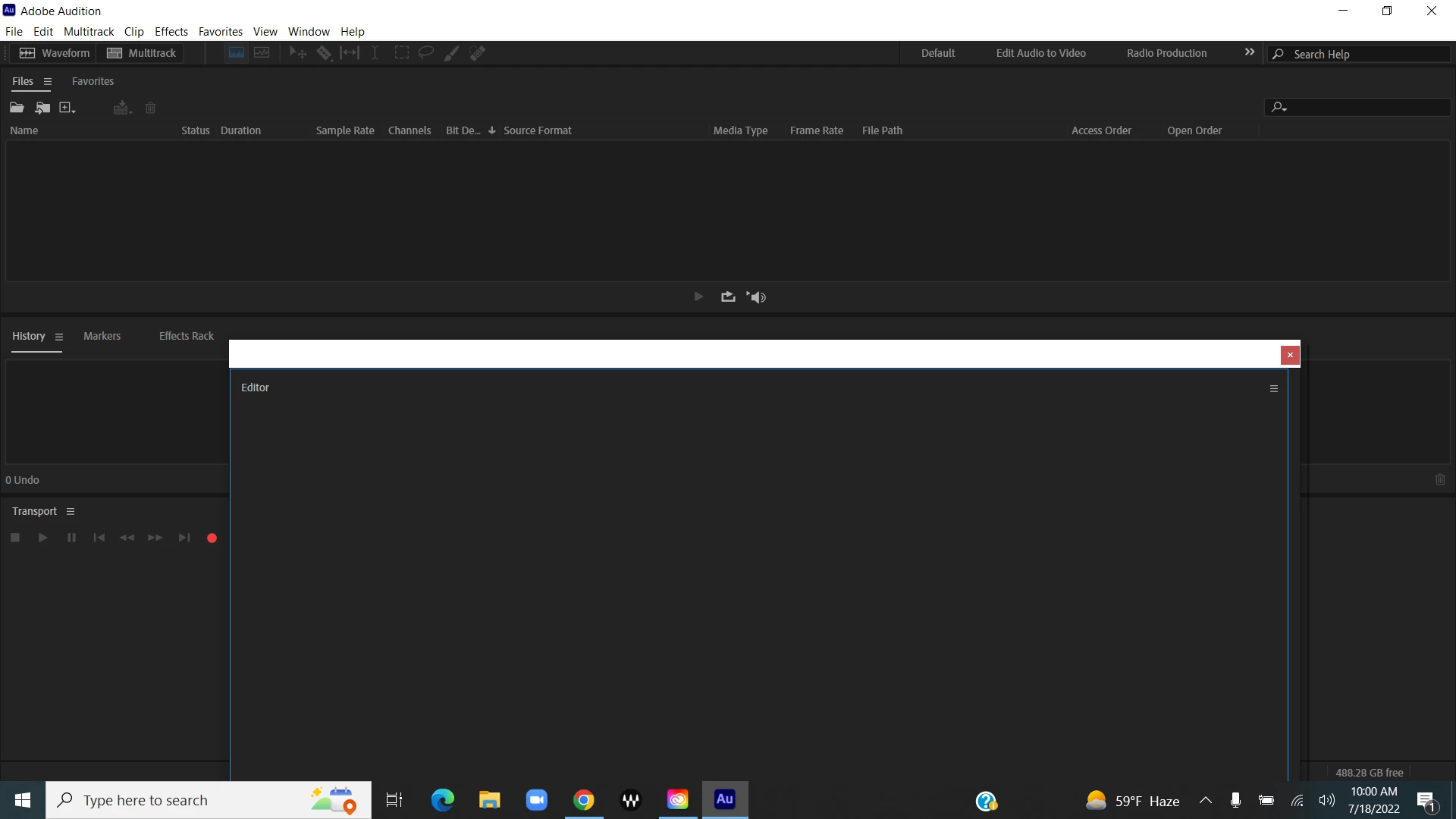
Hello!  All of a sudden, my Editor is undocked, and I can't redock it in the Classic Workspace.  No docking zones appear,  my file panel takes up the entire upper section of the window, and no resizing icon appears to size it left to right.  I can size it up and down, but want the File window on the left side of the Editor window.  Any help would be super appreciated.  Thank you! Also, no docking zones appear in any workspace.  If I undock anything, that's it.  My Audition i s up to date.


This topic has been closed for replies.
Correct answer SteveG_AudioMasters_

See those three little horizontal dashes just below the red 'close' box on the RHS of your panel? Right click the mouse on them, and you'll get the resizing options.

2 replies

Dodsworth
Participant
August 9, 2022

I can see you've had a response regards resizing the panel but I can't see a response addressing the main motif of your question, regarding redocking the panel.
Would somebody explain how to do that. I'm sure Adobe will have a simple instruction for this, but what is it?


Dodsworth
Participant
August 9, 2022

Ok. I can see, from another forum, that if you click and hold on the name of the panel and drag it to an edge of another panel, it will insert the undocked panel above or next to the particular edge to which you drag the panel.

Clicking, holding and dragging from any other part of the panel does nothing, so you must specifically click on the label of the panel, the words, for it to work.

Participant
August 9, 2022

Thank you very much!  I will give that a try!

SteveG_AudioMasters_
Community Expert
SteveG_AudioMasters_Community ExpertCorrect answer
Community Expert
July 18, 2022

See those three little horizontal dashes just below the red 'close' box on the RHS of your panel? Right click the mouse on them, and you'll get the resizing options.

Participant
July 18, 2022

Thank you Steve!
