Participant
September 27, 2017
Answered

Can't see effects/sidechain controls for tracks in Editor window.

  • September 27, 2017
  • 1 reply
  • 543 views

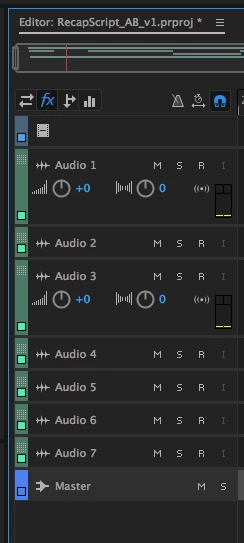
Total noob to Audition so sorry if this is a stupid question. I'm trying to apply effects to tracks and sidechain using sends. There are buttons for effects and sends, but they do not show the relevant controls on each track. See my system below:  
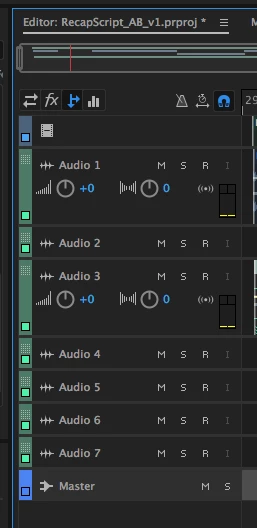
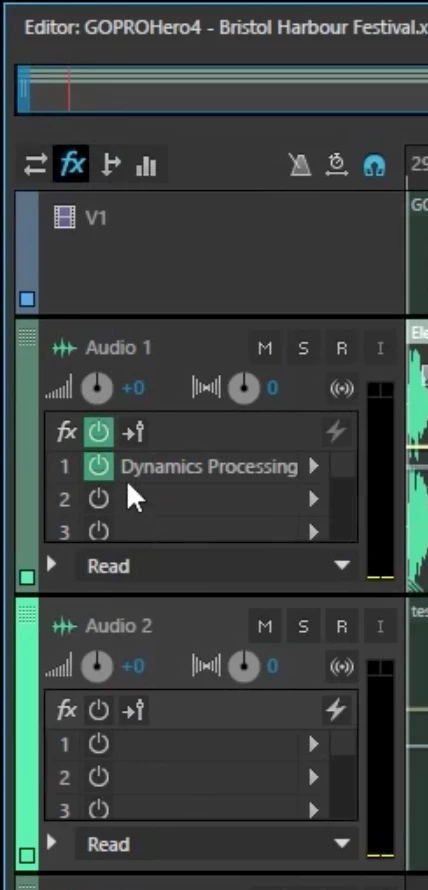
I am expecting to see something like this (screenshot found elsewhere): 
Any ideas what I'm missing? Thanks.

This topic has been closed for replies.
Correct answer samg7796528

I have found that I needed to expand the track further by dragging on the bottom border of the track. I also found that you can quickly expand all tracks by pressing down on your mouse wheel (if you can press down on your mouse wheel) and scrolling.

1 reply

samg7796528AuthorCorrect answer
Participant
September 27, 2017

I have found that I needed to expand the track further by dragging on the bottom border of the track. I also found that you can quickly expand all tracks by pressing down on your mouse wheel (if you can press down on your mouse wheel) and scrolling.

ryclark
Participating Frequently
September 27, 2017

There you go. And it's not easy to see but you can have up to 16 Sends from any Track in Audition.