
Participant
November 14, 2019
Question

Cannot open files in Audition mac OS Catalina

  • November 14, 2019
  • 2 replies
  • 762 views

Hi there,


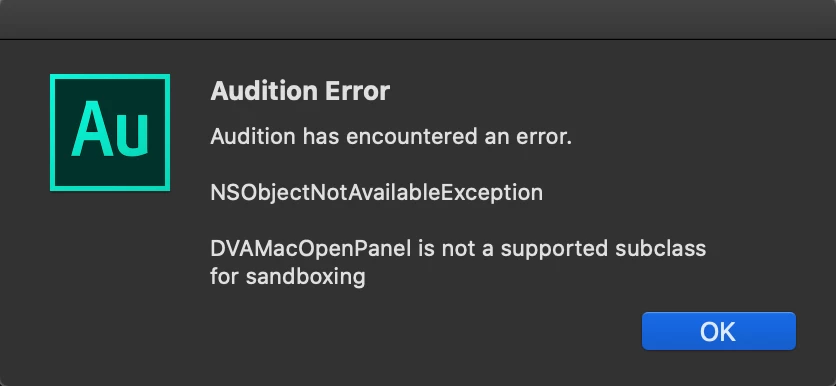
I couldn't open files in Audition after upgrading my mac to mac OS Catalina. Dragging documents still works though and it's the only way to open a file.


The screenshot is attached.


I would be very grateful if anyone could help me solve the problem.
This topic has been closed for replies.

2 replies

_durin_
Legend
November 14, 2019

Adobe has been working with Apple to investigate this issue as it affects many applications.  It appears to be related to some obscure boot settings in the OS/hardware that most users do not have enabled. 

Iain WangAuthor
Participant
November 19, 2019

Thank you for the reply!


This has been so much inconvenient. I guess I shouldn't have upgraded the system so quickly.

SteveG_AudioMasters_
Community Expert
Community Expert
November 14, 2019

That, I'm afraid, you will have to take up with the developers, whom I will alert. Are you running the latest version of Audition? But I have to say that after all the things I've heard about this so-called 'upgrade', I'm rather glad that I run PCs...

Iain WangAuthor
Participant
November 19, 2019

Thank you for your reply. I guess I'll have to wait for a while before the issue can be solved.