
jasonb57109846
Participant
November 16, 2021
Question

Cant relink online clips even though they are visible

  • November 16, 2021
  • 1 reply
  • 138 views

Hello

I was wondering if someone can help me?


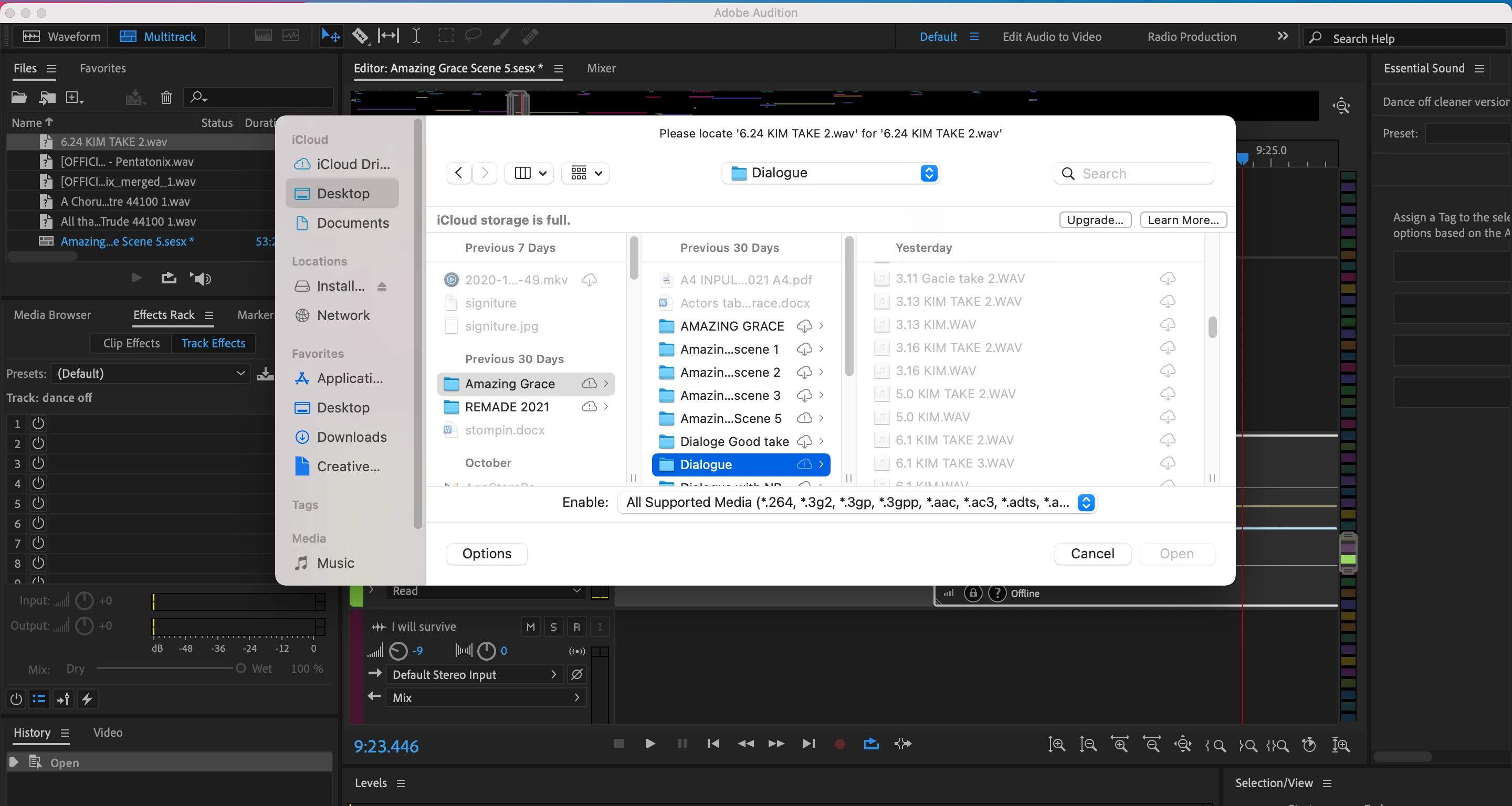
I opened up my multitrack project and my clips were offline. When I go to relink them the .wav file is visible but light grey and can't be selected.


I have tried All selected media and All files in the enable drop down menu with no luck.


Can someone please help? I have to finish this project today. 
This topic has been closed for replies.

1 reply

SteveG_AudioMasters_
Community Expert
Community Expert
November 16, 2021

Rule 1 with Audition: You shouldn't EVER work directly with remote-stored files. You should only use on-line storage for backups or safety copies, and always work with a local version. There's a notice at the top of your screen that says 'iCloud storage is full'. I suspect that this is rather significant...


The main reason you shouldn't work with remote files directly is that Audition in Multitrack mode is essentially a streaming system, and unless you can guarantee a massively wide pipeline that never fails, you are going to get glitches and failures. You are not alone though - this has caught out a number of people in the past, and I expect it will continue to do so. You will also be a victim of Sod's Law - the major failures always occur at the time you can least afford them to.


I'm sorry for your problems, but unless you can locate those files by other means and replace them within your session that way, you are going to have to go back to the original files. You do have those separately, I presume?