
Participant
Apr 16, 2018 11:03 AM UTC
Answered

CC 2018 all bugged out

So yeah, my workflows are totally shot after the new update with helpful graphics bugs like
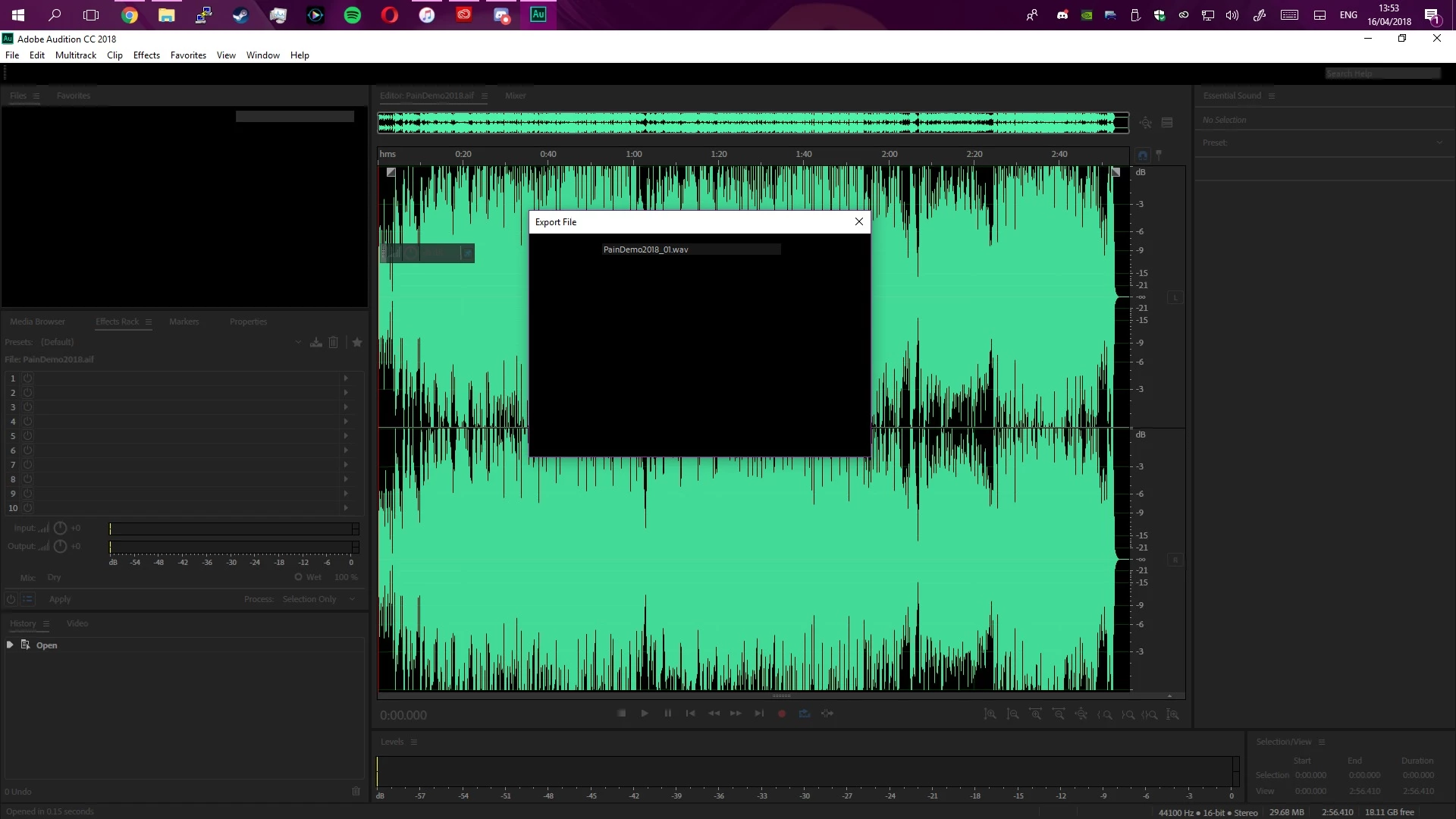
Running nVidia 1060 6GB with the latest drivers and I tried uninstalling and re-installing the apps. Since this seems to be a really common and disruptive issue, I'm really hoping to get at least a month or two of extra subscription time for free from Adobe in addition to getting the apps fixed ASAP because this is such a massive disruption of my production environment...

    This topic is closed to new replies. Start a new post to keep the conversation going.
    Stefan Wiegand
    Stefan WiegandCorrect answer
    Participant
    Apr 17, 2018 7:39 PM UTC

    Sorry to hear about the display issues you encounter.

    Would you mind trying to disable hardware acceleration by placing a file named "DisableDirect2D.txt" in your preferences directory (the file's contents do not matter, it can be empty)?

    The preferences are stored at a path like x:\Users\<Username>\AppData\Roaming\Adobe\Audition\11.x depending on your HDD configuration and the version of Audition.

    This should disable Direct2D before it is initialized.

    Best regards,

    Stefan

    8 replies

    Participant
    Apr 17, 2018 8:13 PM UTC

    That did the trick! Many thanks!

    Translate
    Stefan Wiegand
    Stefan WiegandCorrect answer
    Participant
    Apr 17, 2018 7:39 PM UTC

    Sorry to hear about the display issues you encounter.

    Would you mind trying to disable hardware acceleration by placing a file named "DisableDirect2D.txt" in your preferences directory (the file's contents do not matter, it can be empty)?

    The preferences are stored at a path like x:\Users\<Username>\AppData\Roaming\Adobe\Audition\11.x depending on your HDD configuration and the version of Audition.

    This should disable Direct2D before it is initialized.

    Best regards,

    Stefan

    Translate
    Chad Baker
    Adobe Employee
    Adobe Employee
    Aug 2, 2019 9:12 PM UTC

    Note: Stefan's solution has also worked for customers who are getting a "Direct2D drawbot error".

    Translate
    Participant
    Apr 17, 2018 12:55 PM UTC

    Can't. The menu is too bugged out to make selections.

    Translate
    ryclark
    Participating Frequently
    Apr 17, 2018 3:05 PM UTC

    Even if you can't see the Tick box if you can see your mouse pointer try clicking on the text. It should work just as well if it is going to at all.

    Otherwise graphics bugs do seem to be known to the Devs. See also Cannot resize Audition window or move to my second screen

    Translate
    Participant
    Apr 17, 2018 6:53 PM UTC

    I tried, but unfortunately it doesn't register the mouse clicks. And although this was moved to the Audition forum because of the screenshot, these bugs are prevalent in all CC products I use. I just used that one as an example. Does anyone know of any sneaky config file edit where I could try to flip that setting?

    Translate
    kglad
    Community Expert
    Community Expert
    Apr 16, 2018 1:19 PM UTC
    ryclark
    Participating Frequently
    Apr 16, 2018 2:20 PM UTC

    Under Preferences/General try turning off (untick) 'Use hardware acceleration for drawing'.

    Translate