Answered
Change start time to actual time of day?
Can you customize the start time to display an actual time of day the recording was started? If so, please share how to do it. 

Can you customize the start time to display an actual time of day the recording was started? If so, please share how to do it.
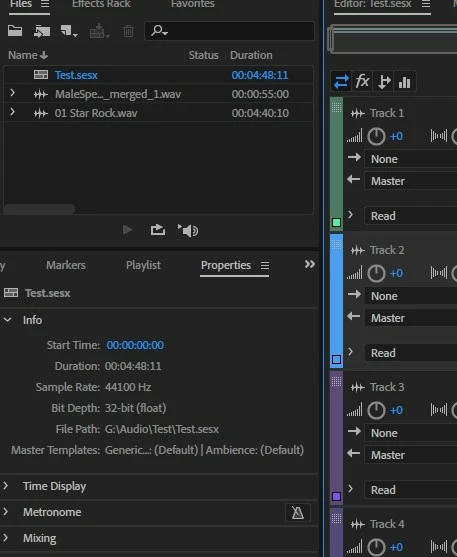
Once you have a Multitrack session loaded go to the Windows menu and click on Properties. Make sure that you don't have any clips selected by clicking in a blank area of the Multitrack screen and you can then then enter the Session Strata Time in the Properties Info window.
Already have an account? Login
No account yet? Create an account
Enter your E-mail address. We'll send you an e-mail with instructions to reset your password.


 AdChoices