


Question
Click/Pop Eliminator only works on right channel
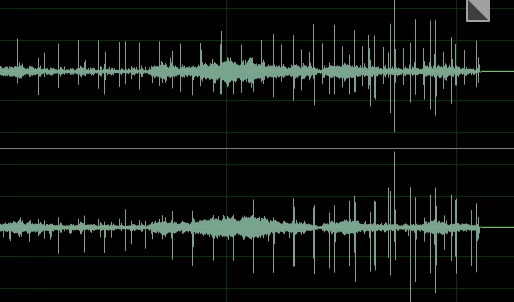
I'm trying to convert/restore some old vinyls and I'm having a problem with the Click/Pop eliminator. I'm running Audition CC 2019, Mac OS Mojave 10.14.3. When I run the tool on a stereo recording, it does a great job of removing clicks and pops but only from the right channel. It does nothing for clicks and pops in the left channel.
Here's the waveform before I run the tool:
Here's the waveform after I run the tool:
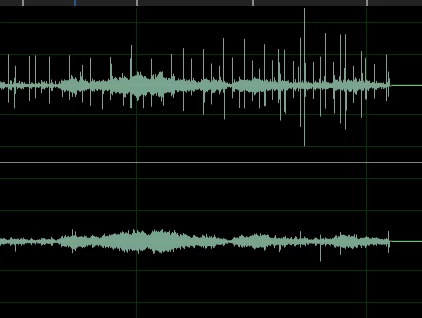
As you can see, it removes most of the obvious clicks and pops from the right (bottom) channel, but it does nothing for the left (top) channel.
What am I doing wrong?
 AdChoices