

Click/Pop elminator only working on right channel
I’ve been working on a very old vinyl (stereo) album restoring the audio, and I’ve come across what appears to be a bug in the Click/Pop eliminator (process).
I noticed that after I set up the parameters in the click/pop dialog window, that when I previewed the result, only the right channel seemed to be processed. Having started to experiment, I found a suitable click in the audio that appears on both channels. After previewing or even fully applying the effect, only the right hand channel is affected, and the clicks repaired. To prove my theory, I swapped the two channels of the original audio and processed the clip exactly the same way as previous. Again, the right hand channel is processed but the left channel remains untouched. I’ve included 4 screenshots of a sample of audio to show what I’m talking about.
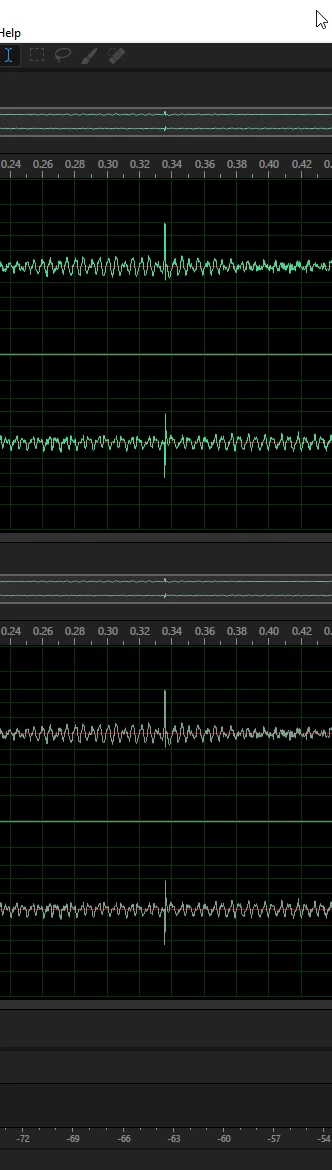
Picture 1 shows the original audio (top) with the preview audio (bottom). No processing has occurred at this time so both audio samples are identical.
PIC 1
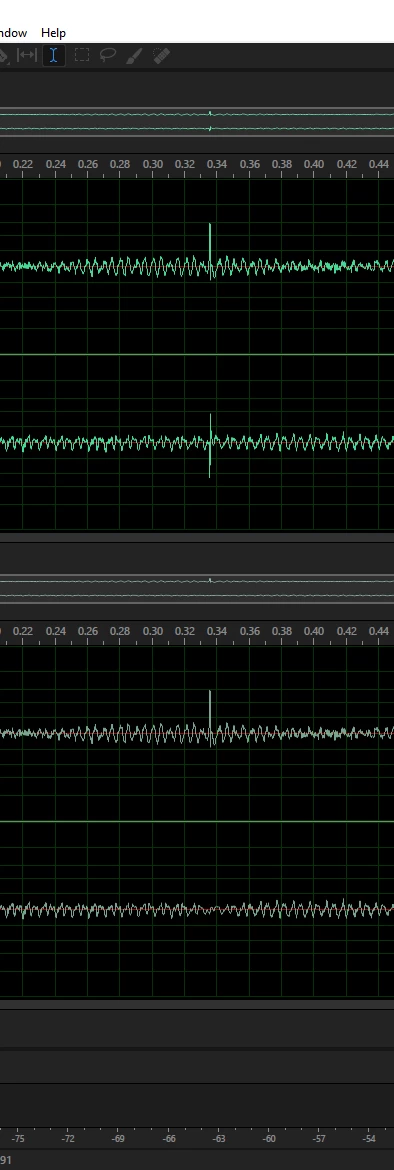
Picture 2 show the audio after using the click/pop eliminator. As you can see in the preview, the click has been repaired on the right channel, the left has been left untouched by the process.
PIC 2
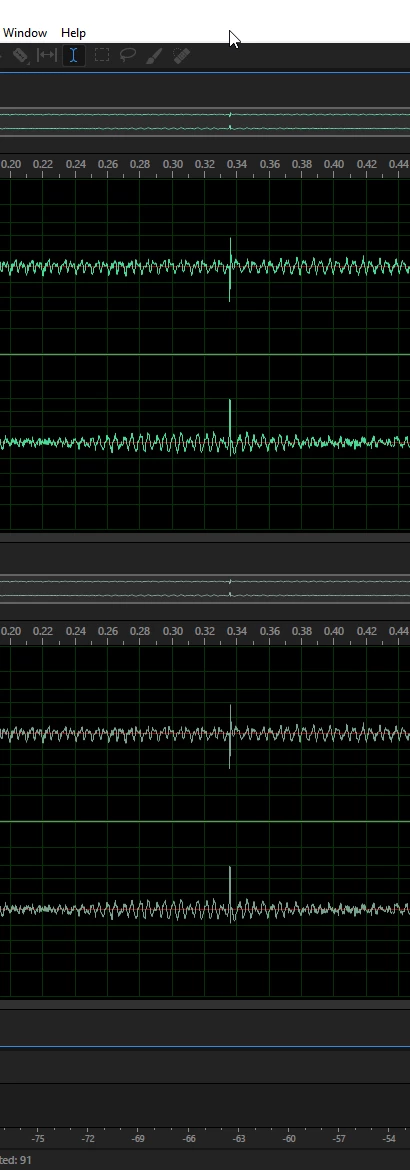
Picture 3 shows the original audio but this time with the channels reversed, so R becomes L and L becomes R. The theory here is, if the click/pop eliminator process thought the audio in the original right channel was not a click, now that the channels are reversed, processing should only occur on the left channel. Again, as with picture 1, this is prior to applying the click/pop eliminator, so both audio samples are identical.
PIC 3
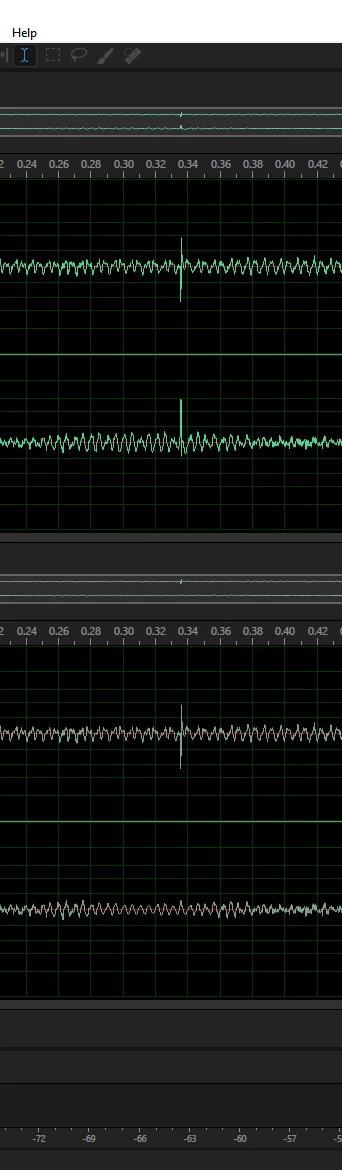
Picture 4 show the audio after the click/pop eliminator has been applied. Once again, only the right channel has been processed and the click repaired.
PIC 4
So the question is; am I missing something obvious, or is this a bug?
Regards,
Steve


 AdChoices