


Clip durations set to zero?
Hi everyone — I’m editing/mixing a film in Adobe Audition 5.1 after sending my Premiere Pro sequence to Audition, and I’m running into a major issue where Audition is not properly reading some of the audio files, especially music cues.
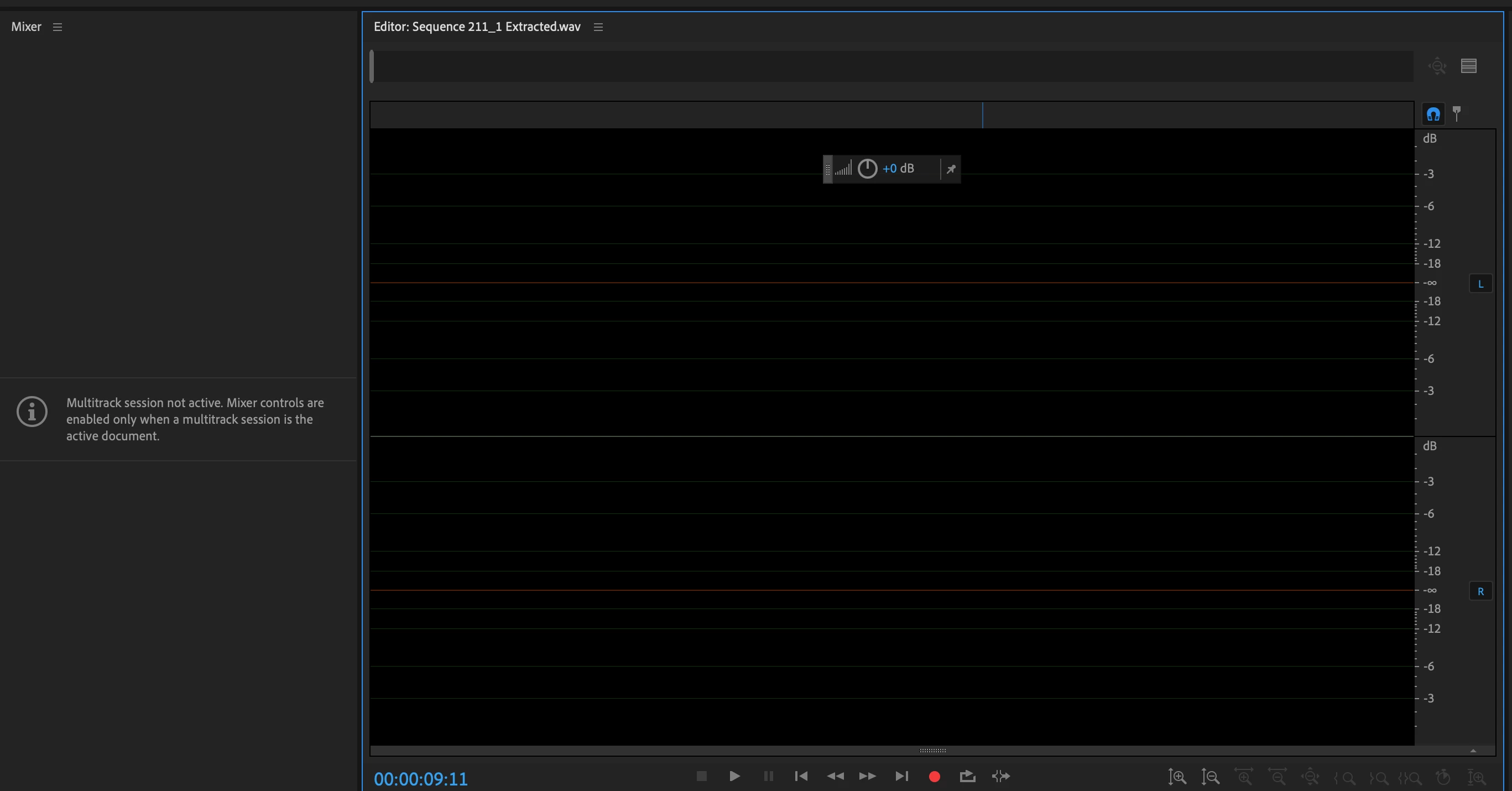
The files play normally in Finder and in other apps, but inside Audition they either won’t open correctly, show no waveform, or appear as extremely short clips. In the Files panel and Properties panel, Audition is showing these WAV files as having 0 duration, even though the source audio is several minutes long.
The files appear to be standard WAVs:

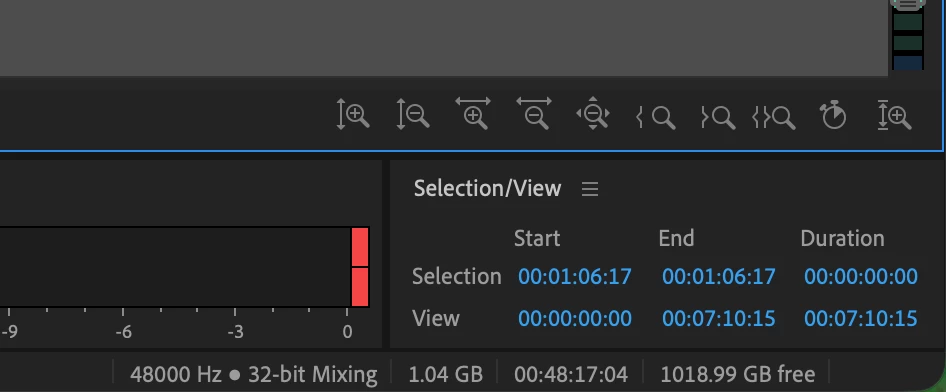
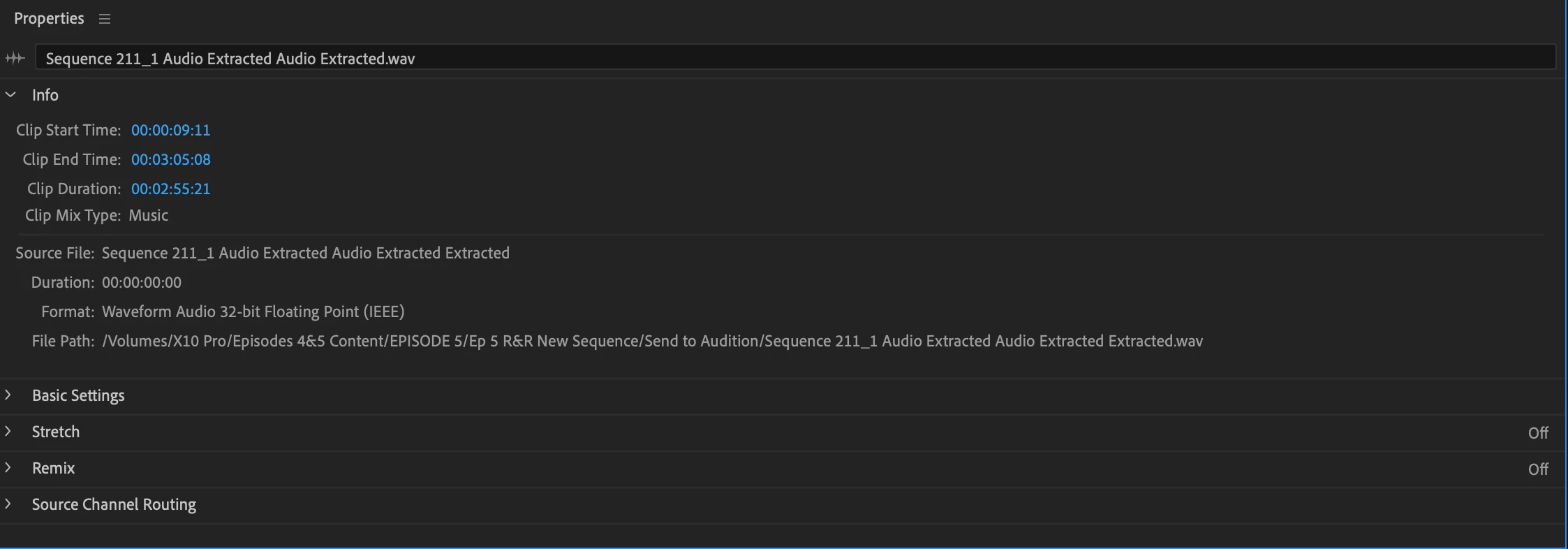
Sample Rate: 48000 Hz
Bit Depth: 32-bit float
Format: Waveform Audio
Channels: mono or stereo
This does not seem to be a simple 44.1/48 kHz mismatch, because the project and files are both 48 kHz. The issue seems to be that Audition is interpreting the source files as empty or zero-length. Many of the problematic files are Premiere/Audition-generated “Extracted” WAVs from the Send to Audition workflow.
I’ve tried exporting fresh WAV versions, importing them manually, dragging them into the multitrack, and checking the properties, but Audition still sometimes shows the source duration as 00:00:00:00 and the waveform remains blank.
Has anyone seen Audition misread valid WAV files as zero-duration after a Premiere “Send to Audition” roundtrip? Is this a known cache/conforming issue, external drive/path issue, or bug with 32-bit float extracted WAVs?
I would like to be able to send my project from premiere to audition without any issues or individual renderings of 100s of wav files.
Any troubleshooting steps would be hugely appreciated.
 AdChoices