
Kallithea
Known Participant
Nov 15, 2019 5:28 PM UTC
Question

Clip volume envelope line is stuck

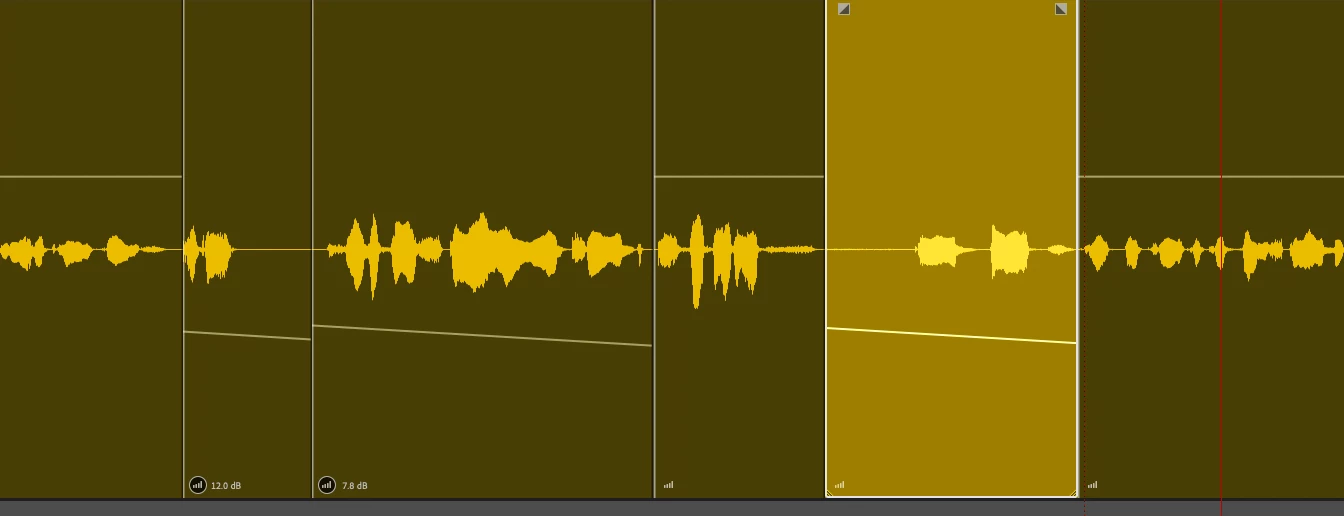
I rearragned a few spliced clips in one track, and now those clips have a lower volume that cannot be changed. The volume envelope line is completely stuck; I can neither move it nor add control points to it on the rearranged clips. Is there any way to regain control of the volume on those clips? 


4 replies

SteveG_AudioMasters_
Community Expert
Community Expert
Nov 16, 2019 11:00 AM UTC

In the Multitrack menu, do you have Enable Clip Keyframe Editing enabled? That's exactly what will happen if you don't...


Translate
Kallithea
KallitheaAuthor
Known Participant
Nov 16, 2019 8:33 PM UTC

Thanks for the reply. Yes, I do have keyframe editing enabled, and it works only on the clips of the track that weren't rearranged.

Translate
SteveG_AudioMasters_
Community Expert
Community Expert
Nov 17, 2019 10:18 AM UTC

If you select one of the clips you can't do anything with and go to Clip>Clip Gain, can you adjust it at all this way? So far, I've failed to reproduce this issue at all...

Translate