
Closing Audition Often an Ordeal
The "Error with file" alert did go away with version 23.6.1, but now I am getting this...
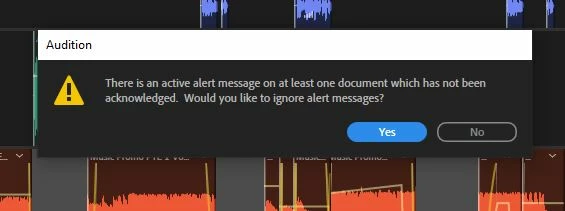
I've looked for these alert(s) and cannot find them.
Other programs (such as Protools) save ALL the assetts in the appropriate folders (audio, fades, session, video) then CLOSES. Closing Audition can be an ordeal - all the dialog boxes, "Audition is getting ready to quit," and pop-ups like the one above do not instill confidence. By asking if I want to replace every source file (one at a time) with the edited version from my session there is a high risk of erasing or replacing something that should not be changed. So...
1) What does this warning mean and where can I find the alert state it's referring to?
2) Other than when exporting, is there a preference or default for always saving every associated file within the session folder while leaving the source files alone?
Thanks for any advise you can provide!


 AdChoices