
Legend
October 11, 2018
Question

Conform 1 source track to multiples (like ProTools field recorder, I think)

  • October 11, 2018
  • 2 replies
  • 427 views

If someone edits from 1 track of a polywav - and I import that into Audition -

(i.e. it is currently accessing just track 1 of the polywav - but the file in the Files window is the polywav original)

a. is there a way of conforming the other tracks to the same edit points?

or

b. a way to modify the timeline clip to be multichannel?

I can select all and 'link media' and point to the original file - and all but the selected track will be replaced with the polywav.
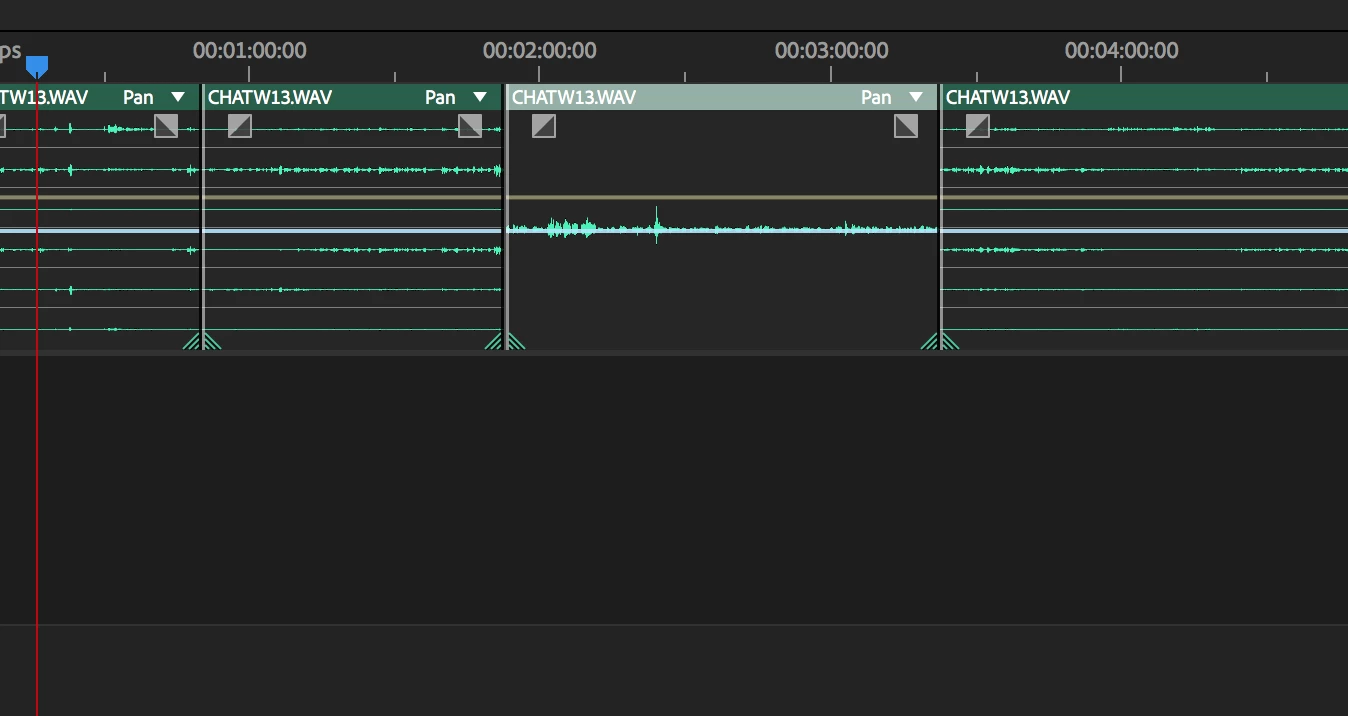
Although if I then hit space bar to play Audition does the instantaneous crash thing.

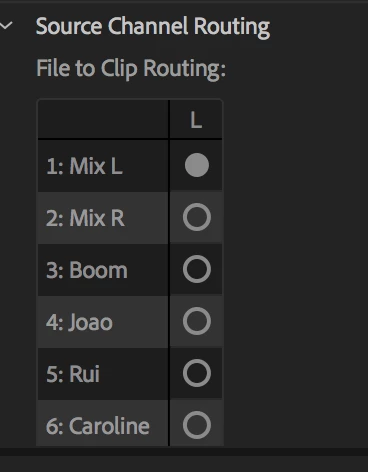
I went back in and found the source channel routing, which is very cool - would like that track info in PPro. But this is a clip by clip arrangement (i.e. I cannot modify multiple timeline clips)
    This topic has been closed for replies.

    2 replies

    SteveG_AudioMasters_
    Community Expert
    Community Expert
    October 11, 2018

    Aspects of this are still a work in progress, especially when it comes down to what happens in Multitrack. At present, it's easier to manipulate multi-channel files in Waveform view. As far as modifying the timeline, you don't have to - if you import a multichannel file into it, then it will show as such. But annoyingly, at present, you can't really do anything sensible with it there; individual channel routing isn't present and this makes monitoring difficult. Yes, you can edit it as a multichannel file, so you can split it into clips, etc, but the individual channel manipulation is where it presently falls down. At present, you can manipulate individual tracks in Waveform view, but you won't be able to monitor anything other than the first two channels without resetting the track number (at the RH end of the file) to either L or R. And if you do that to several of them, it can get confusing...

    I think that the whole thing needs to be a lot more flexible when it comes to multichannel files.

    ryclark
    Participating Frequently
    October 11, 2018

    I am slightly confused here as to why you would edit only one track of a poly wave on it's own. Surely this could cause syncing issues across the other tracks? When you say 'edit' are you referring to cutting bits out or to adding EQ, level changes etc.?

    Generally poly wave files have been generated on location and, as in your case, consist of various feeds from different mics as well as an overall mix. Normally for post production editing you would split the poly wave into separate tracks anyway for use in the Multitrack view. You can do this in Audition using the Extract Channels to Mono Files from the Edit menu. Once all are imported into separate tracks in a Multitrack session you can do simultaneous cuts across all tracks to edit them down to the takes/clips that you want.

    SteveG_AudioMasters_
    Community Expert
    Community Expert
    October 11, 2018

    ryclark  wrote

    You can do this in Audition using the Extract Channels to Mono Files from the Edit menu. Once all are imported into separate tracks in a Multitrack session you can do simultaneous cuts across all tracks to edit them down to the takes/clips that you want.

    There is actually a quick way of doing this - just hold the Alt key down whilst dragging the file onto the Multitrack timeline. It will automatically split the file across as many tracks as there are channels, and you can drop it wherever you want.

    ryclark
    Participating Frequently
    October 11, 2018

    SteveG(AudioMasters)  wrote

    just hold the Alt key down whilst dragging the file onto the Multitrack timeline.

    Doh. I had forgotten about that shortcut as it isn't something that I would have to do regularly.