
Bobbylon
Participant
January 15, 2019
Question

Continual crashes in Multi-Track recording

  • January 15, 2019
  • 3 replies
  • 739 views

I am a sound engineer who records podcasts for a University. I prefer to use a Multi Track Audition . for my recorder. But something has recently happened that causes my sessions to crash.

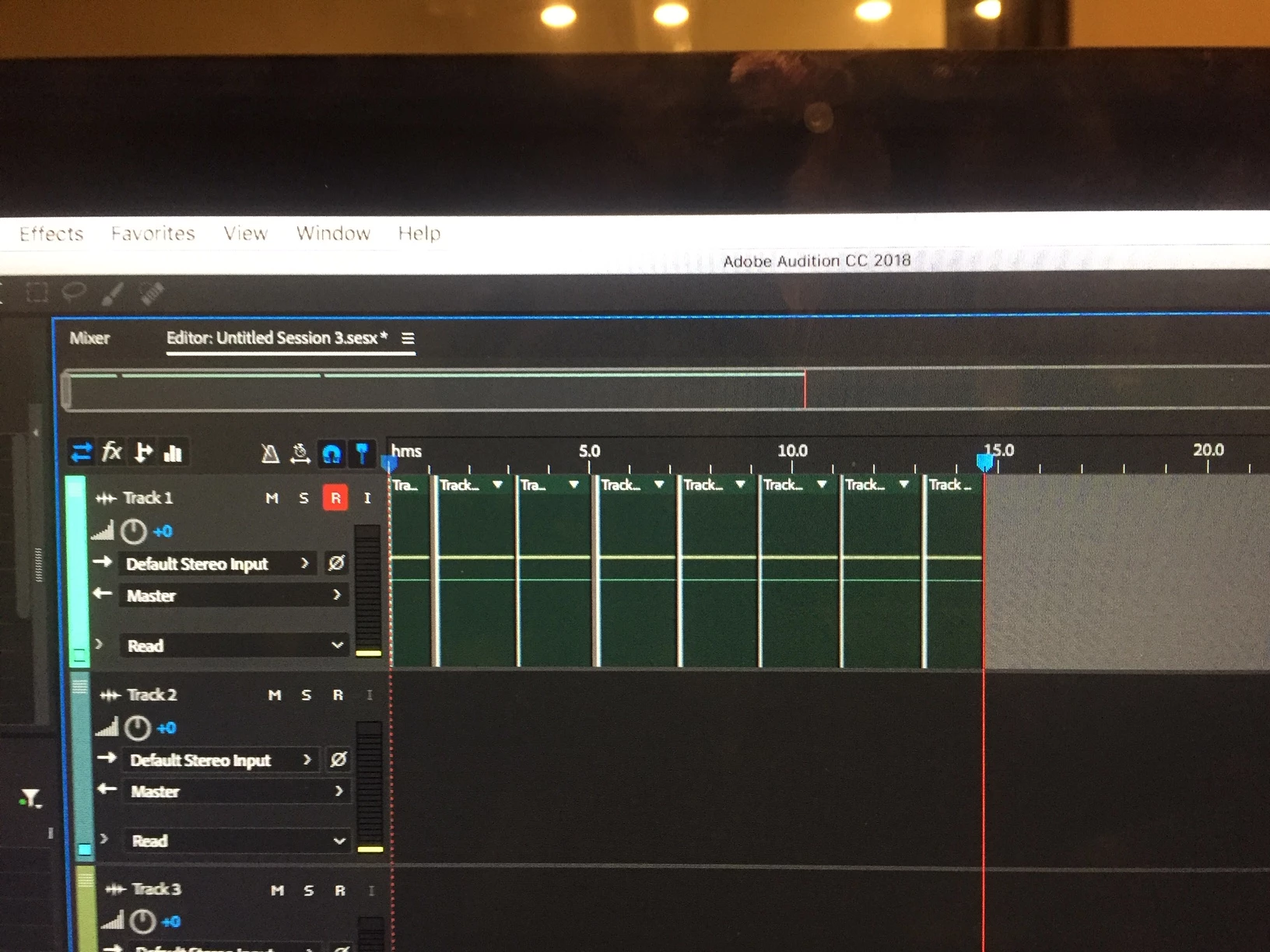
All of a sudden on mic 1, while recording it places vertical bars along Track 1. Even if I am only recording Track 4. I'm not sure how I selected that option, but it has definitely started crashing and now I am having to use Logic b/c of Audition's unreliability

How do I get rid of those vertical bars on Track 1 and return to normal?
This topic has been closed for replies.

3 replies

Charles VW
Inspiring
January 18, 2019

The vertical bars look like you're simply recording additional clips on Track 1. If you no longer want to record on Track 1, I suggest you try disabling the red [ R ] button to the left of Track 1.

SteveG_AudioMasters_
Community Expert
Community Expert
January 15, 2019

bobbylon  wrote

I am a sound engineer who records podcasts for a University. I prefer to use a Multi Track Audition . for my recorder. But something has recently happened that causes my sessions to crash.

If you are getting an actual crash, then you need to follow the procedures outlined in this FAQ: Audition Crashed. Now what?

ryclark
Participating Frequently
January 15, 2019

Which version of Audition and on what OS? Also what audio interface and drivers are you using for it? Looking at the screen image the recordings appear to stop every couple of minutes. Were these clips recorded separately or has Audition somehow chooped up a single recording into smaller bits?