Participating Frequently
March 28, 2023
Answered

Conversation of 2 people - equal sound level - what tools should I use?

  • March 28, 2023
  • 1 reply
  • 2784 views

Hi,


Conversation of 2 persons recorded in one file. One person is louder, the other quieter.


How to equalize it so that each of them is the same sound level?

What tools should I use?


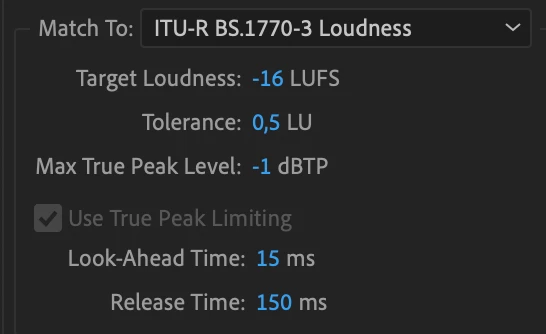
I used Match Loudness with these settings, but the effect is as shown in the screenshot:


Thanks for the feedback

G

This topic has been closed for replies.
Correct answer SteveG_AudioMasters_

Try Effects>Amplitude and Compression>Speech Volume Leveler - this is what it's for. You can't sensibly use Match Loudness until you've got the overall balance correct, so you have to sort this out first.

1 reply

SteveG_AudioMasters_
Community Expert
SteveG_AudioMasters_Community ExpertCorrect answer
Community Expert
March 28, 2023

Try Effects>Amplitude and Compression>Speech Volume Leveler - this is what it's for. You can't sensibly use Match Loudness until you've got the overall balance correct, so you have to sort this out first.

GregreAuthor
Participating Frequently
March 29, 2023

Thank you, it works 🙂


By the way - having such a recording of 2 people on one track, is there a way to facilitate splitting into two tracks - for each voice?


It might be useful to set separate equalization for each voice separately.


Is it left only to listen, cut and transfer to the other track?

SteveG_AudioMasters_
Community Expert
Community Expert
March 29, 2023

You could only do this if they don't speak over each other, and yes you'd have to cut the track up manually. The trouble with applying different EQ to each side is that the background sound is also EQed, and switching between the tracks would be noticeable. You will probably get some background changes from using the volume leveler, and I would have thought that adding other changes would probably make the effect of this more noticable. Really, the best place to sort all of these issues out is at source; get it right in the first place, and save yourself a lot of processing time!