

LaSalamander
Inspiring
August 14, 2019
Question

DC Offset correction in Multitrack?

  • August 14, 2019
  • 1 reply
  • 576 views

As you can see, I've got a pretty significant DC situation in this mixdown:
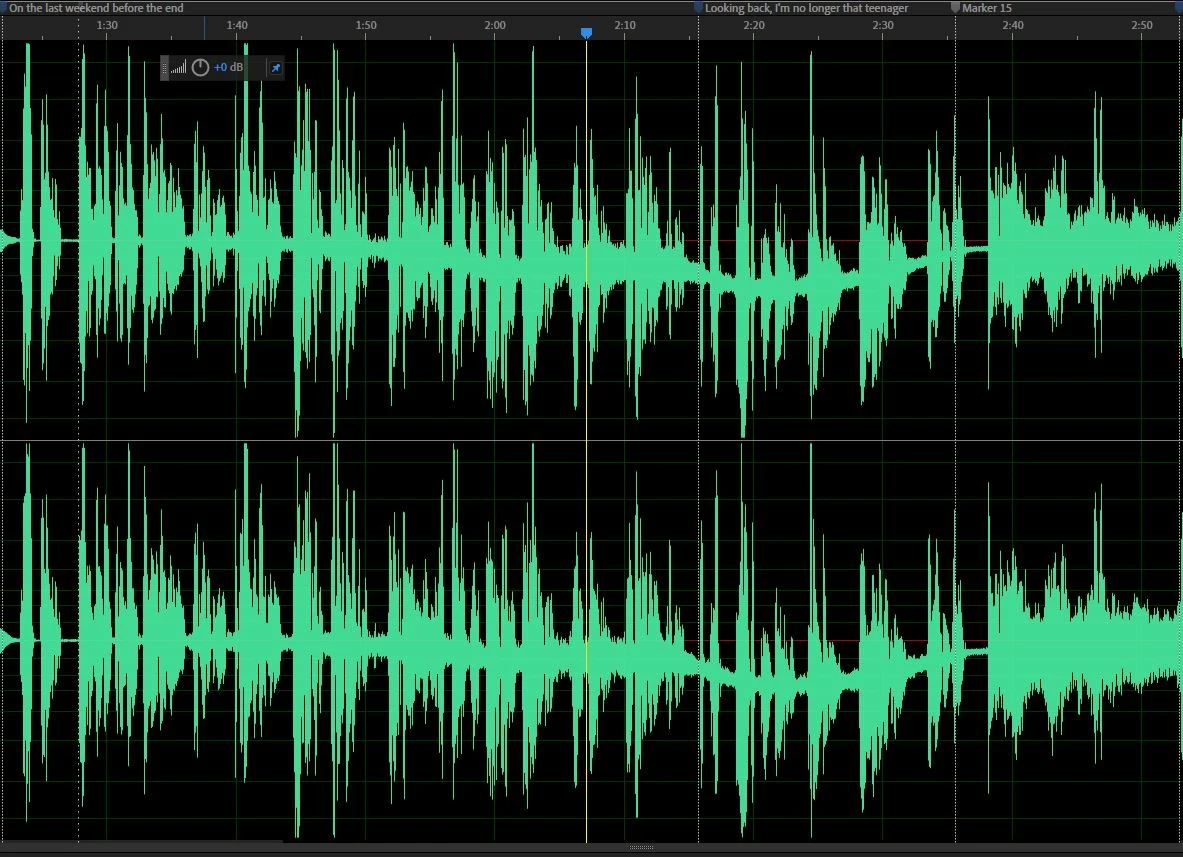
I've figured out that this is being introduced by Audition's native Convolution Reverb effect being applied to one of the tracks. (The rack mix goes from 0 to 100 and back down to 0 again, hence the gradual drift down then back again.) Is there some live process I can apply that'll correct the DC offset in just that one track, so I can take care of it before it gets mixed into the whole thing?

    This topic has been closed for replies.

    1 reply

    SteveG_AudioMasters_
    Community Expert
    Community Expert
    August 14, 2019

    Goodness! I've never seen it do that before!

    There's no way you can correct this in multitrack other than by finding out what's really caused it and correcting that. I'm reasonably sure that the convolution reverb on its own wouldn't cause this, so this has to be a combination of things, I think. What exactly is in your process chain?

    As for processes you could apply, then no there aren't any, I'm afraid. You have to bear in mind that multitrack view is non-destructive, and that the mix that's done is done in real time. Since at any given point there's no indication of what the total effect will be, then you can't correct it as such - which is why normalizing isn't available in that view.  And even if it was, with the appropriate DC correction being applied with it, you'd still be stuffed, because that can only calculate and apply a fixed value of offset, and wouldn't be able to cope with one that appears to shift.

    But as I said, I'd be intrigued to know what is in your process chain that can cause this, because I can't reproduce anything like it here using the convolved reverb. And it's not even as though you've got a lot of asymmetry in the waveforms either, which is the sort of thing I would expect to be capable of causing this sort of drift - so what is it?

    LaSalamander
    Inspiring
    August 14, 2019

    So, I've done some more testing and found that it's not the convolution reverb (as you suspected) but in fact the track EQ! I rarely use that, but I did this time. And I have an admittedly whacky envelope in place, too. So that's probably part of the problem, but still you wouldn't think it'd introduce an offset like this!

    Here's a stripped down session and its files if you'd like to see for yourself. I saved the session with the culprit track EQ open: https://drive.google.com/open?id=1e63Em2pn7mwsP9R_YsQl0DVit5X7r8Nn

    SteveG_AudioMasters_
    Community Expert
    Community Expert
    August 14, 2019

    I'll have a look at that tomorrow at some stage.