

Question
Delete a bunch of Micro Silence parts (160ms) due to recording issue iOs / Riverside
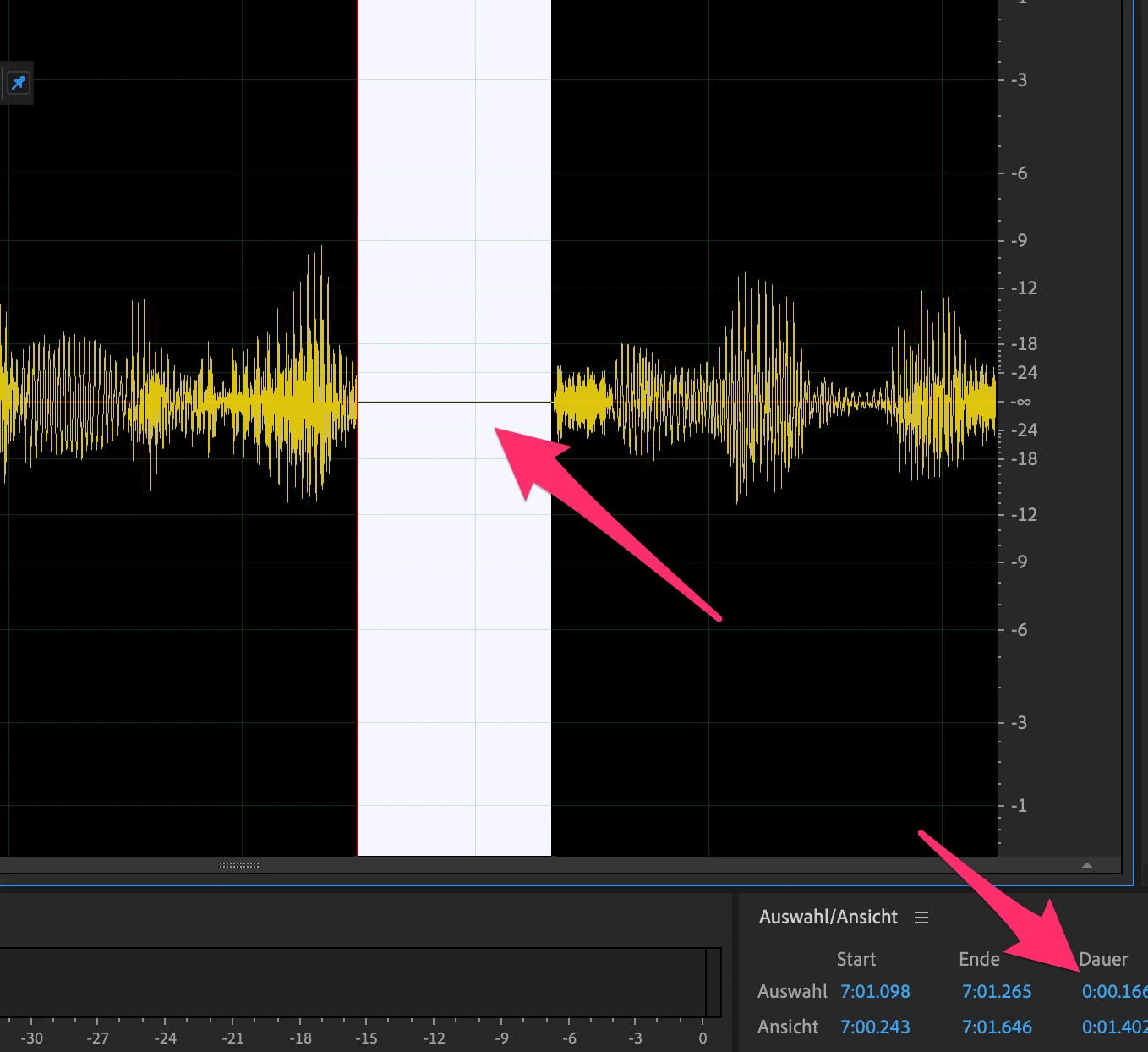
In a recording (wav, mono, 48) done by iOs riverside app we have a lot of micro "dropouts" with 160ms lenght and 0dB. Nearly every 15 to 20 seconds there is a micro pause (not only a mute).
I'm looking a way to spot them exactly and maybe automatically delete them and trim the audio.
So, Diagnostics > Delete silance only lets my spot silence up, but not "to" a specific lenght.
Is there any chance or idea, how to make this happen and delete thos micro bastards in bulk?
Otherweise we have to spot them manually... 😕😕
Thanx a lot! Alex


 AdChoices