



StephJackson
Participant
July 10, 2020
Question

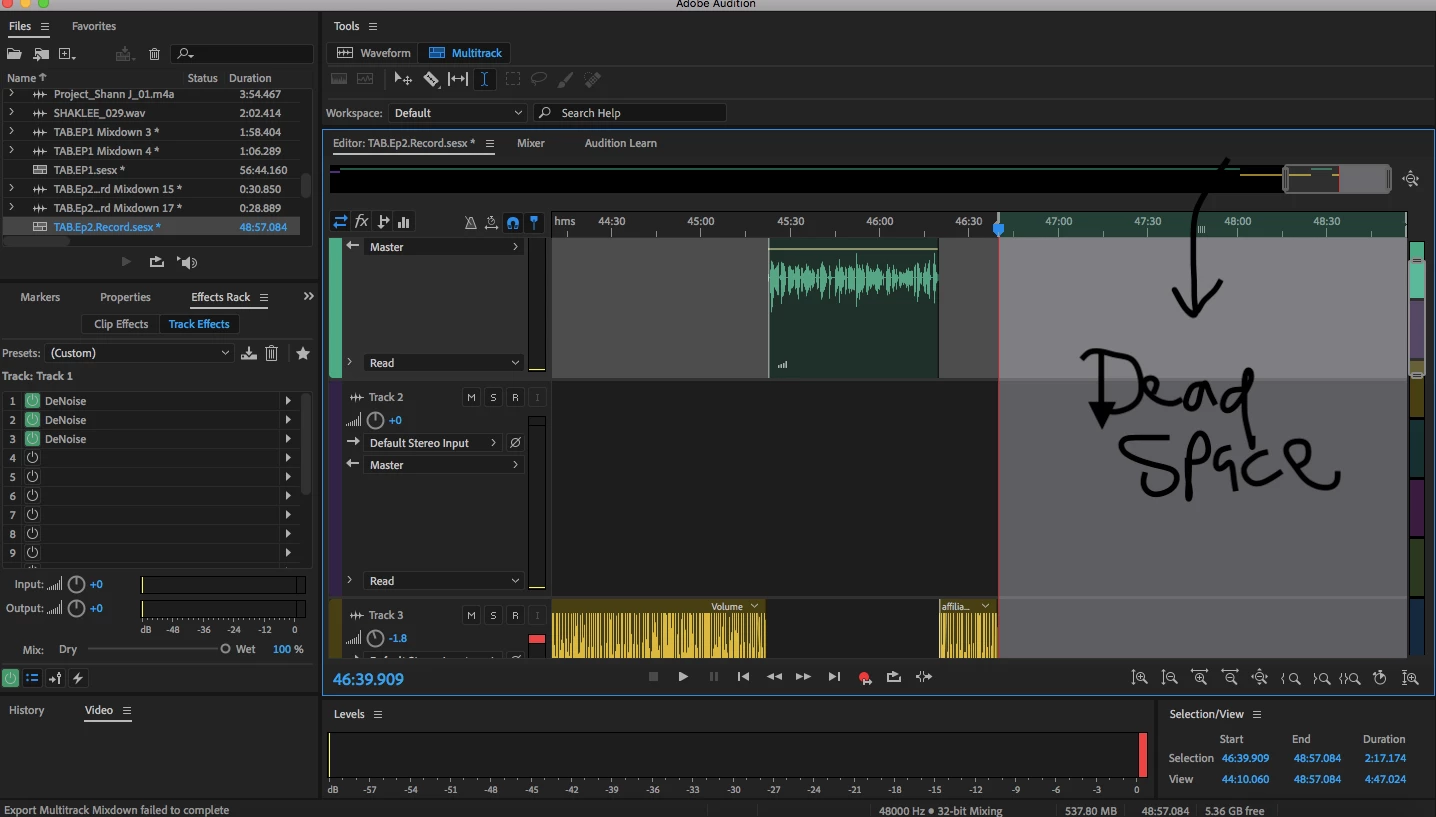
Delete dead space at the end of Track

  • July 10, 2020
  • 1 reply
  • 3517 views

Hey Guys,


This seems simple but idk how to delete the deadspace at the end of my track. Audio/music stops at 36:39, but keeps going with deadspace to about 38:57. How do I delete this deadspace?


Thanks for all y'all's help!
1 reply

SteveG_AudioMasters_
Community Expert
Community Expert
July 10, 2020

It's slightly counter-intuitive, but you hit the 'Zoom out full all axes' button:

This will fit all the tracks on the screen, and limit the session to just past the end, getting rid of your space for you. If it doesn't appear to work, it generally means that somewhere, miles along the timeline, you've got a rogue clip!

Participant
September 14, 2020

Steve, you are a life saver. I've been searching for 3 days on how to do this very simple task. 

THANK YOU!