

Diagnostics Tool picking up audio as silence that it shouldn't be
I have been having this problem for months. In audition, there is a diagnostics tool which will scan your audio wav for silence. It then gives you the option to delete or shorten all the silent pieces. It determines the silence by whether it is below a certain dB level. Mine is set to "define silence as below -34 dB."
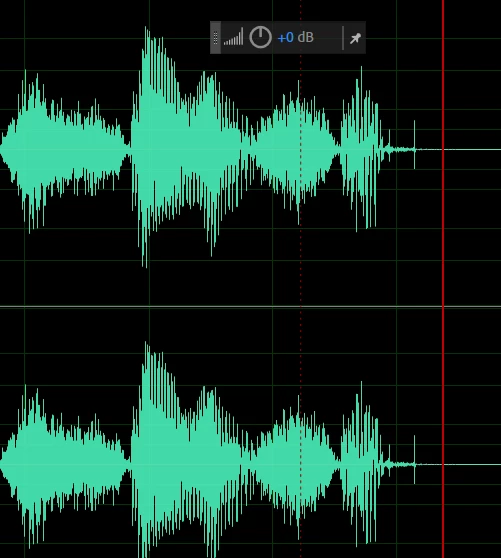
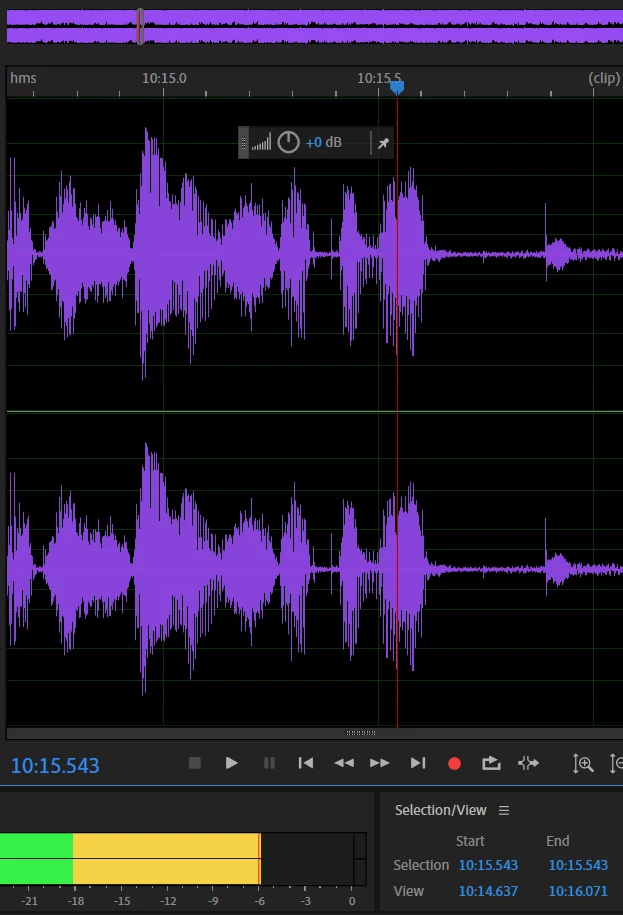
I do a podcast with my friend. The tool does a PERFECT job of editting his voice. But it continually cuts mine at parts that are NOT silent. At first, I thought my recording setting must just be off. But, as you see in the pictures provided, this is not the case. The first picture is the editted sound wav using the diagnostics tool. There was a spot where I said, "I got so sick of it." Audution cut the "of it" off because it picked it up as silence. However, in the second picture, you'll see the uneditted version and the db level. The part that it cut out and picked up as "silence" is at -6ish dB, i.e. WAY above the range that should be considered silence. Why did it pick this up as silence and how do I fix this?


 AdChoices