Known Participant
January 20, 2021
Answered

Dynamics setting question

  • January 20, 2021
  • 1 reply
  • 948 views

Hi everybody
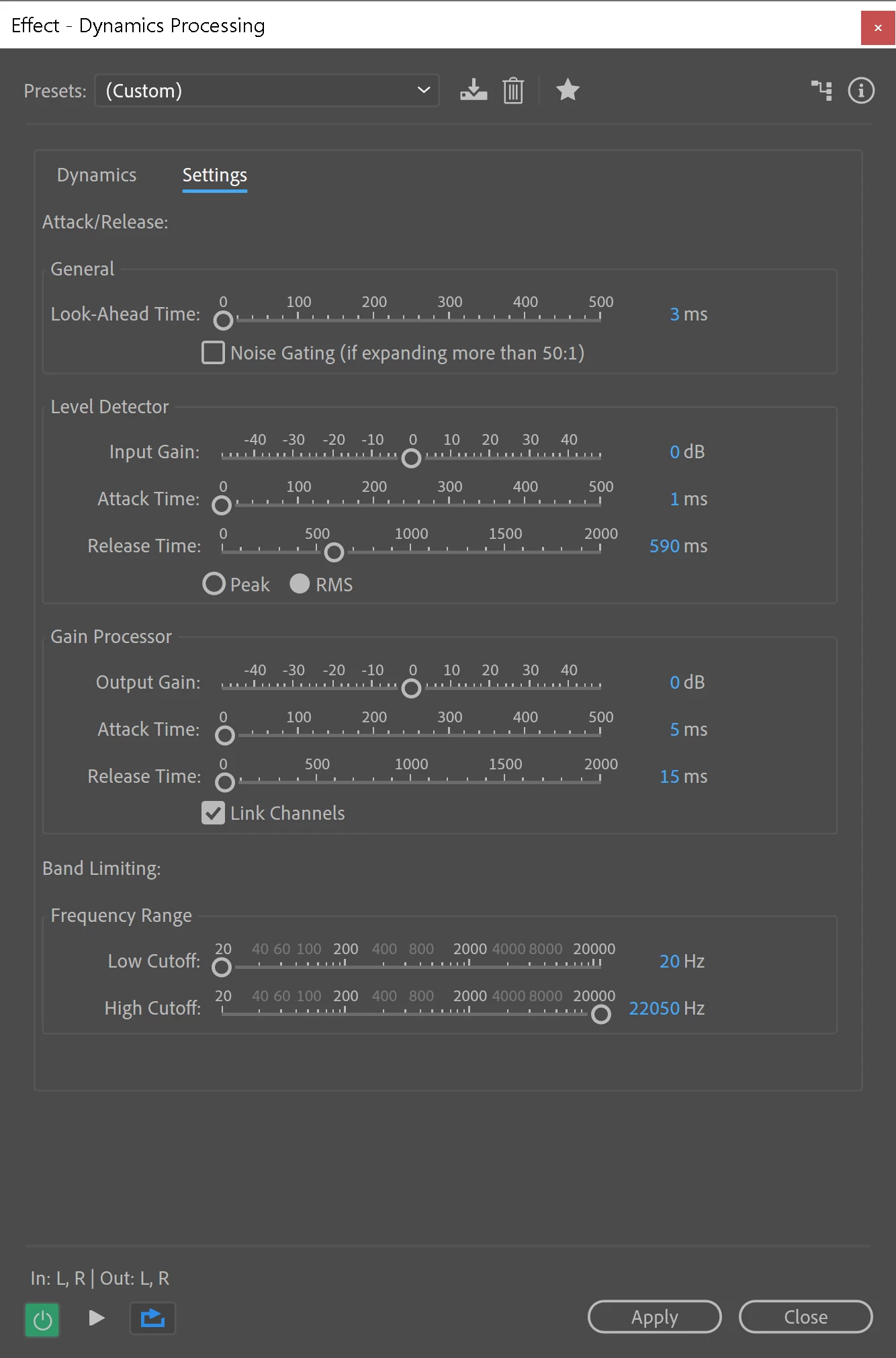
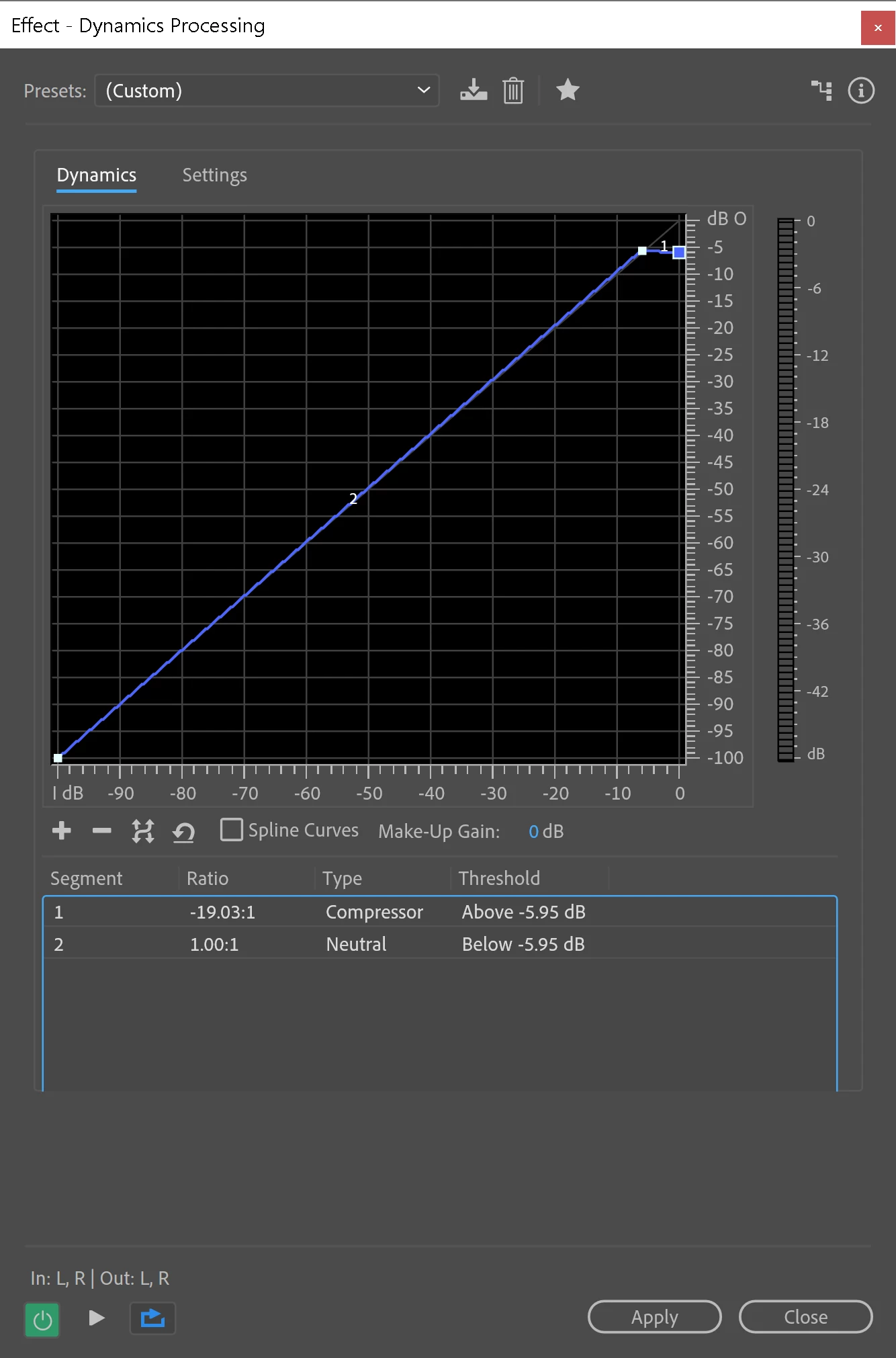
I want to set my ratio about 4:1 or something normal, the only way I can do it is by dragging the point on 
the graphic display line?  When I go to the settings tab I don't see anything for ratio.  
and when I click on the Segment 1, Segment 2 information below the graphic, there is nothing to edit. 

So I wonder if there is something wrong with my display, or.. where can I type in my ratio?
Probably something I'm missing, thanks for reading!
This topic has been closed for replies.
Correct answer EuanWilliamson

You are correct. No direct way to enter the ratio.

Dragging the points gives you feedback below as to the ratio you are creating.


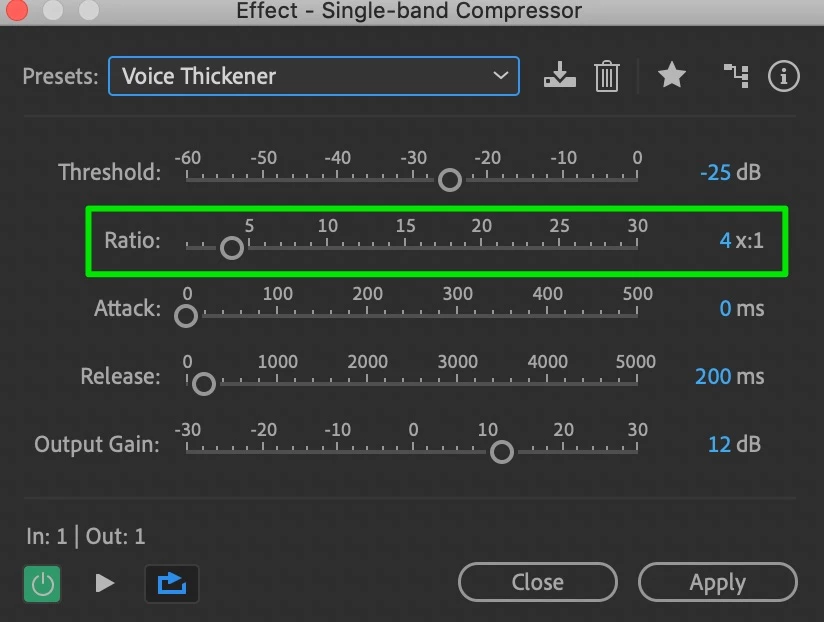
Perhaps you would be happier with the single band compressor.

No graphical representation though.


1 reply

EuanWilliamson
Community Expert
EuanWilliamsonCommunity ExpertCorrect answer
Community Expert
January 20, 2021

You are correct. No direct way to enter the ratio.

Dragging the points gives you feedback below as to the ratio you are creating.


Perhaps you would be happier with the single band compressor.

No graphical representation though.


Best regards, Euan.
Known Participant
January 20, 2021

@EuanWilliamson 

hey thank you, I never noticed that single band compressor before.  

My use is fairly simple and I always wondered why this dynamics processing is so darn fancy.  


Thank you so much for taking the time to help!  Much appreciated.


EuanWilliamson
Community Expert
Community Expert
January 21, 2021

"dynamics processing is so darn fancy"


Start simple and then tweak for unique situations.

I find the visual approach easier to understand the consequences 🙂

Have a look through the presets and their descriptions and the graph that creates them.

The one above is one I've modified from the supplied 3.1 preset.

I steepened the segment 2 section to hit ~ 4:1 and also set it to spline curves

to make the effect on the processed voice smoother.

The dip in the curve below ~ 30db helps keep the noise floor from getting amplified.


Best regards, Euan.