
staceyk28
Participant
October 16, 2018
Question

Effects Rack Input Output meters not always working in Audition CC 2019

  • October 16, 2018
  • 3 replies
  • 1343 views

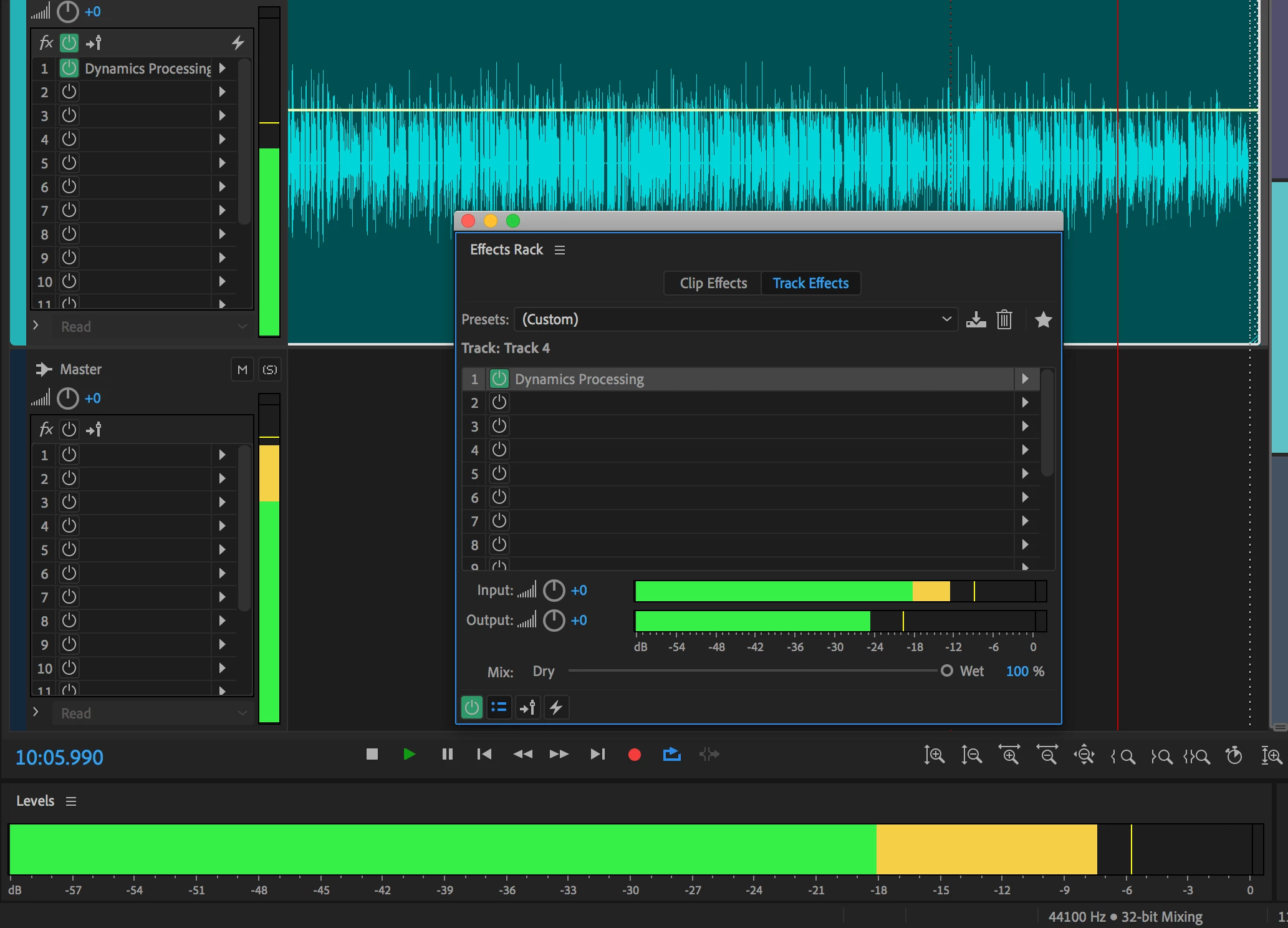
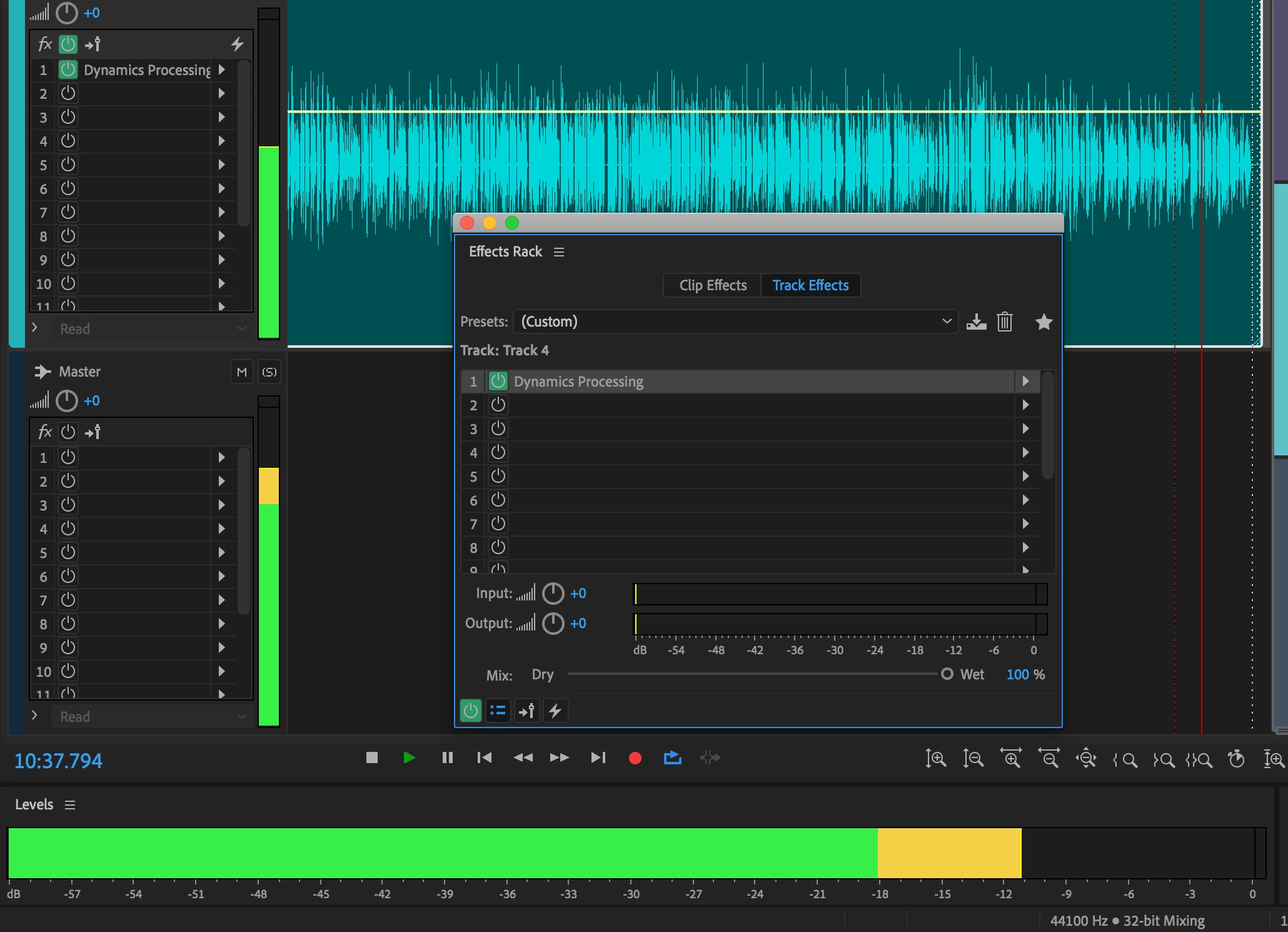
I'm having an issue in Audition CC 2019 with the Effects Rack input output meters in a multitrack session. When I first apply an effect the meters work just as expected, but if I save the session, close it, and then reopen it the meters show no activity. I can hear that the effect is still working, but the meters show no activity. If I remove the effect and reapply it, or if I add a new effect to the rack they start working again. It's only when I first open a multitrack session that was previously saved and has effects that I'm seeing this behavior. Here are some screenshots. First when I just applied the effect. Second after I saved, closed, and reopened it.
    This topic has been closed for replies.

    3 replies

    Participant
    August 14, 2023

    This problem still seems to exist in Audition 2023. I experienced it today on build 23.6.0.61 and found this thread in a Google search. Replacing the effect unit with in identical one brings the meters back.

    Known Participant
    June 27, 2019

    Yes, super annoying problem that has bothered me for a long time.  Very difficult to see if you're pegging the input on an effect...

    ryclark
    Participating Frequently
    June 27, 2019

    Which actual version of ASudition are you using? There have been at least a couple of bug fix versions since the original post.

    Known Participant
    June 27, 2019

    Using v12.0.1 on Mac (latest is 12.1.1 - I'm always hesitant to upgrade) but I noticed today that this also happens on my PC which is running the very latest versions of everything from Adobe CC.

    ryclark
    Participating Frequently
    October 16, 2018

    That's odd since it works OK here on a Win 10 PC. What OS are you running on what type of computer?

    staceyk28
    staceyk28Author
    Participant
    October 16, 2018

    Thanks. I'm on a 2017 iMac running High Sierra 10.13.6

    SteveG_AudioMasters_
    Community Expert
    Community Expert
    October 16, 2018

    On PCs there's an option to turn Hardware Acceleration on and off, and this can affect all sorts of graphic display characteristics. I have no idea whether anything similar happens on Macs, but if it does, then it might be worth experimenting with. You find the option here: