
Participant
March 20, 2023
Question

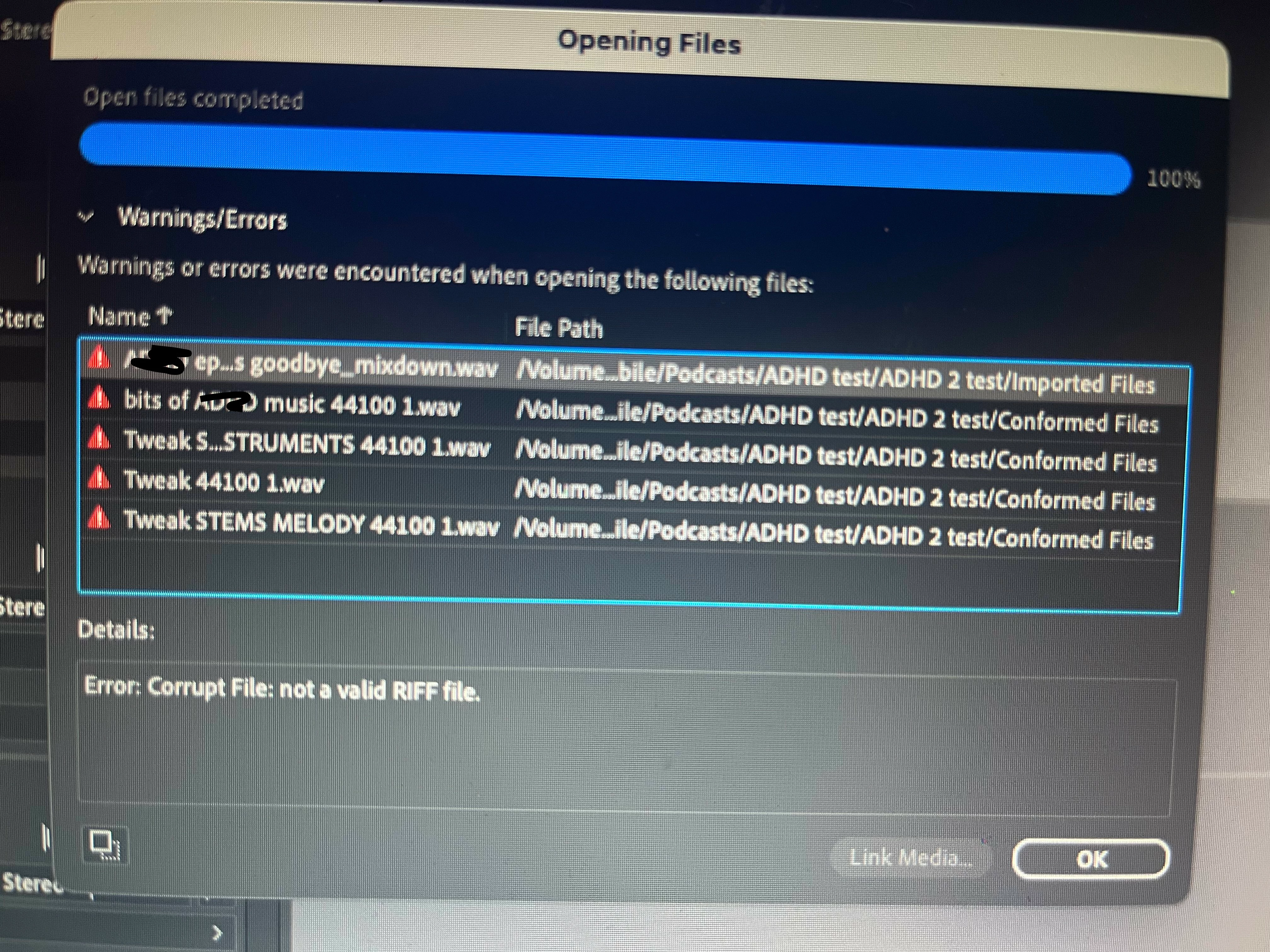
Error Code: not a valid Riff file

  • March 20, 2023
  • 4 replies
  • 1454 views

Hi, I've used Audition for years and after downloading the latest version - 2023 - I've encounted a number of problems, the most infuriating being the error message 'Not a valid Riff file' when I try to open a project. I'm opening it from an external hard drive and all the files are Wavs - often conformed by Abobe when I import them. I have no idea what's happening as there was never an issue before. The only thing which seems to have worked - and I've only tried it once - is saving the project locally in the Adobe folder on my desktop. But this isn't a proper fix as I use a laptop with very limited space, hence using the external drive in the first place. I've attached a photo for reference.
4 replies

Participant
September 20, 2023

Hello Guys, please go to security and privacy settings, full drive access, then look for Adobe Audition and click the check box to give it access. There seems to be a bug that disallows hard drive access for portable hard drives. If this doesn't work it may be the hard drive.

Participant
April 14, 2023

I'm seeing the same problem. Also on an external drive but that doesn't seem to be the issue. I reverted to an older version of Au, also didn't fix the problem.
I finally option-clicked and re-Linked media each file. that did the trick.

SuiteSpot
Inspiring
March 21, 2023

Could it be that the external drive is partially corrupted?
Try scanning for bad sectors


SteveG_AudioMasters_
Community Expert
Community Expert
March 20, 2023

As long as the drive is connected directly to your laptop, this should work fine. This often fails if there's an internet link involved, but on a local drive it should be fine. If you let the rest of the session open, and try to locate and link the files individually, what happens then?