

ejvoa
Participant
November 21, 2019
Question

Error message I get when recording: Selected audio device has no input channels available

  • November 21, 2019
  • 1 reply
  • 404 views

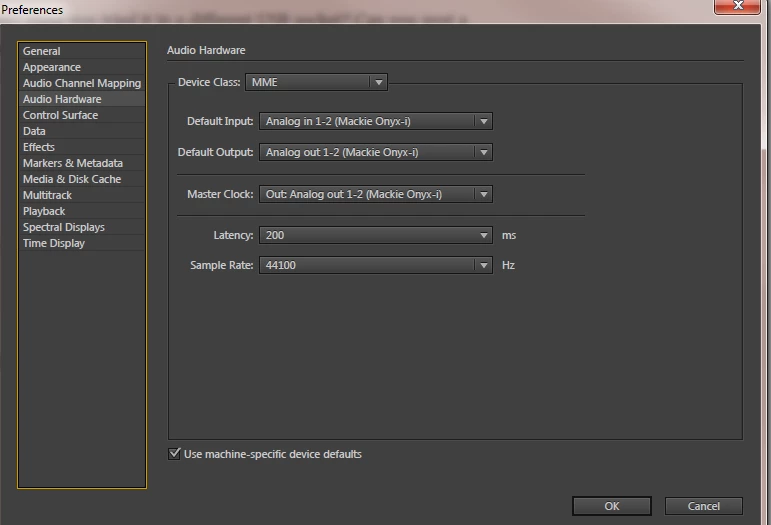
Hi. I'd appreciate some help in resolving this issue. I start recording, then I it stops in the middle of recording and I get this message: Selected audio device has no input channels available.


I'd appreciate your help. Audition CS6. Windows 7. Thanks!

Eric
 

This topic has been closed for replies.

1 reply

SteveG_AudioMasters_
Community Expert
Community Expert
November 21, 2019

Not surprised it doesn't work too well with an MME driver, quite frankly - that's likely to be interrupted by anything the OS cares to throw at it. As far as I'm aware, there's an ASIO option that will serve you a lot better because the OS can't interfere with that at all. If you installed the Mackie software package, you should find it listed if you change the device class in the Audio Hardware box to ASIO. If it isn't there, check that you are using an up-to-date driver.