Participant
May 14, 2021
Question

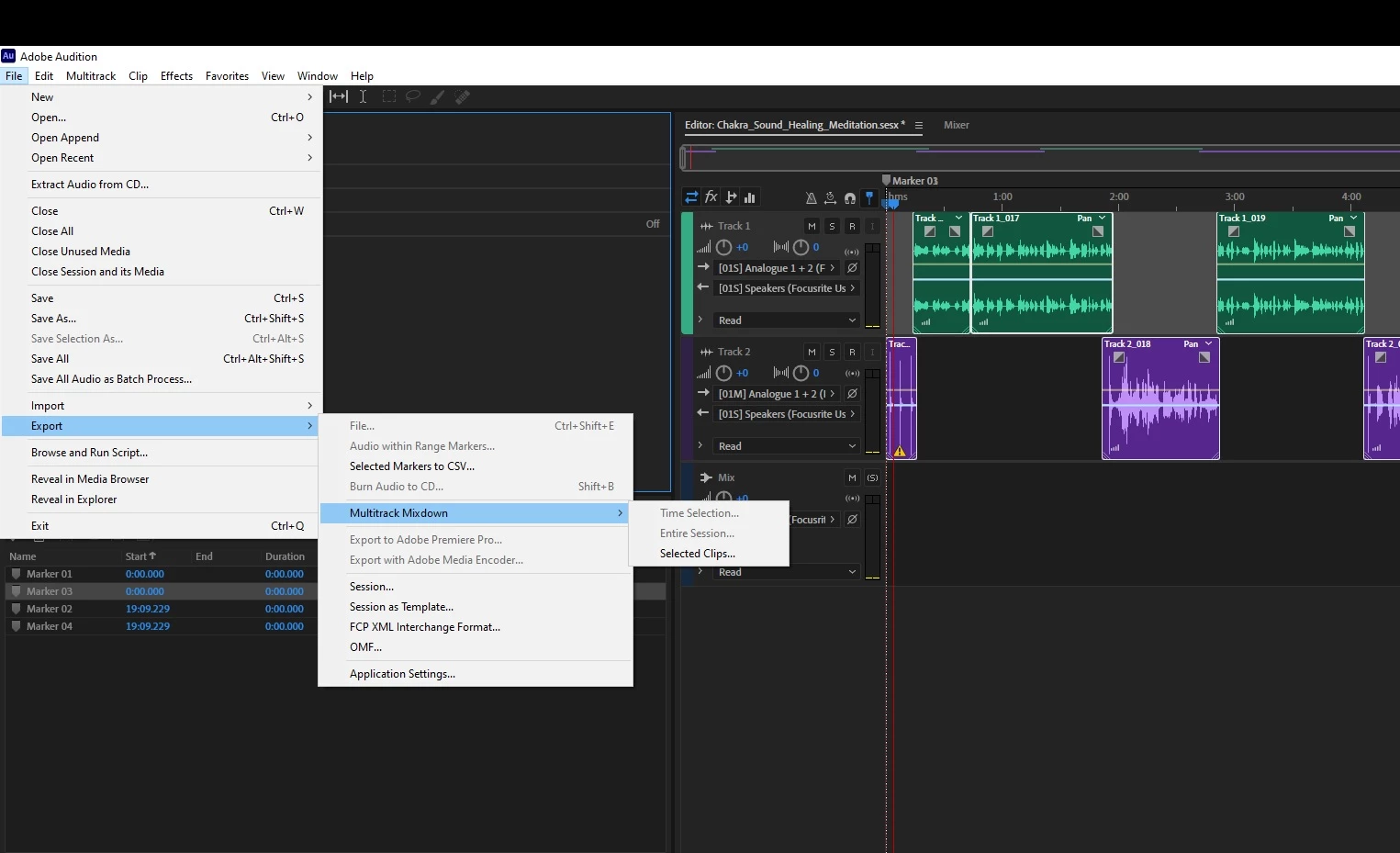
Everytime I try to export in Adobe Audition it doesn't work

  • May 14, 2021
  • 1 reply
  • 248 views

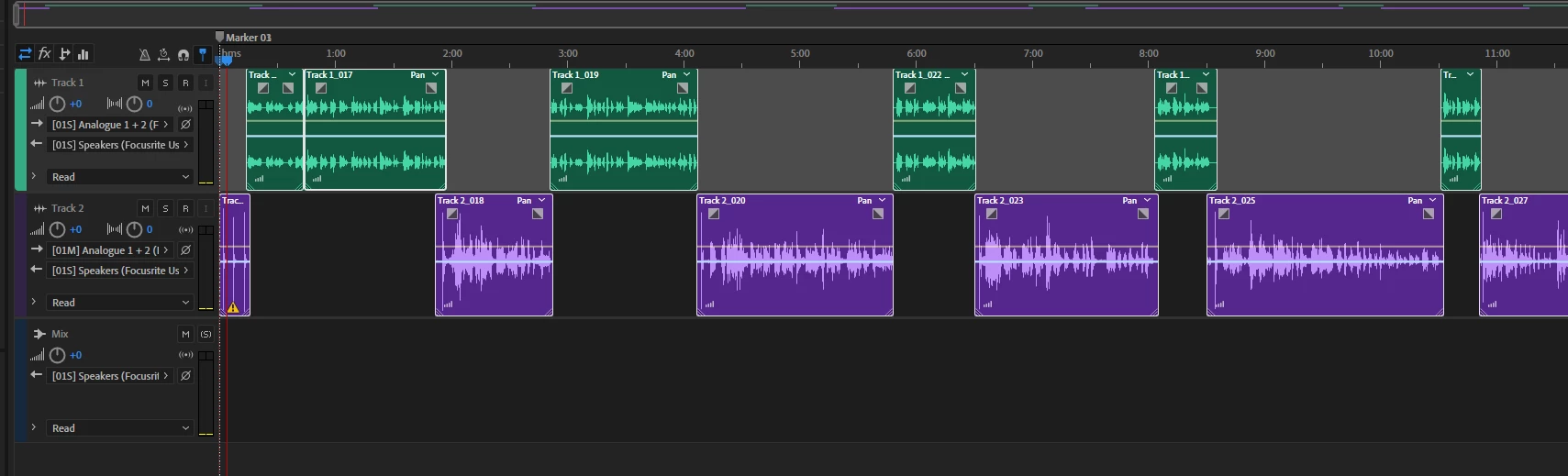
What am I doing wrong? Also why won't it allow me to export to media encoder? I tried changing my output. Both are focusrite. I have all the clips highlighted. I put markers but unlike premier pro I can't seem to figure out how to make a beginning and end to export so I just selected all the clips but that doesn't seem to work either. 


1 reply

SteveG_AudioMasters_
Community Expert
Community Expert
May 14, 2021

You won't be able to export anything unless the tracks feed to a place that exports can happen from - and in Audition, that's the Master channel, not the Focusrite. So remove any reference to anything else in the track outputs, and make sure that they go directly to the Master channel, and then you'll be able to export. The only exception to this is if you have a track feeding a bus; you will only hear the output from that if the bus it is fed to is fed to the Master instead.

Participating Frequently
January 4, 2025

Thank you, Steve! I learned so much about video in Audition by figuring out your directions and now have exported to AME successfully,  thank you!