


Participating Frequently
July 24, 2024
Question

Export audio of of selected range markers to separate files

  • July 24, 2024
  • 2 replies
  • 678 views

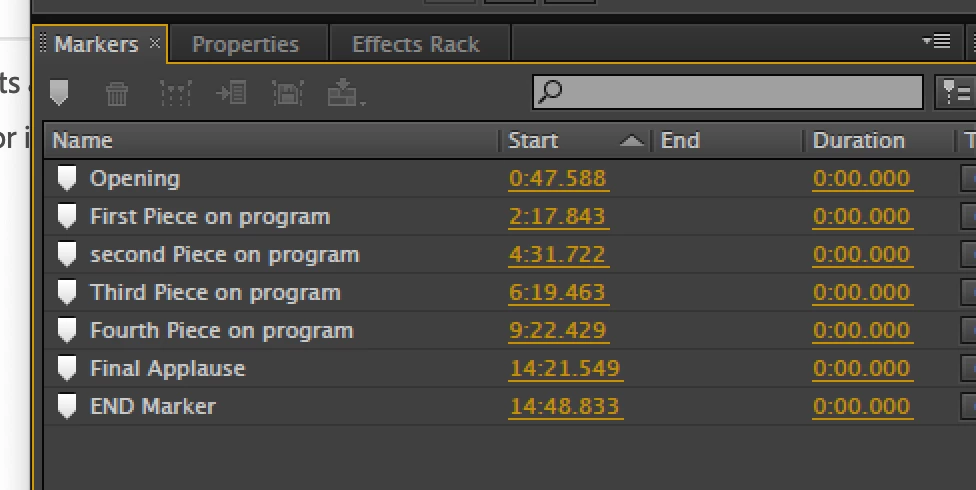
I have read many posts about this, but it was something with 3 clicks in earlier versions that seems not possible. I just switched to Creative Cloud and made a huge error if Audition can no longer do this. I made a stereo recording of a live even, and labeled the marker, like this:
 

Next I always highlight all the markers, and click the Merge Selected markers button like this:
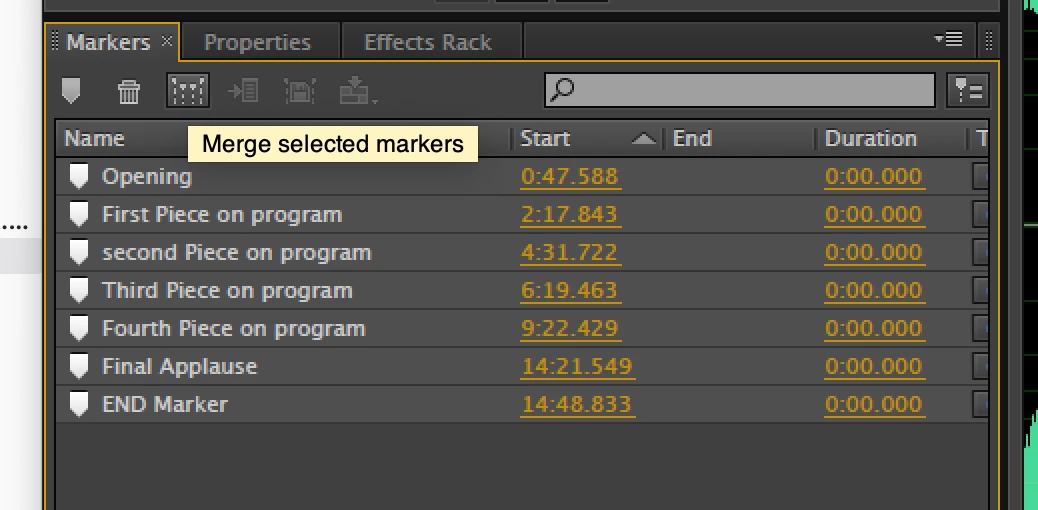
 

This now makes each piece have a start point and end point. To create separate files, it was simply a matter of exporting all files like this:
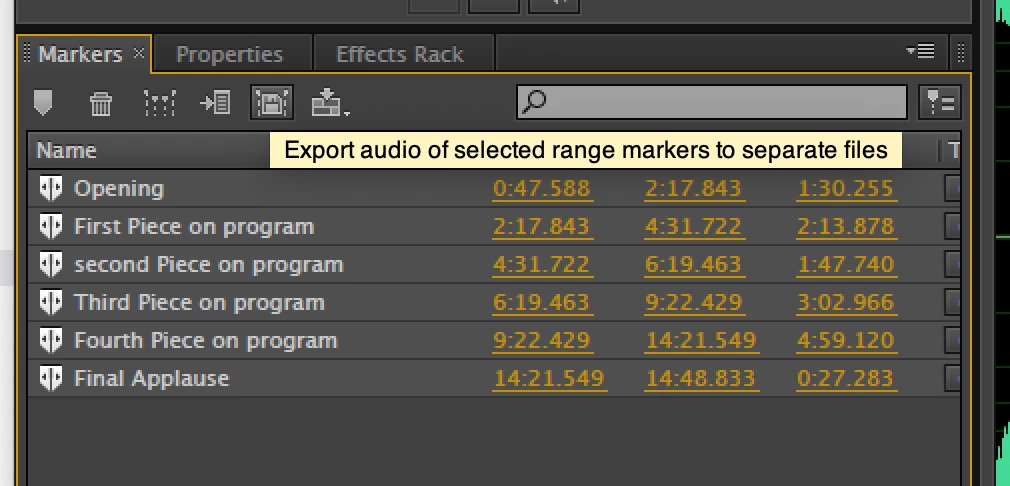


3 clicks and it's done (this is an older version of Audition)

Now I can still label markers and still Merge selected markers, but "Export audio of of selected range markers to separate files" is now grayed out and NOT available.


There seem to be work arounds for this, but if my new Creative Cloud version can NOT do this, it's not something I can live with.


Can anyone confirm that it CAN NOT do this anymore? Why is there even an "Export audio..." button if it can't be done. I'm hoping I'm missing something but not sure

This topic has been closed for replies.

2 replies

Participating Frequently
July 25, 2024

I THINK I figured it out.... After I do the Merge Selected Markers is when I want to click on Export audio of of selected range markers to separate files - my markers are still all highlighted and that button is grayed out. HOWEVER, If I click below the last merged marker so none are highlighted and THEN highlight them all again., the Export audio of of selected range markers to separate files button is NOT grayed out and I can do it!!!!!!!!!!!

Participating Frequently
July 25, 2024

Hopefully this will be helpful to others with this problem. Here are Audition 2024 examples:


Right after a Merge Selected markers - note most choices now are grayed out


Now I un-select all markers by clicking below them OR simply re-select all of them again and then:


Export audio of of selected range markers to separate file is NO LONGER grayed out!!!

SteveG_AudioMasters_
Community Expert
Community Expert
July 25, 2024

But you don't need to do that... All you have to do, if the export option is greyed out, is to click on the 'show markers of all files' button (the one that looks like a wine glass and two plates 😉 ) and they will all appear - you don't have to deselect and reselect anything:

SteveG_AudioMasters_
Community Expert
Community Expert
July 24, 2024

It works fine here. The one thing that will stop it working is to mistakenly select the file name at the top of the list as well as the cues themselves...

Participating Frequently
July 24, 2024

Thanks for the reply..... I do it immediately after I have all markers selected to Merge Selected Markers, so all are still selected. If it works for you, there might be hope!!