

Khrazer
Participant
January 17, 2022
Question

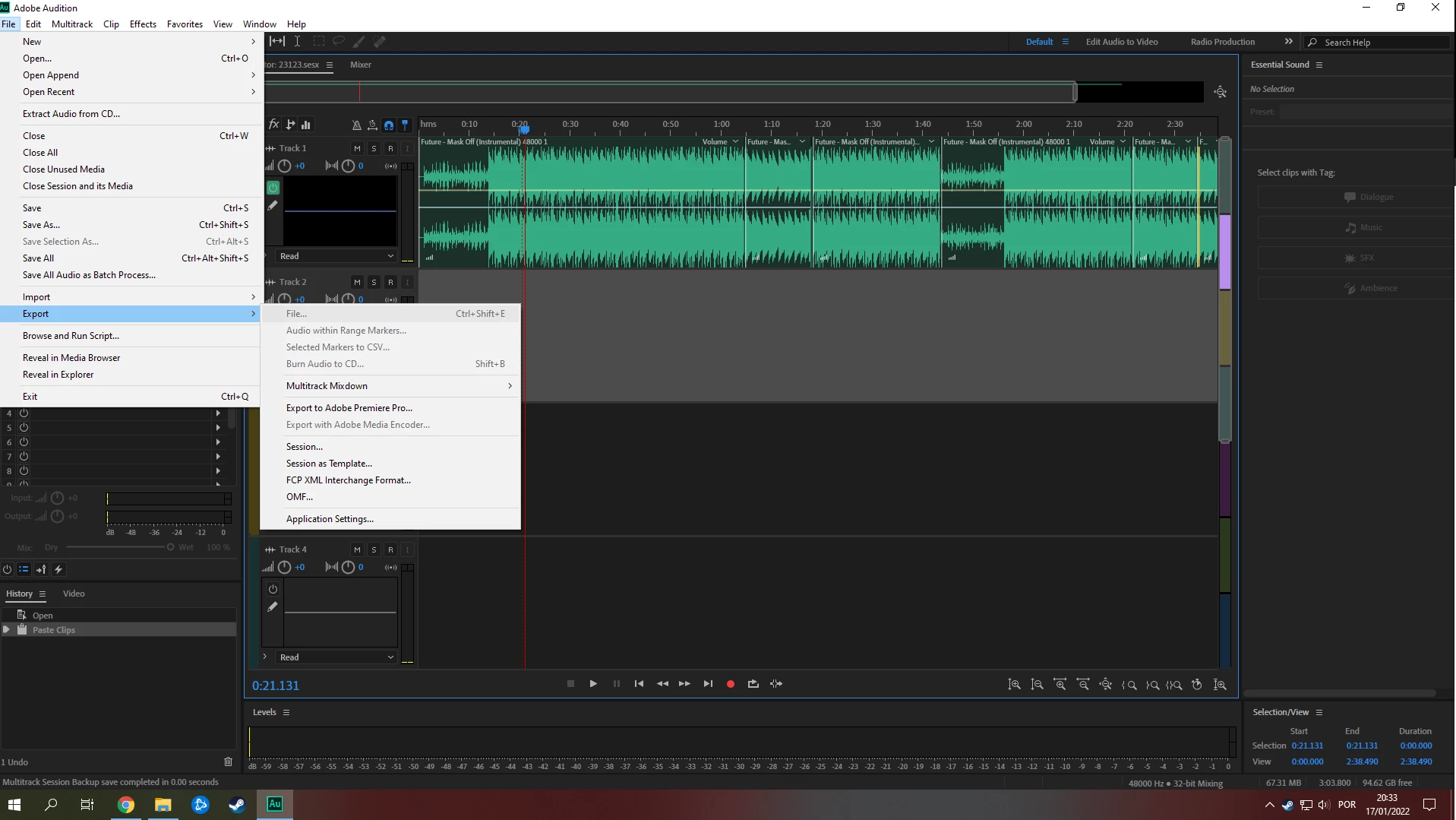
Export File option is grey. How do I export the project as .mp3?

  • January 17, 2022
  • 2 replies
  • 8006 views

Like the title says, the export option is grayed out. How do I export this project as a music file?

2 replies

Participant
March 28, 2024

THIS WORKED FOR ME >>> make sure you've selected the mix option 

SteveG_AudioMasters_
Community Expert
Community Expert
January 17, 2022

Export>File only works in Waveform view, which is why it's greyed out. You should use Export>Multitrack Mixdown, and then you get several choices: Firstly about time, and when you've made the appropriate selection there, you can make some rather more specific ones in Mixdown Options. The export panel is also where you select the destination and format of your file.

Participant
June 7, 2022

I cannot export my session on adobe audition 2022. I go to file - Export - Multitrack mixdown. The options of time, selected clips, and the entire session are greyed out. What must I do?


SteveG_AudioMasters_
Community Expert
Community Expert
June 7, 2022

Open the session in Multitrack and export it from there - that option is only available in Multitrack view, and is greyed out in Waveform.