
Answered
Far right of edit view changed from decible to sampl
How do I get it back to how it was? I have restarted and it opened the same showing SMPL instead of what it has always been decible 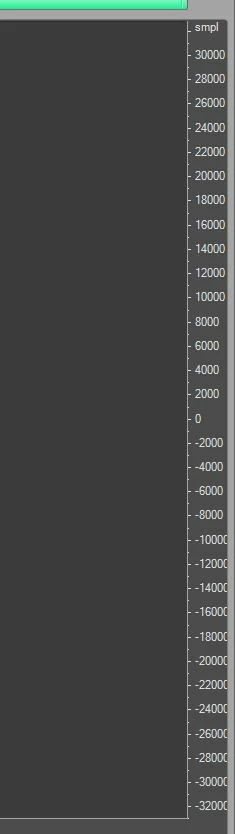

How do I get it back to how it was? I have restarted and it opened the same showing SMPL instead of what it has always been decible
Right-click on the sample values, and select Decibels. There are a lot of things in Audition that are worth right-clicking on!
Already have an account? Login
No account yet? Create an account
Enter your E-mail address. We'll send you an e-mail with instructions to reset your password.


 AdChoices