


File is altered during save process
I've got a file that contains only noise at the end. Investigating the FFT of this noise part is very important for me. If I select those last 2 seconds of this 16kHz/16bit/mono WAV file (plain PCM without any compression) I get this FFT:
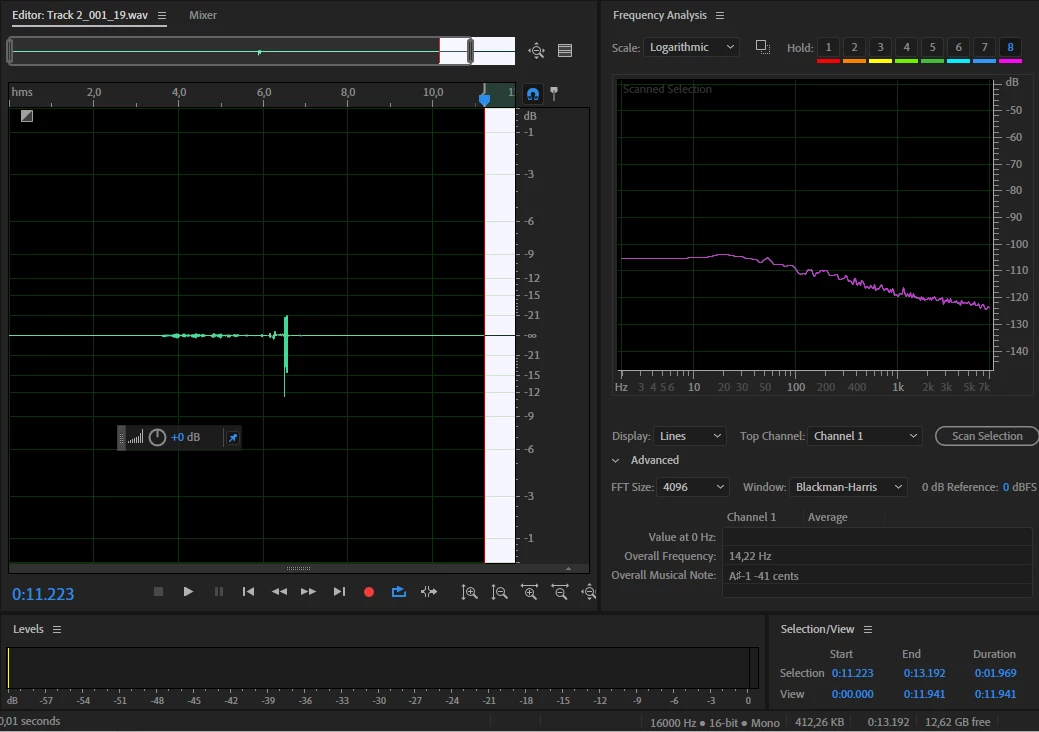
If I now copy these 2s and paste them into a new file (File->New->Audio File) with the exact same parameters (16kHz/16bit/mono WAV) and let the FFT run again on this new file, I get the exact same frequency response. Which is like it should be.
However, if I now save this newly created file, close it in Auditon and reopen it, there is a strange amplification for higher frequencies (blue line in the below FFT window).
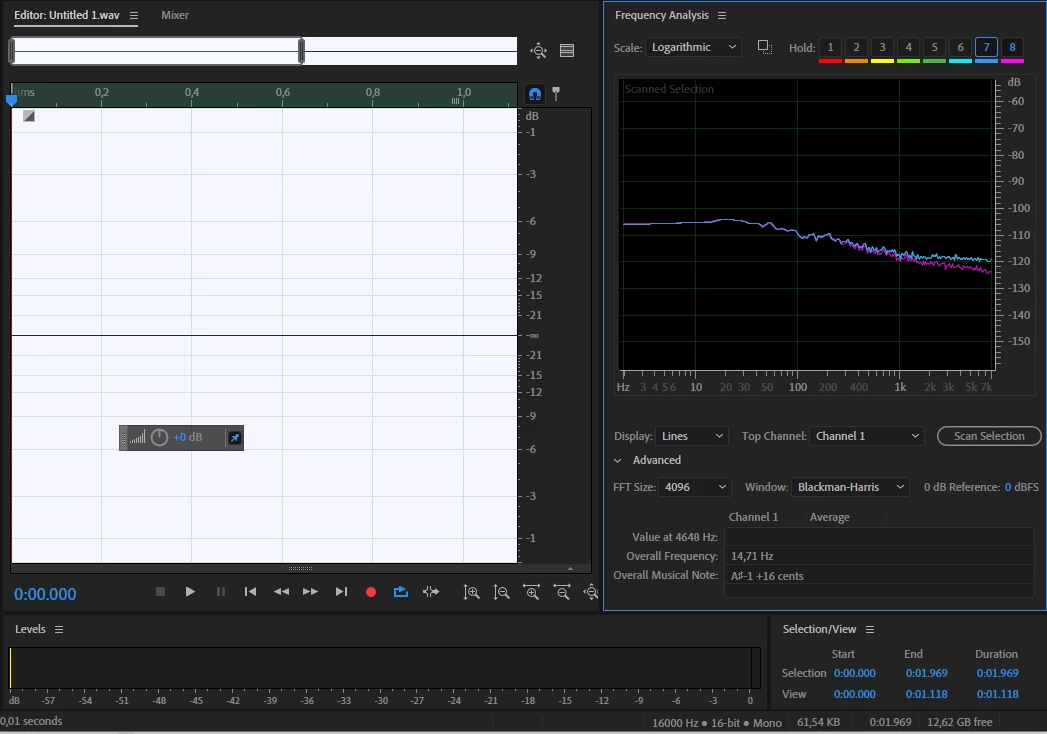
Is there any setting I could change to prevent this?
The "Smooth delte/cut boundaries...." and "Smooth all edit boundaries..." checkboxes under Edit->Preferences->Data are already unchecked, but without any change in the reported behavior.
I'm using version 13.0.10.32 on Win10
Thanks
 AdChoices