
Answered
Finding down beats in a song
Is there a way to upload a song into Auditon, then have all the down beats marked automatically? Then take it into Premiere and have those marks shown?

Is there a way to upload a song into Auditon, then have all the down beats marked automatically? Then take it into Premiere and have those marks shown?
The only way you can ever do something like this is to have something happening on the downbeat that is significantly louder than the rest of the audio on the track. Then you can use the analysis function to put markers where the volume increases. If this is the case with your track, then you need the Diagnostics panel:
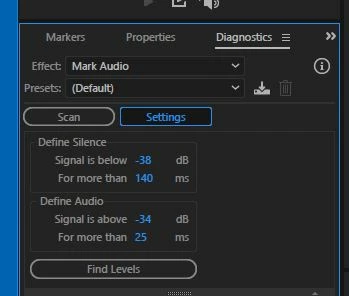
As for moving the markers with the file - well I think you should be able to, but you have to make sure that you've put a check in the 'Save markers and other metadata' box when you save the file, which you must do after scanning it, or they definitely won't be included.
Already have an account? Login
No account yet? Create an account
Enter your E-mail address. We'll send you an e-mail with instructions to reset your password.


 AdChoices