
Participating Frequently
July 1, 2021
Question

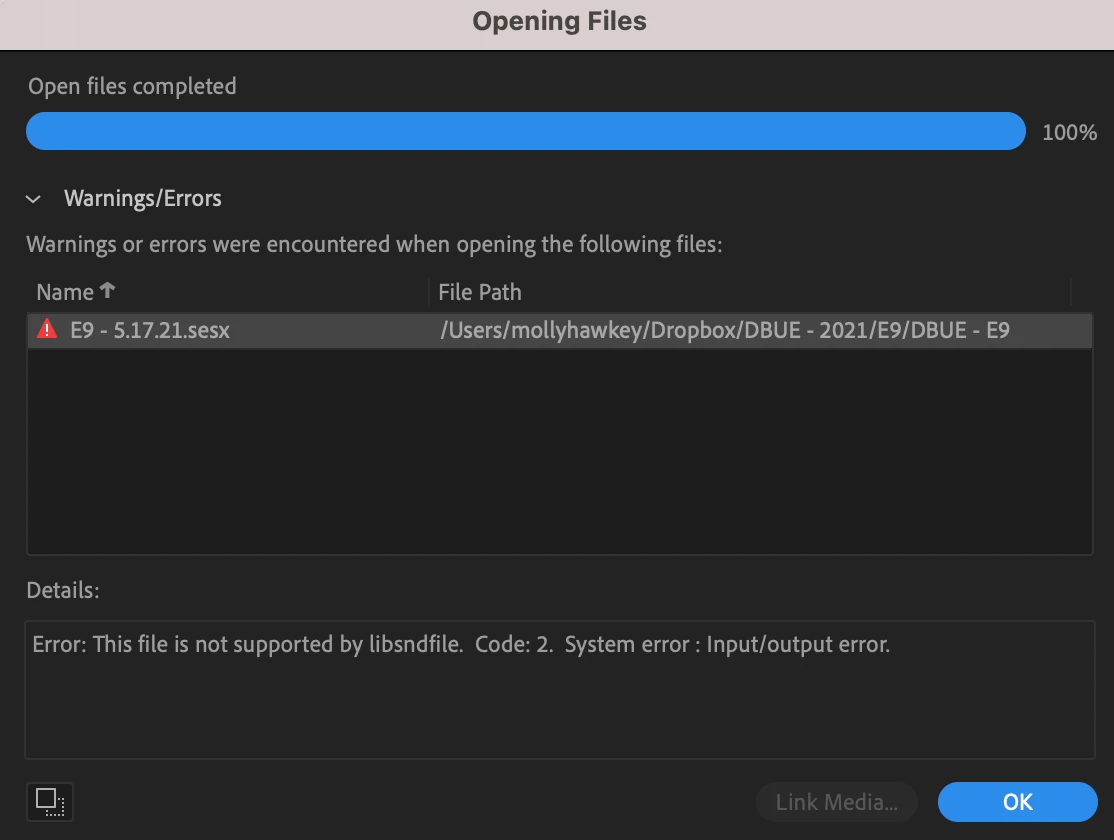
HELP "Error: This file is not supported by libsndfile. Code: 2. System error : Input/output error."

  • July 1, 2021
  • 1 reply
  • 2564 views

Hello! I'm working on a project for a big company. I'm now going back to make final edits to sessions I started months ago, and the files won't open. Last time they were opened was late May. I'm running MacOS Big Sur, macbook pro M1.

The error reads: 

Error: This file is not supported by libsndfile. Code: 2. System error : Input/output error.

I tried installing an older version of Audition, as I use creative cloud and it updates automatically. That didn't help.

Any suggestions???
This topic has been closed for replies.

1 reply

Participating Frequently
July 1, 2021

OK...this may have been a very dumb question. My dropbox files weren't synced to my computer. They're syncing now. Hopefully that will solve the problem. I'm leaving the question up in case anyone else needs to feel smarter today. 

SteveG_AudioMasters_
Community Expert
Community Expert
July 1, 2021

It's not a dumb question, actually - one of the things that many people don't seem to be aware of is that Audition really doesn't like working with remote files - either downloading them, or especially saving to a remote location. It has a considerable aversion to what it regards as a piece of wet string... (aka your internet connection...)


The rule is always the same. Don't ever try to work with remote files. Download them to a local disk first, and work on them from that. And when you've finished, do a file upload to your remote storage, and don't try to save direct to it; it will almost certainly come up with errors. With Dropbox specifically - you can just about get away with using your local folder, but if you are going to save back to it directly, pause syncing before you do so.