


Participant
Jan 17, 2024 10:41 PM UTC
Question

Help removing click sound from beginning of new clips

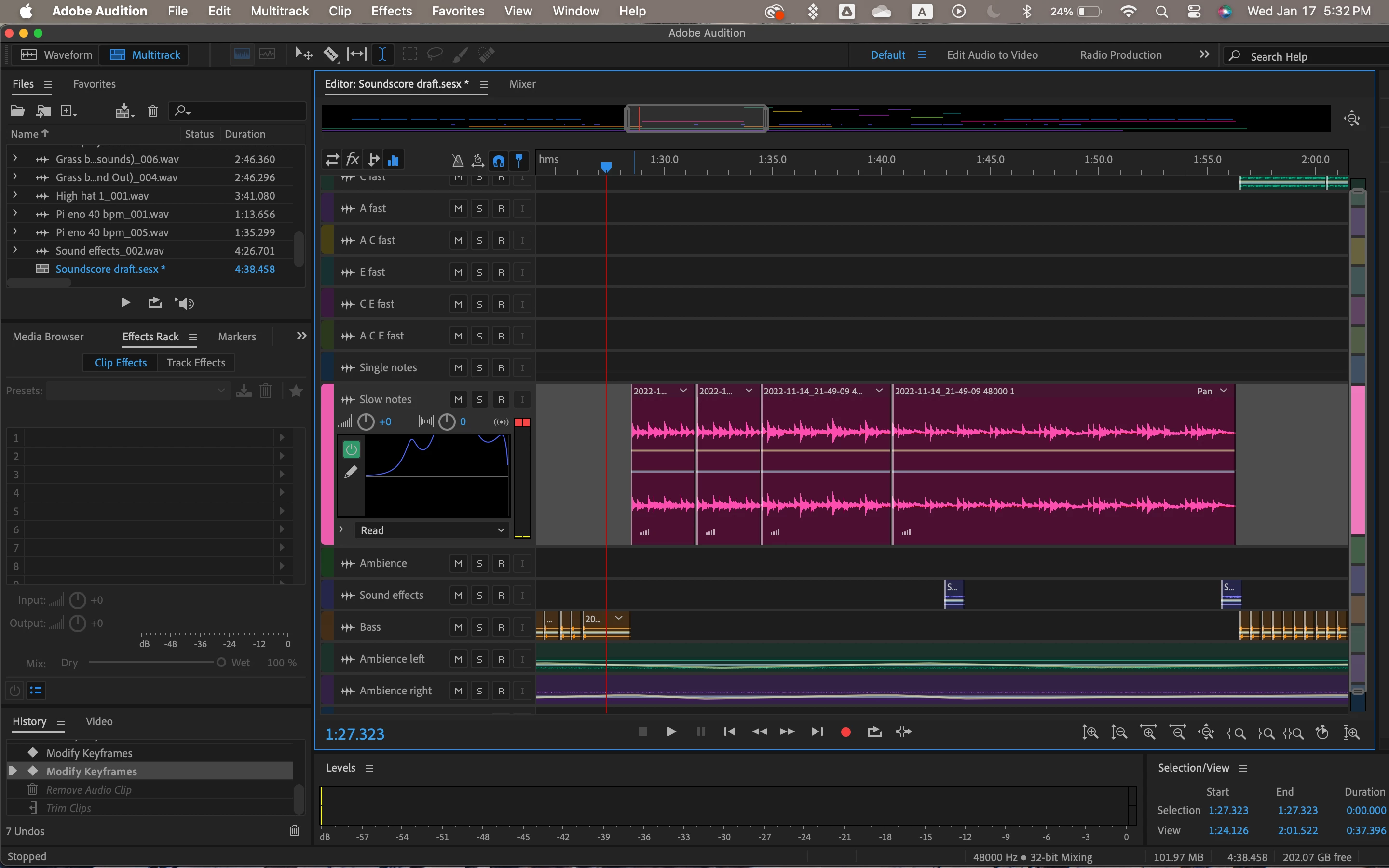
I made this mixtrack a while ago using synths I recorded directly in a synth app on my ipad. Whenever I cut the track, there is a clicking sound at the beginning of each new clip, for example in the photo, there is a clip around 1:31, 1:34, and 1:41. I made this almost a year ago, so rerecording is not an option. I am an amateur when it comes to sound editing, so I don't have an idea of why this is happening. Help?


Thanks in advance!
This topic is closed to new replies. Start a new post to keep the conversation going.

3 replies

Community Expert
Jan 18, 2024 9:42 AM UTC

This option might also affect how your tracks sound.


The clicks might well be caused by not editing when the sample levels cross zero. By overlapping your clips you are adding a short crossfade whch cures this problem.

Translate
Participant
Jan 17, 2024 11:38 PM UTC

Okay, weirdly enough, I found if I just lengthen a clip to slightly overlap the next, the click goes away! Probably a very simple problem with a very simple solution, but it took me forever to figure out!

Translate
SteveG_AudioMasters_
Community Expert
Community Expert
Jan 18, 2024 9:49 AM UTC

That is a perfectly reasonable solution. What is actually happening is that the absolute value of the sample at the end of one clip isn't identical to the absolute value of the sample at the start of the next one, which creates a jump in the waveform that shouldn't be there. Cross-fading fixes this by 'blurring' the join. The other way to fix this is to set the snapping on any file you make like this, so that the cursor always lands on a zero crossing in the waveform, and trim the file to these points.


Translate