
Known Participant
September 23, 2018
Answered

How do I get the right signal into a plug-in (Izotope Ozone)?

  • September 23, 2018
  • 2 replies
  • 1510 views

Hi all.

I thought I'd try Izotope's Ozone plug-in to timbre-match two tracks recorded with different kinds of mics.

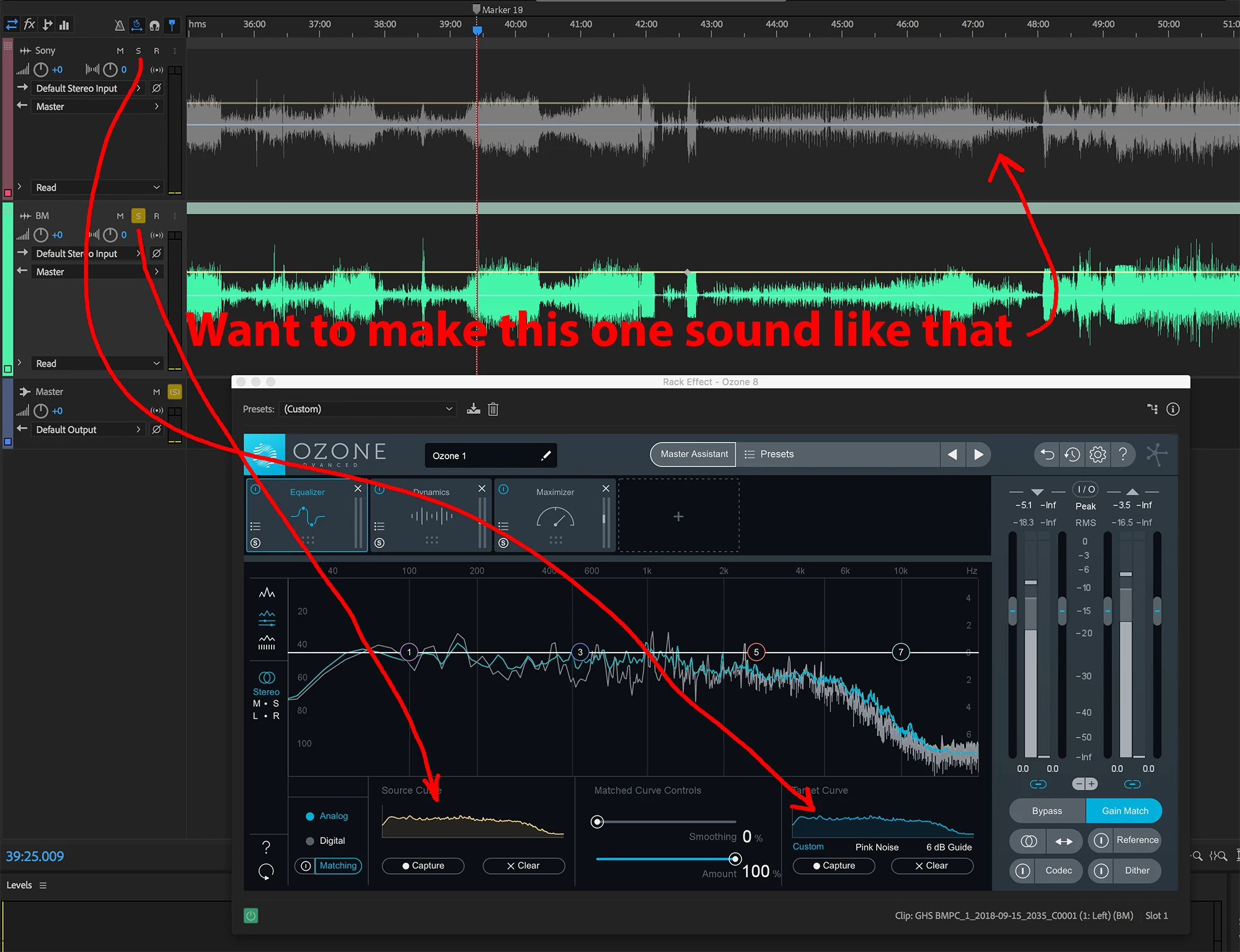
Its matching function requires you to sample a section of the tracks you want to match, to profile their spectrum. I have the two tracks in a multitrack session, and the plug-in is applied to the clip I want to alter (the green one in the screen shot below).

I figured I'd solo the "source" track and sample it, then switch to the "target" track and sample that. But no matter what I do, the plug-in seems to get all tracks at all times; even if they're all muted.

There's clearly some kind of routing problem, but I haven't found a solution yet. Anyone have an idea? Thanks!
This topic has been closed for replies.
Correct answer paulfigg

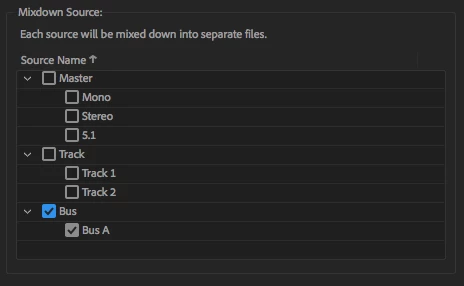
One way to do this --> assign both tracks to a Bus Track. Insert the Ozone EQ on the noted Bus Track. Use the clip track(s) solo functions to define (1) your EQ source, and then (2) your EQ target. Engage Match in Ozone and tweak. Export the matched clip only. Do this by selecting the output of the Bus Track you created (Export/Mixdown Options). Make sure only the matched clip track is active. Re-import the exported/processed clip back into your active Session.

-paul.

@produceNewMedia

2 replies

Inspiring
September 23, 2018

Also - if you are only looking to use the Match EQ function - I would suggest the use of the discrete Ozone EQ module in place of the full Ozone plugin. It's much less taxing on your system.

-paul.

@produceNewMedia

paulfiggCorrect answer
Inspiring
September 23, 2018

One way to do this --> assign both tracks to a Bus Track. Insert the Ozone EQ on the noted Bus Track. Use the clip track(s) solo functions to define (1) your EQ source, and then (2) your EQ target. Engage Match in Ozone and tweak. Export the matched clip only. Do this by selecting the output of the Bus Track you created (Export/Mixdown Options). Make sure only the matched clip track is active. Re-import the exported/processed clip back into your active Session.

-paul.

@produceNewMedia

Known Participant
September 23, 2018

Interesting idea, thanks. I'll give that a try.

ryclark
Participating Frequently
September 23, 2018

Wouldn't it be better to do this operation in the Waveform view where it is easy to switch between your reference file and the one you want to operate on?