
Inspiring
Dec 20, 2021 7:26 PM UTC
Question

How do I manually import all media files into a multitrack session folder?

How do I manually Import All Media Files to the session folder on my own accord (i.e. at a later time, after hitting 'No' on this warning), or is this auto-prompt the only way that Audition can perform such a function? Is this function executable from somewhere on the dropdown top-menus, and I'm simply overlooking it? Thanks forum.
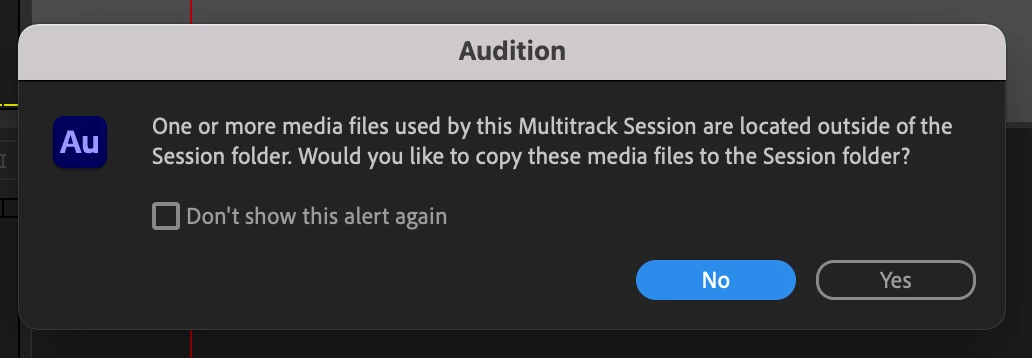
2 replies

SteveG_AudioMasters_
Community Expert
Community Expert
Dec 20, 2021 9:08 PM UTC

I think you get a repeat of this if you simply re-open the session and then close it, because then the same conditions apply.


Translate
Participant
Nov 12, 2025 7:26 AM UTC

Related to this, if you accidentally select "Don't show this alert again," you can re-enalbe it if you go to Preferences > General > Reset All Warning Dialogs.


Felt a little dumb for how long it took me to find that button...


Translate