Participating Frequently
June 14, 2021
Answered

How do I mite (not remove) silence?

  • June 14, 2021
  • 1 reply
  • 1760 views

Have an important lecture on video. But the recording was with this Auto level crap on audio turned on. So, the hum when the lecturer used pauses does grow the longer the pause. As you understand, deHumm doesn't really help much.

So, I have to go in and manually mute all the pauses. I know it will not sound natural. It's Ok. But may be you'd have some tips on how to auto mark the silence? I know about Diagnostics - Mark Speech, and about Diagnostics - Delete Silence. But is there a way to make a cross breed the two so to say? Mark Silence, instead of deleting it? Or any other way to speed up the process?

Thanks in Advance...
This topic has been closed for replies.
Correct answer EuanWilliamson

Yeah, take your time! I'll be around!

Bless you!

Victor


Hi Victor,

Here's the quick and dirty technique I used:


Open the audio file

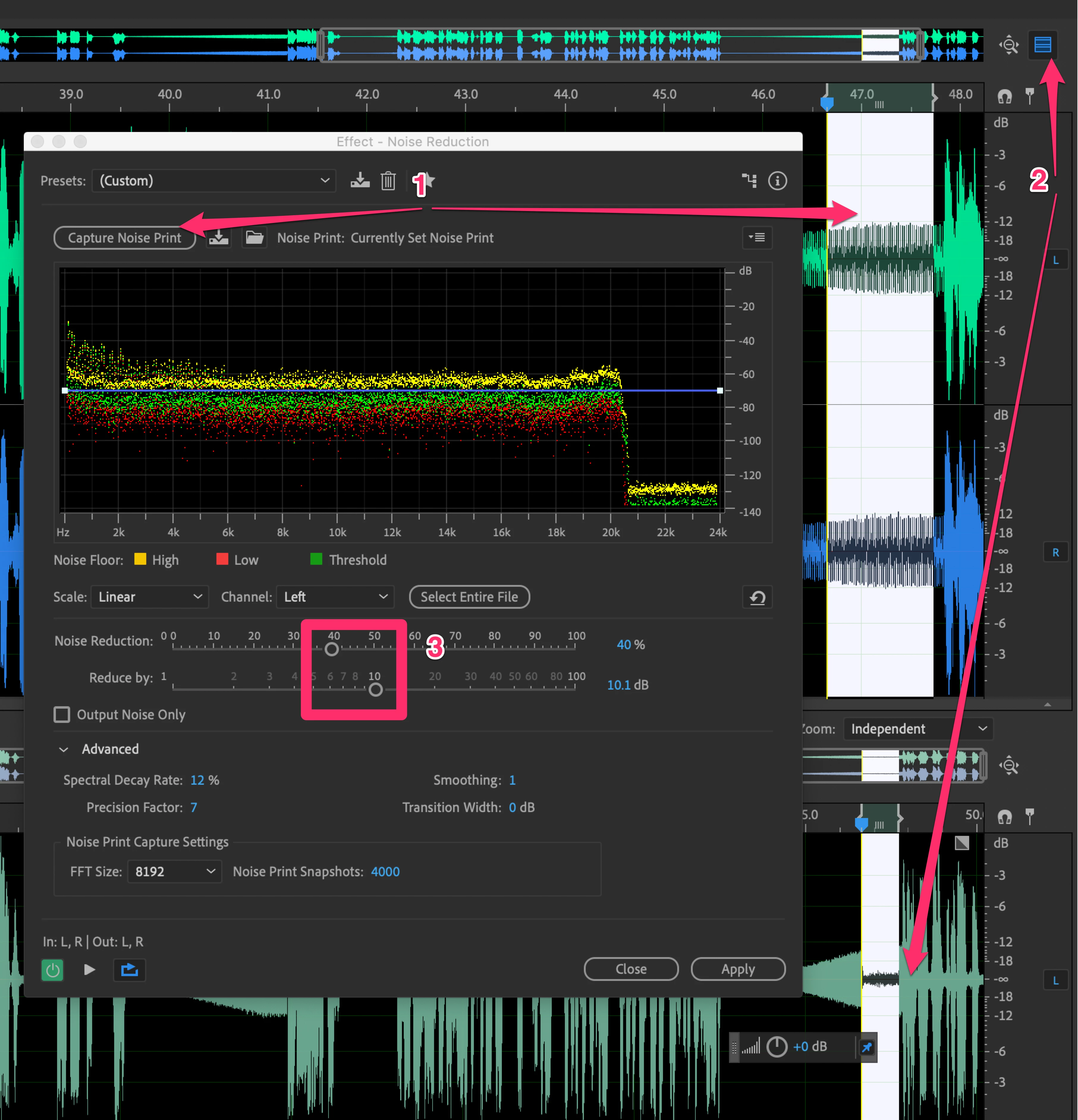
Open Effect - Noise Reduction

and select the loudest part of the auto gain noise as in (1)

Click the preview button (2) to see the result below. Settings at (3) will be a good starting point

Our aim is to reduce the noise to about a third of its original level.

Apply to the whole track.


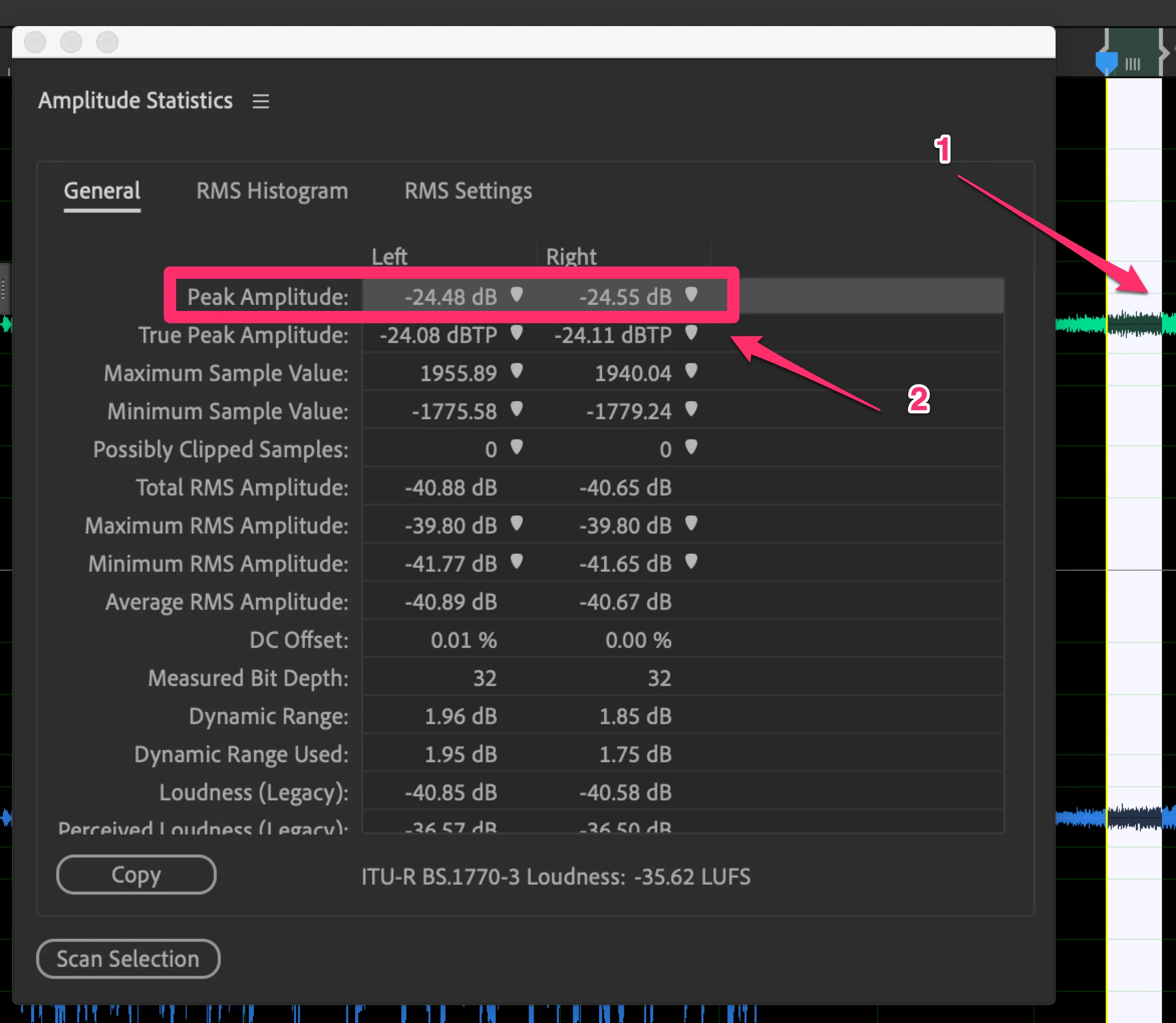
Open the Amplitude Statistics dialog

Select part of the remaining noise at (1) and get a result at (2)

in this case approx. -25db, the level of the remaining noise.


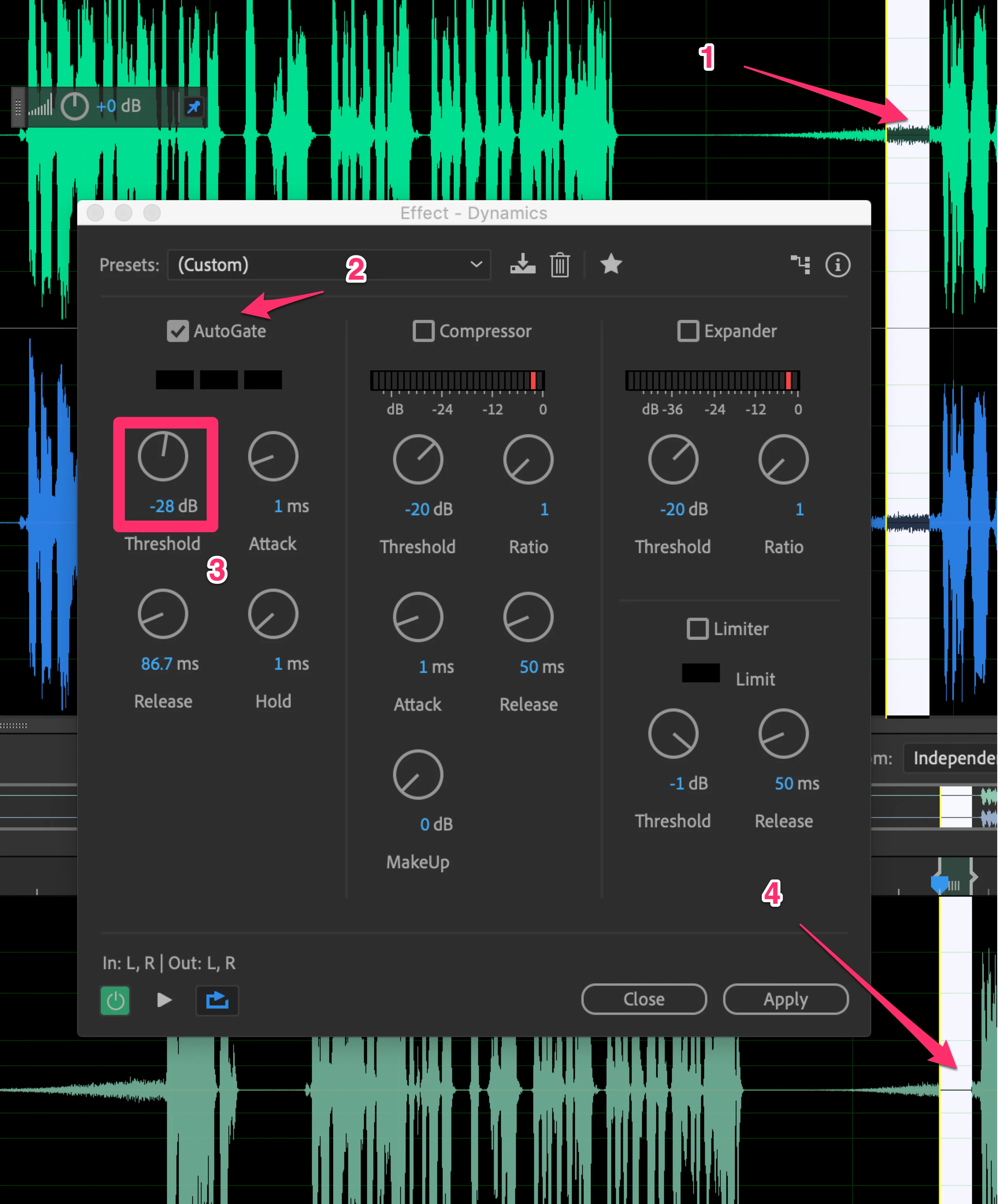
Open the Effect - Dynamics dialog.

Select  part of the remaining noise at (1)

Select Autogate at (2)

Adjust the level at (3) until you have no noise showing at (4) in the preview.

The level we got in the analysis box before is a good starting point for (3) above.

Apply to the whole track


To summarise:

We reduce the noise by two thirds to get good differentiation between noise and voice.

We use a gate to remove the remaining noise.


1 reply

EuanWilliamson
Community Expert
Community Expert
June 14, 2021

Can you post a 30 sec sample of the audio which will let us hear how bad it is.

Can you estimate the longest pause between the lecturer speaking?


Best regards, Euan.
bozhenkoAuthor
Participating Frequently
June 14, 2021

Yes, Euan. Here's the sample of some of the longest pauses: https://yadi.sk/d/0tgmLWK-r8piZA

Also I have attached it below. This is raw-raw file. No post-production has been applyed yet...

Thank you, sir!

EuanWilliamson
Community Expert
Community Expert
June 14, 2021

Hi @bozhenko 

Wow, that auto level / gain is a mess.

I've had a play with the file and attached what I found was possible to do.


However, as it's not my language, I'm not sure how acceptable the result is?


Best regards, Euan.