
Inspiring
March 1, 2020
Answered

How do you display the effects rack in each individual track?

  • March 1, 2020
  • 2 replies
  • 860 views

Group,

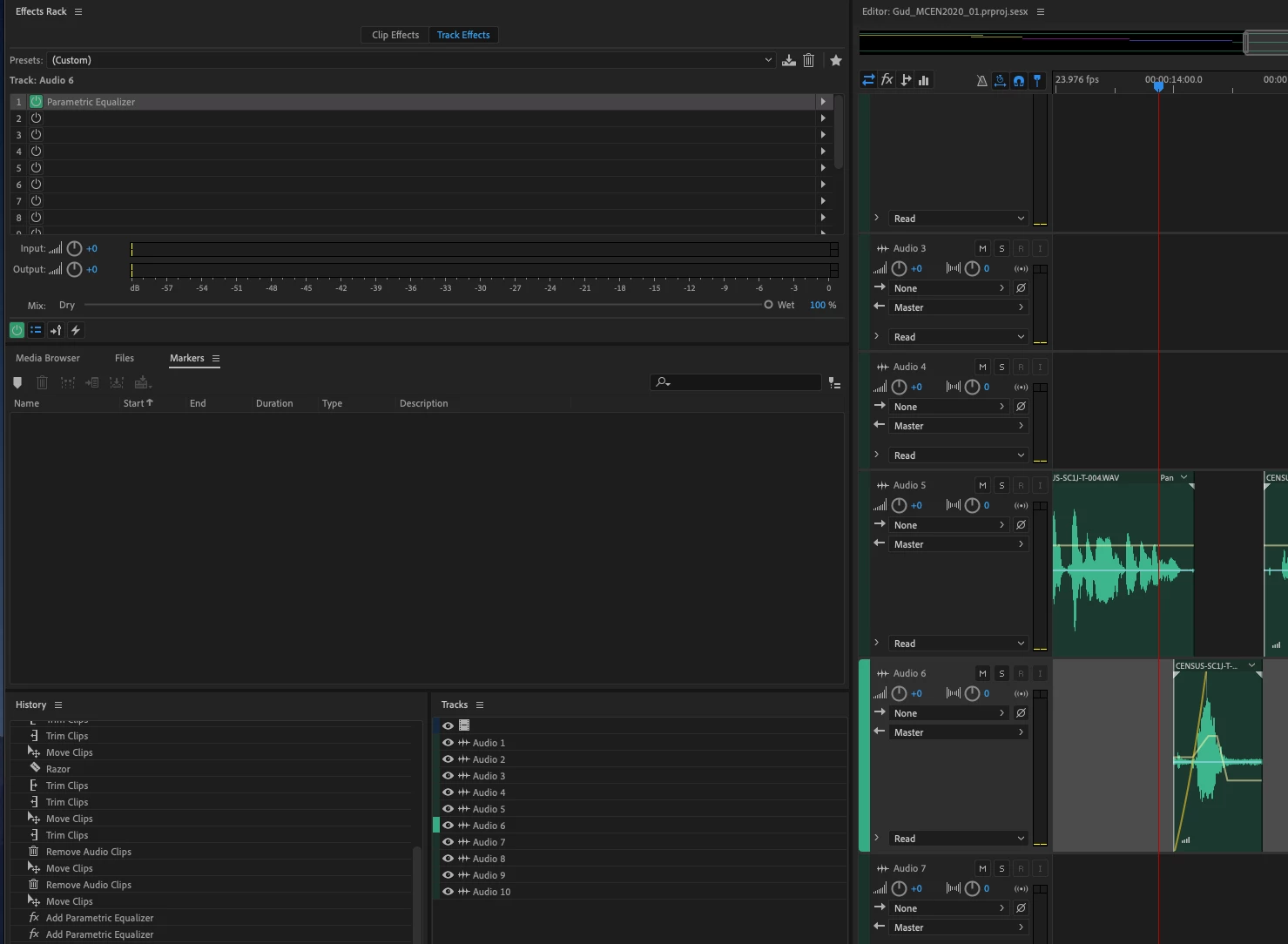
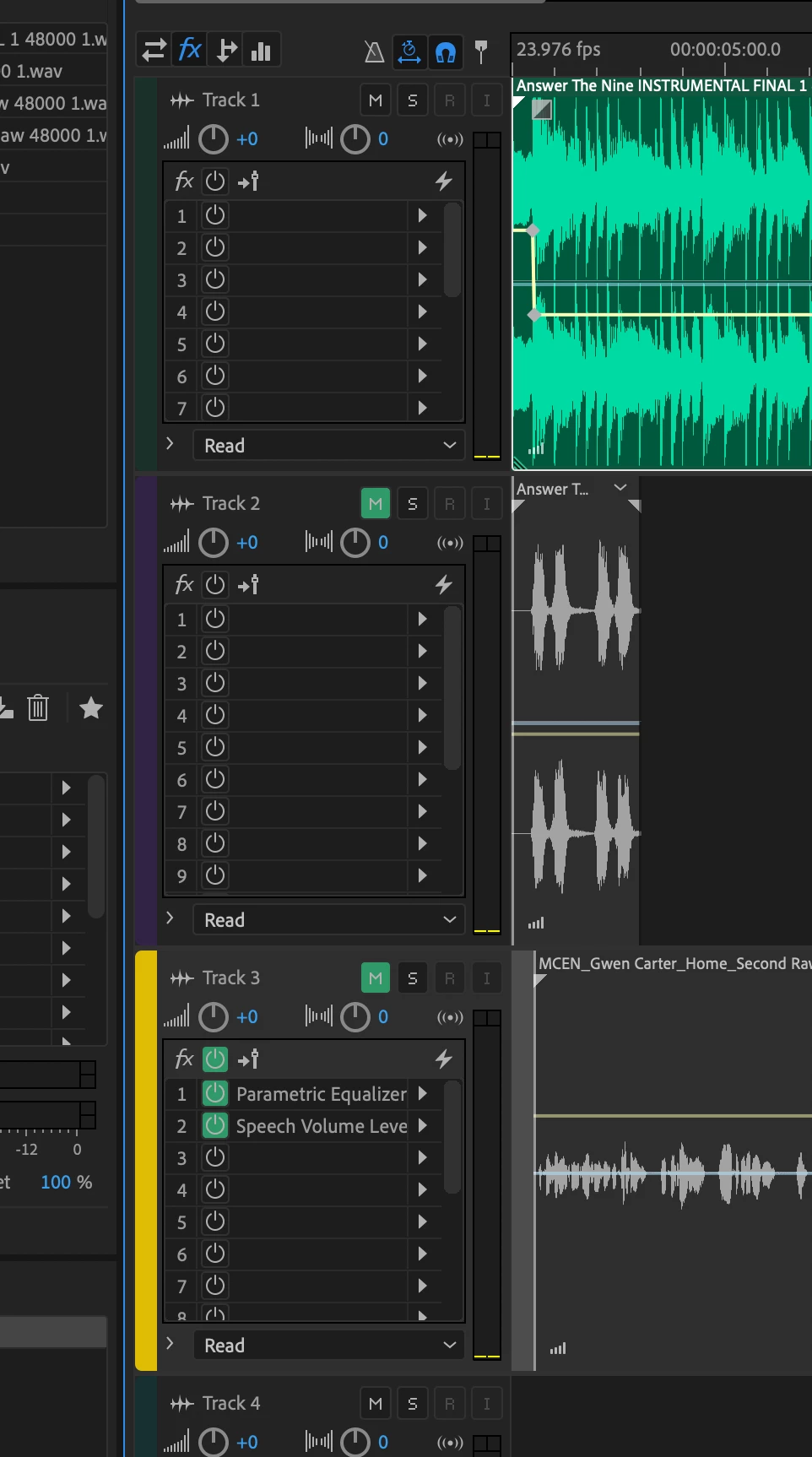
On my laptop, the effects rack is located in each track in my multitrack session but on my workstation the effects rack is a seperate window. It used to be in the tracks like my laptop but someone accidently changed something and I for the life of me can't figure it out - and my Google searches have come up empty. Can anyone here tell me how to get my racks back in their respective tracks? It really is necessary for option dragging effects around to different tracks.


Maybe these pictures will help - this is where it is:
 

This is where I want it


Thanks.

This topic has been closed for replies.
Correct answer joeln15986593

Okay - in all my clicking I found it. It's just the FX button at the top of the editor window.  Thank you to Steve who had me clicking around which made me find it!


2 replies

joeln15986593AuthorCorrect answer
Inspiring
March 1, 2020

Okay - in all my clicking I found it. It's just the FX button at the top of the editor window.  Thank you to Steve who had me clicking around which made me find it!


SteveG_AudioMasters_
Community Expert
Community Expert
March 1, 2020

Get the cursor directly over the Effects Rack name, left-click and you can drag it around. When you get it to somewhere it can be parked, the appropriate location will turn a purplr colour. Release it there, and it will stay. Once you've got the hang of it, this is easy... Clicking on the three lines beside the name will give you other options too.

Inspiring
March 1, 2020

Thanks Steve,


I had tried that - but that only puts in the window that the multitrack session is in - not in the individual track. Or at least not the way I'm doing it. I have dragged it all over the window....