
Participant
August 1, 2019
Answered

How to center a phase-shifted sound ?

  • August 1, 2019
  • 2 replies
  • 559 views

Hello

I am trying to fix the sound of an old video I was given.

As you can see it is shifted on the y axis :  (not sure "phase-shifted" is the right term)
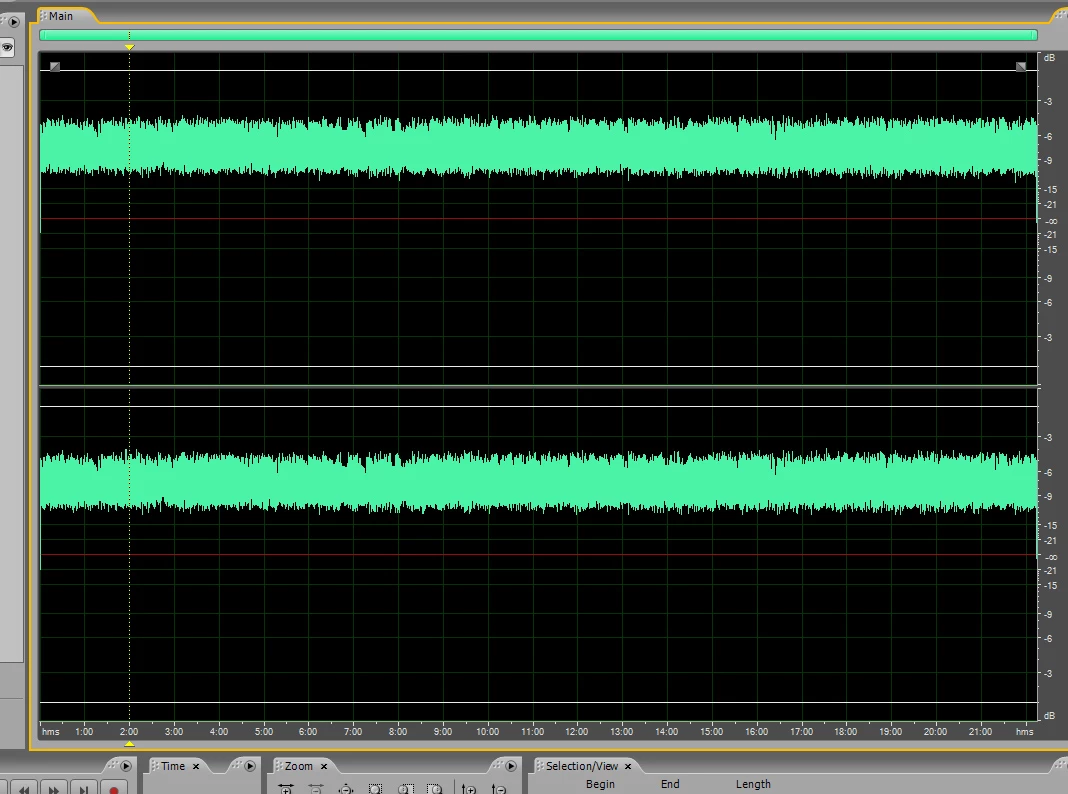
Before I can normalize it, I want to center it on the y axis.

But I do not find how to do it in Adobe Audition. Please tell me.
    This topic has been closed for replies.
    Correct answer Mike Russell

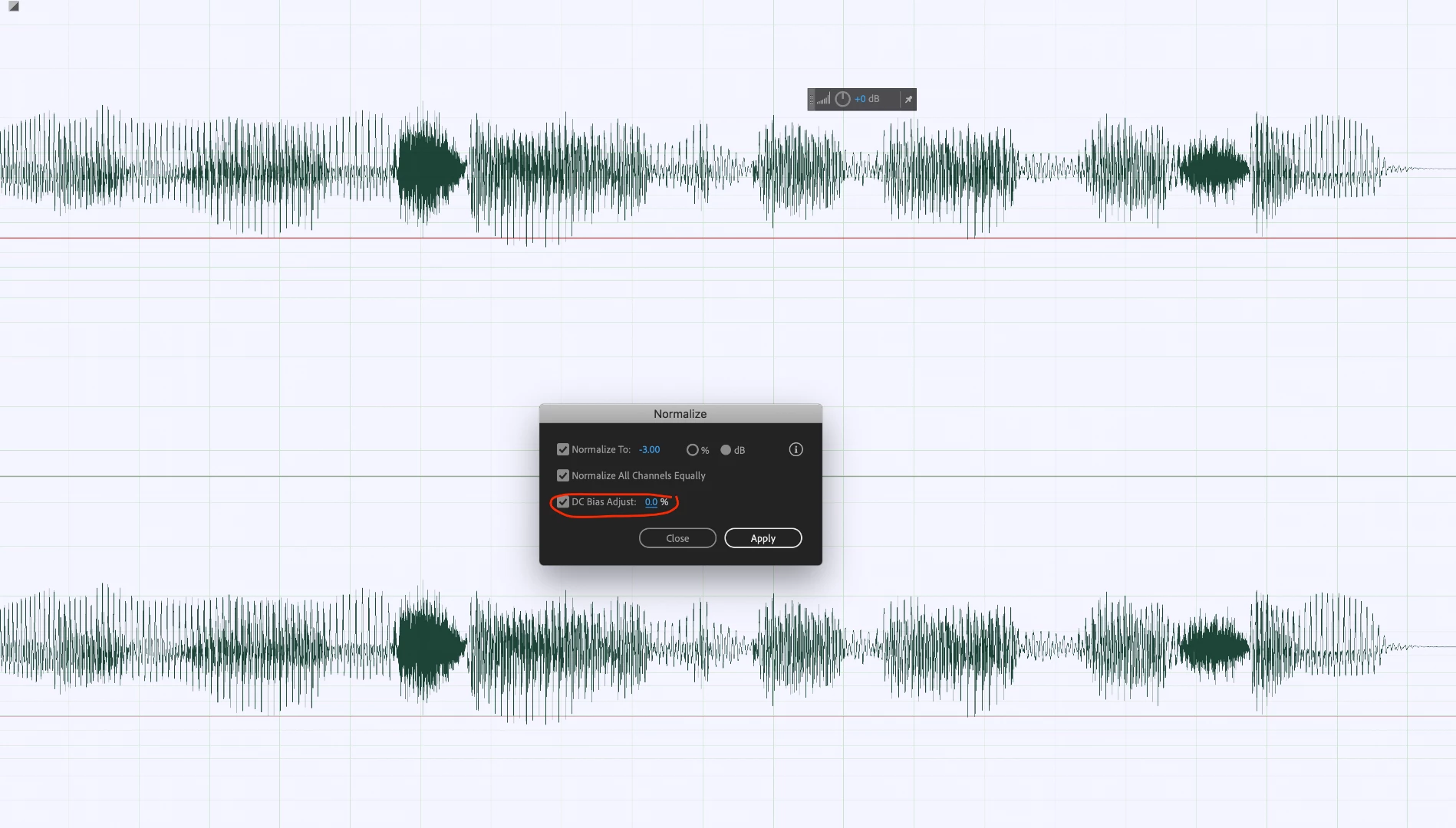
    This is known as DC offset and it's really easy to fix it.

    Effects > Amplitude and Compression > Normalize...

    Tick DC Bias Adjust​ and make sure it's set to 0%.

    2 replies

    Mike Russell
    Mike RussellCorrect answer
    Inspiring
    August 1, 2019

    This is known as DC offset and it's really easy to fix it.

    Effects > Amplitude and Compression > Normalize...

    Tick DC Bias Adjust​ and make sure it's set to 0%.

    Community Expert
    August 1, 2019