
cjax2342124
Participant
April 8, 2019
Question

How to Change FFT Size in Sound Remover Dialogue

  • April 8, 2019
  • 2 replies
  • 5671 views

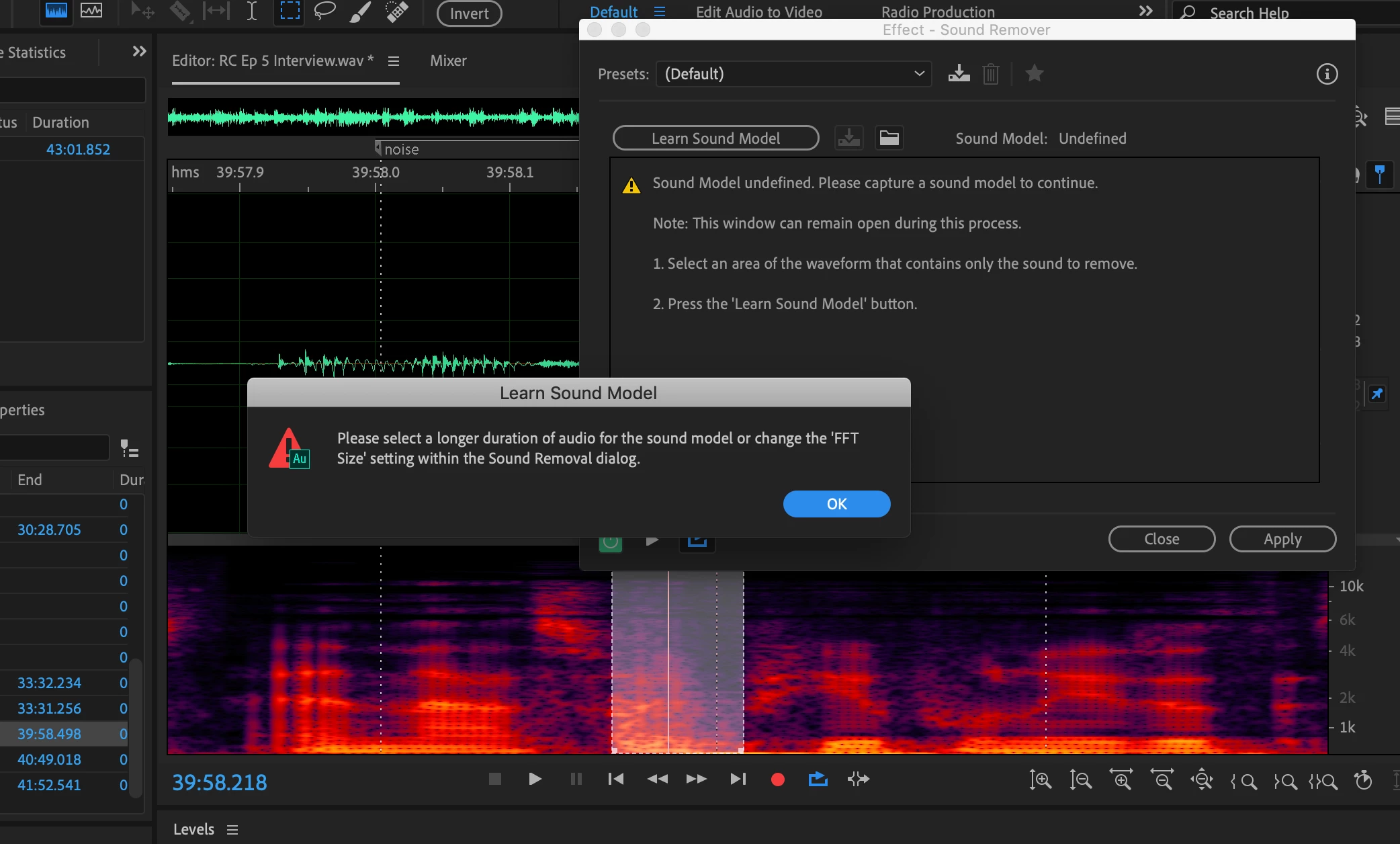
I'm trying to lower the FFT size in the sound remover dialogue. The error message I'm getting tells me to do this, but I don't see an option for where to do this within the sound remover dialogue. What am I missing?
    This topic has been closed for replies.

    2 replies

    SteveG_AudioMasters_
    Community Expert
    Community Expert
    February 23, 2021

    Just make a random selection and click on 'learn Sound Model. Even though it's not the selection you want, it will open up the controls. Change the FFT, remake the selection you want and you'll be on your way.

    Prisoner #6
    Participant
    February 23, 2021

    I did that, and it did work, however it seems like there should be a better way do that... say "ok" and be prompted for a different FFT value rather than having to close the window.  How we're "forced" to do it is more of a clunky workaround than an intentional, designed process flow.


    Perhaps on the next version? 🙂

    SteveG_AudioMasters_
    Community Expert
    Community Expert
    February 23, 2021

    You don't have to close the window - just make another selection. And I doubt whether this will change; it's been like this for a very long time.

    SteveG_AudioMasters_
    Community Expert
    Community Expert
    April 8, 2019

    Before you open the Sound Remover, make a selection choice first (Learn Sound Model). Then open the app, and you'll get the rest of the controls. Change the setting, and remake the selection. It has to be like this, because the original sample would have been taken at the previously set rate, and this is the only sensible way to make sure that you've got the sample you want at the FFT size you want.

    Participant
    January 12, 2021

    "I don't see an option for where to do this within the sound remover dialogue. What am I missing?"

    Prisoner #6
    Participant
    February 23, 2021

    How does one change the FFT size when their sample is too small? the dialogue only give you the error telling you to change the FFT but doesn't tell you how to revert to a smaller size and clear the error.


    when in this state, there is no way to change the FFT. Is there another dialog or setting elsewhere?