

Answered
How to Change Settings in "Speech Volume Leveller"?
Greetings,
I'm using Audition CC 12.0.1.34 on a late 2016 Macbook Pro.
I have a Voice Over track where I need to have the Loudness to be normalized (highs reduced, lows raised).
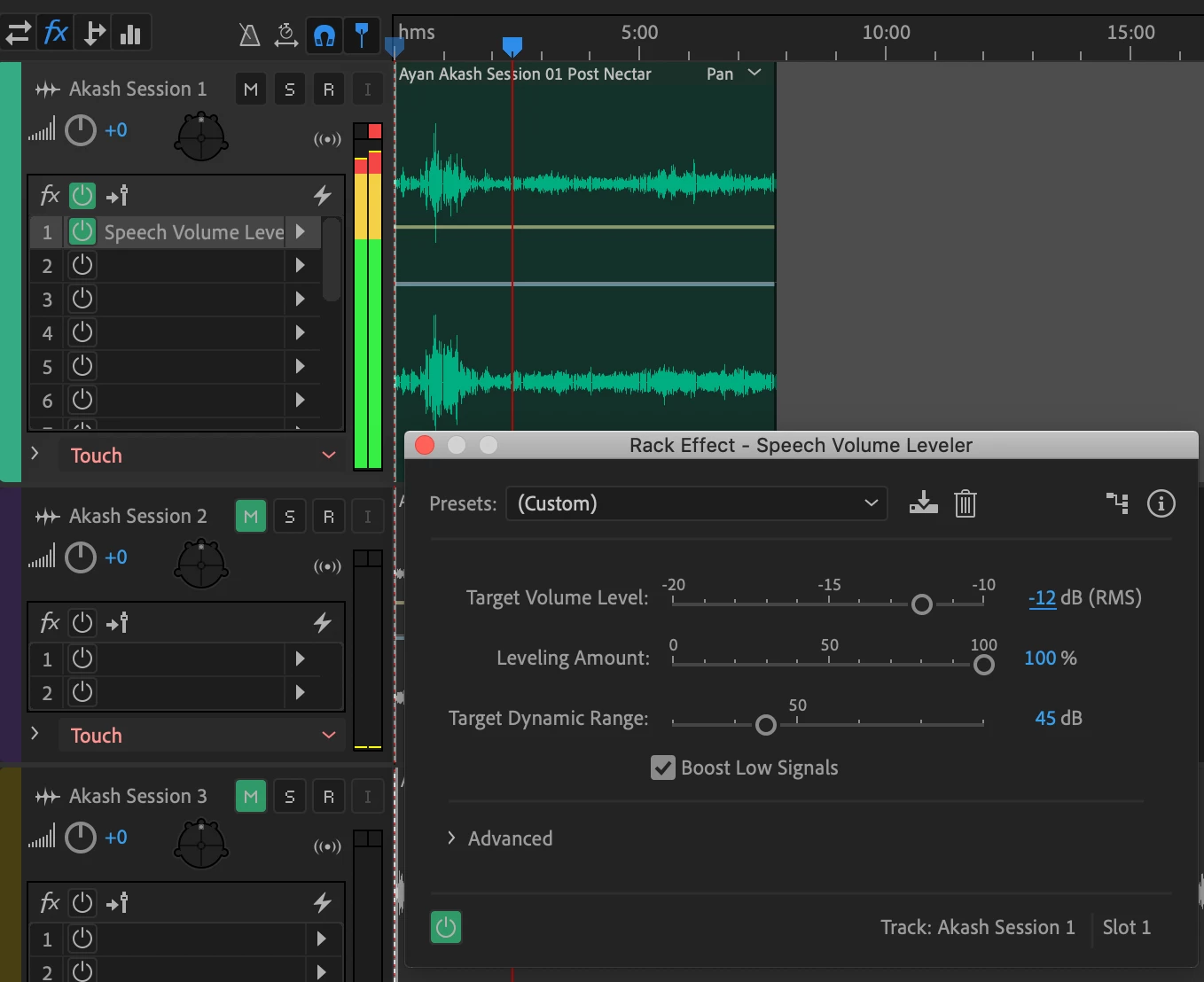
I tried using Speech Volume Leveller as an Effect on the Track, and tried pulling the sliders to change settings.
However, I find that when I change the value of "Target Volume Level", it resets back to -12db. Ditto with the other settings.
The Preset I used was "Custom".
Even more puzzling, was that the Output level of the Voice Over is approximately -3 to -5 db.
I've attached a Screengrab.
Any ideas on how to fix this?
Thanks in advance for your help.
Regards,
Rajnesh


 AdChoices