
How to clean up waveform (NOT the audio but the visual representation of the waveform)
My GoPro audio waveform looks nothing like my other waveforms, despite being recorded on an external mic. When imported it looks like this:
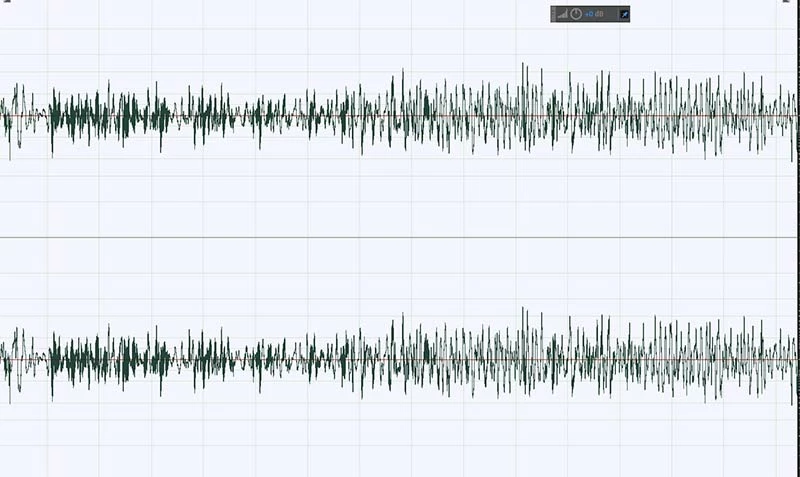
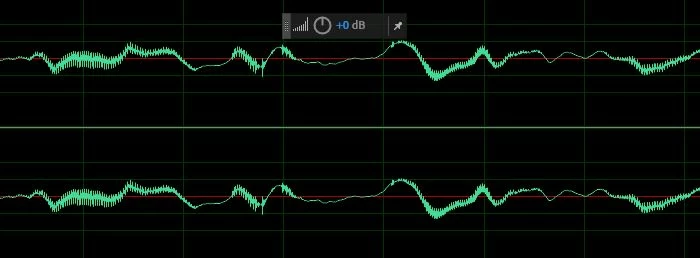
If I slice this at any point, it results in clicking, unlike my waveform from my GH5, for example. But if I apply a simple filter like a high pass, the waveform now looks like this:
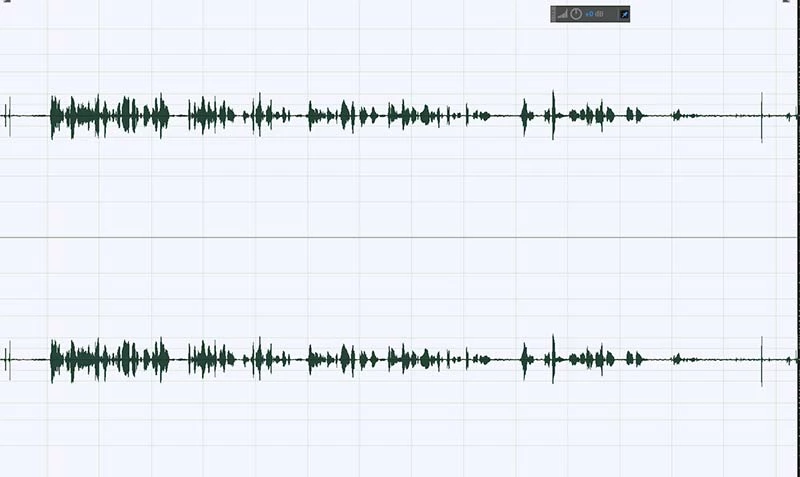
This results in a much 'cleaner' waveform, visually speaking. It's like it balances the audio along the 0db line, making it easier to edit, and now looks like waveforms from my other sources.
How do I achieve this without applying any filters to the waveform? And why does it do this? Why does this waveform look so 'chaotic' on import? I'm sure this is more than just audio quality or noise. The actual audio from the GoPro with the external mic is pretty clean, it's just the visual representation of the waveform that's different, or how it is interpreted by Audition upon import. Possibly. I'd like to understand why this happens.
Any pointers are appreciated, thanks.


 AdChoices