
Participant
December 19, 2017
Answered

How to delay recording to eliminate mouse click

  • December 19, 2017
  • 1 reply
  • 670 views

Hello.  When I do my recordings, I always have to go back and delete the first .2 seconds or so of audio, because I always hear my mouse click.  Is there a way to delay the effect of recording by .2 seconds or so, that way I do not have to go back and fix this each time?

Thanks!
This topic has been closed for replies.
Correct answer

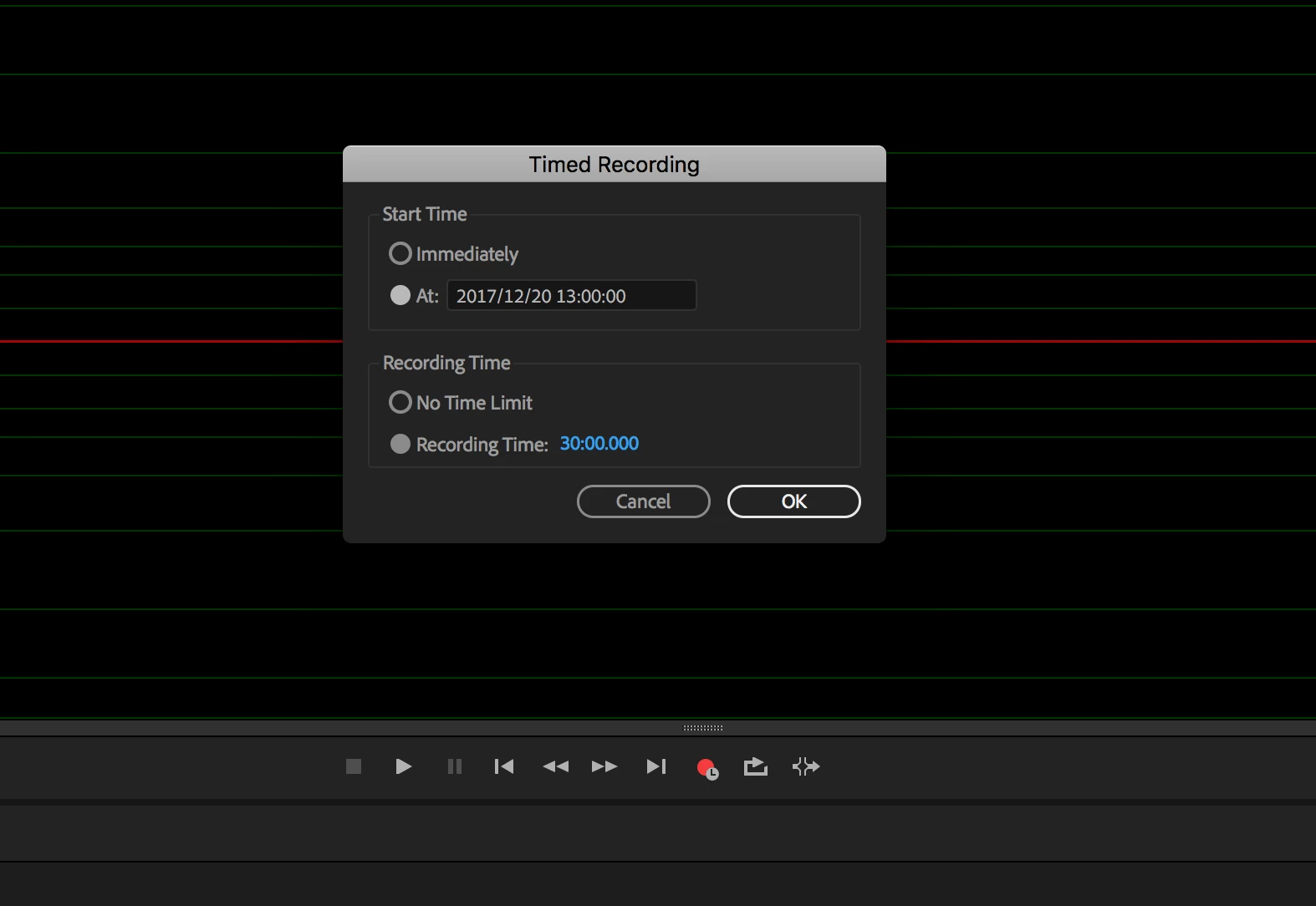
You may workaround by using timed recording.

Right click on the Record Button and choose Timed Recording

1 reply

ryclark
Participating Frequently
December 19, 2017

Unfortunately no. Like all these sort of recording noise problems it is much better to cure the source rather than have to edit them out afterwards. Would you have the same problem if you used your keyboard to start Audition recording rather than the mouse? Or get a quieter mouse perhaps? And if it is a wireless mouse you can position it at arms length away from the microphone and round the back of it. I can hardly hear the click of the mouse that I use

by ear let alone via a mic close to my mouth.

What type of microphone are you using to record (presumably it is your voice that you are recording) and where to you have it positioned. It should be possible to position a reasonable mic so that it doesn't pick up the sound of the mouse that much. And position the mouse on a soft surface to reduce the sound of the click as much as possible.

SteveG_AudioMasters_
Community Expert
Community Expert
December 20, 2017

ryclark  wrote

Would you have the same problem if you used your keyboard to start Audition recording rather than the mouse? Or get a quieter mouse perhaps?

Quite. Even in waveform view, Shift+Space, type the file name, and then quietly press 'Enter' - works pretty well. Even easier in Multi-track; set the track up and you just need the Shift+Space keys.

Correct answer
December 20, 2017

You may workaround by using timed recording.

Right click on the Record Button and choose Timed Recording